
Capabilities
Routines
Couldn't copy the page
Your browser blocked the clipboard. Open the Markdown version and copy it from there.
View as MarkdownA routine is a job alfred_ does on its own clock. Describe it in a sentence; alfred_ shows you what it built, runs it on a schedule or when an email arrives, and sends you what it found.
On this page
| At a glance | |
|---|---|
| Starts | On a schedule, or when a matching email arrives |
| Can use | Your email, calendar, tasks, notes, connected apps like Slack or HubSpot, and the web |
| Delivers | A text, an email, or both; or an update to your tasks or notes |
| Sends to other people | Only if you set the routine up to send without asking. Otherwise drafts wait for your review. |
| Costs | Credits from your plan each time it runs. See Plans & usage. |
Making one
Ask in chat or by text, or open Routines in the sidebar and describe it. A good routine says three things: when it runs, what to look at and do, and where the result goes.
- Every weekday at 5 PM, text me the client emails I still owe a reply to
- Every Friday at 3, email me a summary of what each client asked for this week
- When an email from a new client arrives, text me who it’s from and what they want
- Every Monday at 8, email me my open deals with no email activity in 10 days
alfred_ shows you the routine it built (what it does, when it runs, where the result goes) before turning it on. Change anything by asking (“make it 9 instead”, “only for Acme and Northside”). See Make your own.
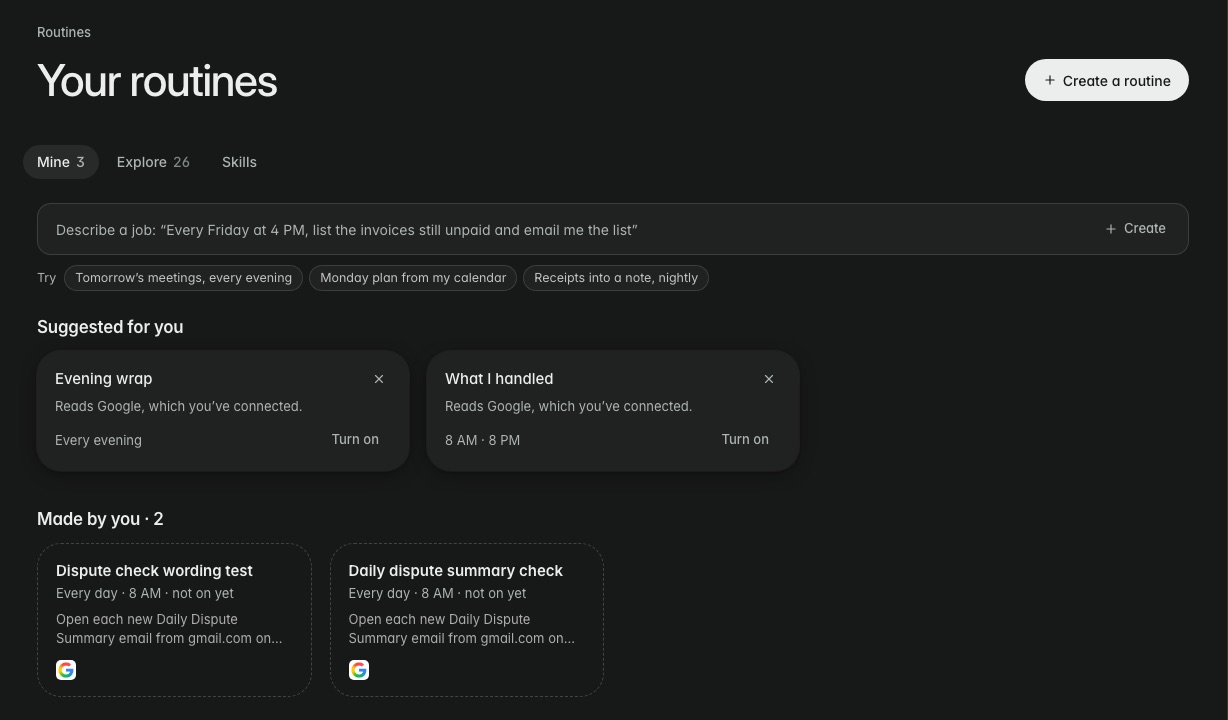
Ready-made routines
The Routines page has routines you switch on with one click, each with a schedule you can change: Morning brief, Prep every meeting, Plan my week, Wrap up my day, Clean up your calendar, Chase what I’m owed, Proposals waiting on a decision, Sort my tasks and Log every invoice. See Ready-made routines.
Approval and control
- A routine reports to you. If you want it to draft replies, it leaves them for you to review, unless you’ve told that routine to send without asking.
- Each routine’s page shows what it does, when it runs, where results go, and its recent runs, so you can see what it sent. Some can run now.
- Pause or stop one on its page, or ask: “pause my Friday client summary”.
Rules or routines?
An email rule acts on each email as it arrives, like texting you when a client writes. A routine does a bigger job, like a report or a round-up, on a schedule or when a matching email lands.
If a routine didn’t arrive or failed
| Check | Why |
|---|---|
| The routine’s recent runs | Shows whether it ran and what it sent. |
| Settings → Connected Accounts | A disconnected account means the routine can’t read that mail or calendar. |
| Texts from alfred_ | If texts are off under Settings → Notifications, a text result can’t reach you; choose email delivery instead. |
| Credits on Settings → Plan & Billing | Routines run on your plan’s monthly credits. |