

There is no question that Superhuman is a beautifully designed product. The keyboard shortcuts are precise. The split inbox is genuinely useful. The speed is not exaggerated, emails load instantly, and you can rip through your inbox at a pace that makes Gmail feel like it is running through mud.
But “Is Superhuman worth it?” is really two questions: Is it a great email client? And is a great email client what you actually need?
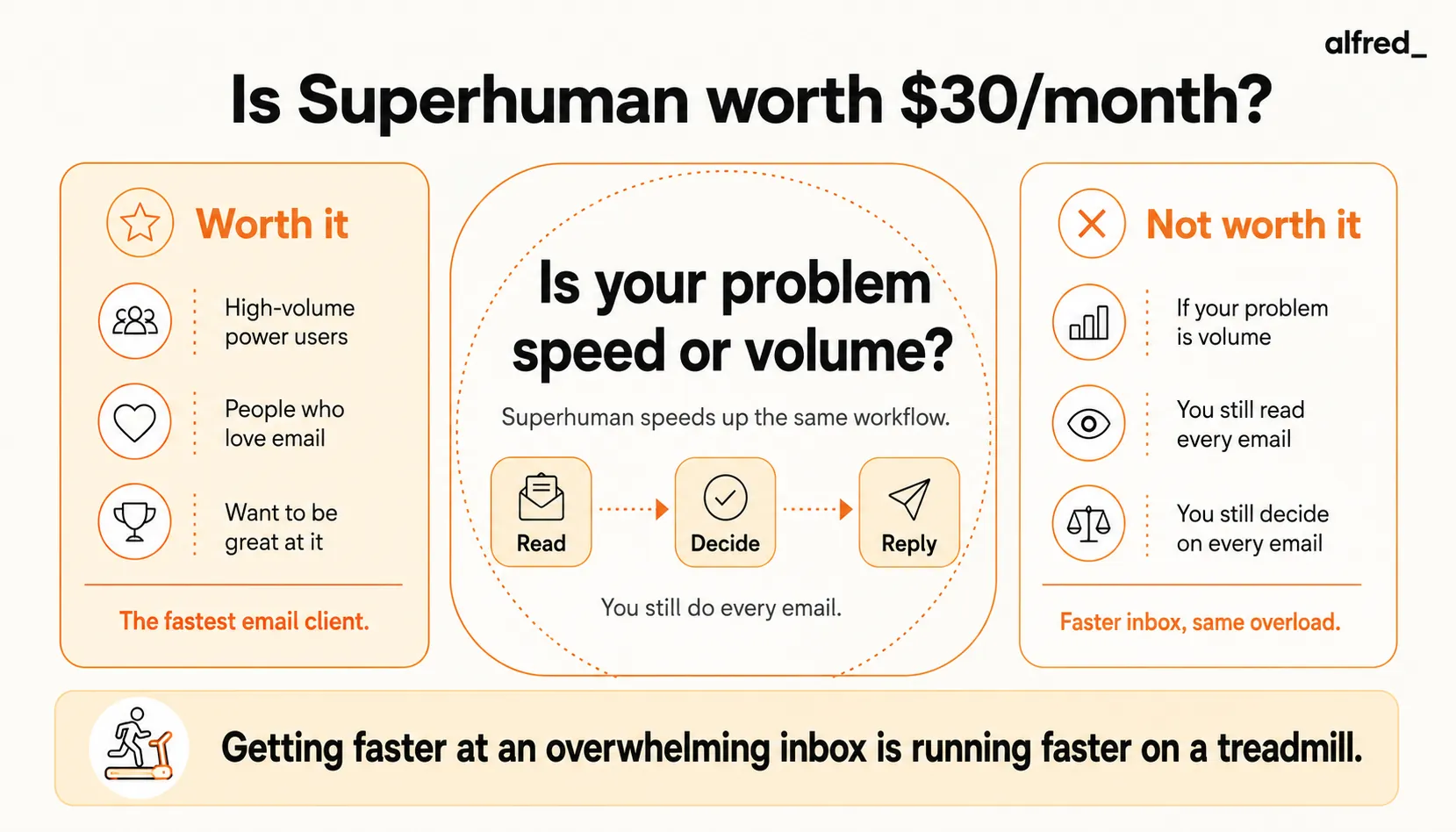
The answer to the first question is yes. The answer to the second depends entirely on whether your problem is speed or volume.
What Superhuman Does Well
It is built for keyboard speed. Every action has a keyboard shortcut, and the Command Palette (Cmd+K) opens any feature. You still open the app and process every email by hand. The fastest way to answer email is not inside any client: with alfred_ you reply to a client by text.
Split Inbox actually works. Unlike Gmail’s tabs that you forget exist, Superhuman’s split inbox divides your email into Important, VIP, News, Calendar, and Other. The categorization is good out of the box and learns from your behavior. You can process high-priority messages first without scrolling past newsletters.
Snooze and reminders are thoughtfully designed. Snoozing an email to reappear at a specific time is seamless. Follow-up reminders alert you when someone has not replied. These features exist in other clients, but Superhuman’s implementation is the most polished.
Read receipts give you visibility. Knowing when someone opened your email (and how many times) is genuinely useful for sales and time-sensitive communication. You can turn them off for privacy if you prefer.
The AI writing features are solid. Since being acquired by Grammarly in mid-2025 (with Grammarly subsequently rebranding itself as Superhuman), the AI writing assistance has strengthened. It drafts replies in your voice, summarizes long threads, and suggests quick responses. The writing quality is good.
The onboarding works. Superhuman’s concierge onboarding walks you through every feature. You start productive on day one. No other email tool invests this much in getting you up to speed.
What Superhuman Does Not Do
Here is where the honest evaluation matters. Superhuman makes you faster at the same workflow. It does not change the workflow.
You still process every email yourself. Superhuman does not decide which emails matter. It does not draft replies proactively before you start your day. It does not extract tasks from email threads and add them to your to-do list. You open every email, you read it, you decide what to do, and you do it, just faster.
There is no proactive triage. When you open Superhuman in the morning, your inbox is waiting for you, sorted into tabs but not evaluated. No one has read your emails, identified the three that actually need your attention, and prepared the information you need to respond. You still do that work.
No daily briefing. There is no summary of what happened overnight, what requires decisions today, or what follow-ups are overdue. You discover this by processing your inbox, one email at a time, quickly, but still one at a time.
No calendar awareness in email processing. Superhuman does not know you have a board meeting at 10am and that the email from your CFO with the financial summary should be prioritized above the newsletter you are reading. It sorts by category, not by your actual schedule and priorities.
No cross-tool intelligence. Your emails, calendar, and tasks are separate worlds. An email that says “let’s move the meeting to Thursday” requires you to manually update your calendar. An email that says “can you review this by Friday” requires you to manually create a task.
Pricing Breakdown
Superhuman offers three plans:
- Starter: $30/month per user ($25/month on annual billing). Core email experience plus AI writing (Write with AI, Instant Reply, Auto Summarize), keyboard shortcuts, split inbox, snooze, read receipts, scheduled send.
- Business: $40/month per user ($33/month on annual billing). Adds advanced AI (Auto Drafts, Ask AI, Custom Auto Labels), CRM integrations (HubSpot, Salesforce), and priority support.
- Enterprise: Custom pricing. Contact sales for details.
There is no free tier. Superhuman offers a 7-day free trial. Nonprofit and education pricing is available at $10-15/user/month by contacting support.
For comparison:
- Gmail is free
- Apple Mail is free
- Spark is free (paid plans from $7.99/month)
- alfred_ is $29.99/month
At $30-40/month, Superhuman is the most expensive standalone email client on the market. The question is whether the time savings justify the cost.
Who Should Buy Superhuman
Sales professionals processing 200+ emails/day. If your job is email, prospecting, follow-ups, deal management, Superhuman’s speed compounds into meaningful time savings. The read receipts are directly valuable. At senior sales roles where your time is worth $100+/hour, saving an hour a day easily justifies $30/month.
Executives who enjoy the craft of email. Some people genuinely like being good at email. They like the precision of keyboard shortcuts, the satisfaction of hitting Inbox Zero, the control of managing every message. If that is you, Superhuman is a tool for your workflow.
Teams that need shared email visibility. The Business plan’s team features, shared threads, assignments, internal comments, are useful for teams that collaborate on email. It is a lightweight alternative to a shared inbox tool.
Who Should Not Buy Superhuman
Anyone whose real problem is email volume. If you get 150 emails a day and feel overwhelmed, Superhuman lets you process those 150 emails in 45 minutes instead of 90 minutes. You still processed 150 emails. You still made 150 decisions. You are still tired. The volume problem is not a speed problem.
People who want AI to handle email, not just write faster. If what you actually want is someone (or something) to read your email, figure out what matters, draft the routine replies, and present you with only the decisions, Superhuman is not that. It is a fast steering wheel, not a self-driving car.
Budget-conscious individuals. $30/month for an email client is a lot. If you are evaluating whether the cost is justified, you are probably not the target customer. Superhuman’s ideal user does not think about the price because the time savings are obviously worth it at their income level.
People with fewer than 80-100 emails per day. The speed advantage diminishes rapidly at lower volumes. At 50 emails per day, you might save 15 minutes. That is $2/minute, not a great ROI.
Where alfred_ Fits
alfred_ and Superhuman solve the same surface-level problem, email taking too much time, from opposite directions.
Superhuman says: process email faster. alfred_ says: process less email.
alfred_ works in the background, reading your incoming email, understanding context from your calendar and past conversations, and making decisions about what matters. When you open alfred_ in the morning, your inbox has already been triaged. Routine emails have draft replies waiting. Your morning brief tells you the three things that need your attention today. Follow-ups are tracked automatically.
You do not process 150 emails faster. You review 15 decisions that alfred_ has prepared for you.
At $29.99/month, alfred_ costs less than Superhuman’s Starter plan. But the real difference is not price. It is philosophy. Superhuman makes you the best possible email processor. alfred_ argues you should not be processing email at all.
They can also work together. Some users run Superhuman as their email client for the messages that do need manual handling, and alfred_ as their triage layer that reduces how many messages reach Superhuman in the first place.
The Verdict
Superhuman is genuinely worth $30/month for the right person. That person processes high volumes of email, values speed and control, and treats email as a core part of their job. For that user, the $30 is easy to justify.
But most people asking “Is Superhuman worth it?” are actually asking “Is there a way to make email less painful?” And for that question, speed is the wrong answer. You do not need to be faster at email. You need less email to be fast at.
If you love email and want to be great at it: buy Superhuman.
If you hate email and want less of it: try alfred_.
If you are not sure: the fact that you are not sure means you probably need less email, not faster email.




