For consultants
Every call ends in promises.Ask which ones are still open.
Ask what was promised on last week's calls and alfred_ pulls the action items from the call summaries in your email, by client, with the emails behind them.
 Gmail
Gmail OutlookAny IMAP inboxUp to six accounts, one list
Clients expect an answer the same hour.Your team has more to keep track of than ever.
- 01
Their other vendors reply fast now.
A two-day reply reads as "they don't care."
- 02
Every call ends in a summary full of promises.
Nobody owns turning them into done.
- 03
More accounts, same team.
You're expected to grow the account list without adding coordinators.
Client work used to slip once in a while. Now it slips every week, and the client notices first.
Standups, spreadsheets and the CRMall depend on someone remembering.
- Ask each rep in standupIt's from memory, and you become the bottleneck.
- A coordinator with a spreadsheetStale by noon, and it leaves when they do.
- The CRMIt shows what someone typed, not what the client asked.
- ChatGPT or CopilotIt answers when someone asks. Your problem is what nobody asked about.
- Hire another personIt adds another inbox with the same blind spot.
Ask what was promised,client by client.
- From call summaries. The ones your note taker emails you, read with the threads around them.
- By client. Every action item, grouped by engagement.
- With the receipts. Each line points to the email it came from. If nothing went out, it says so.
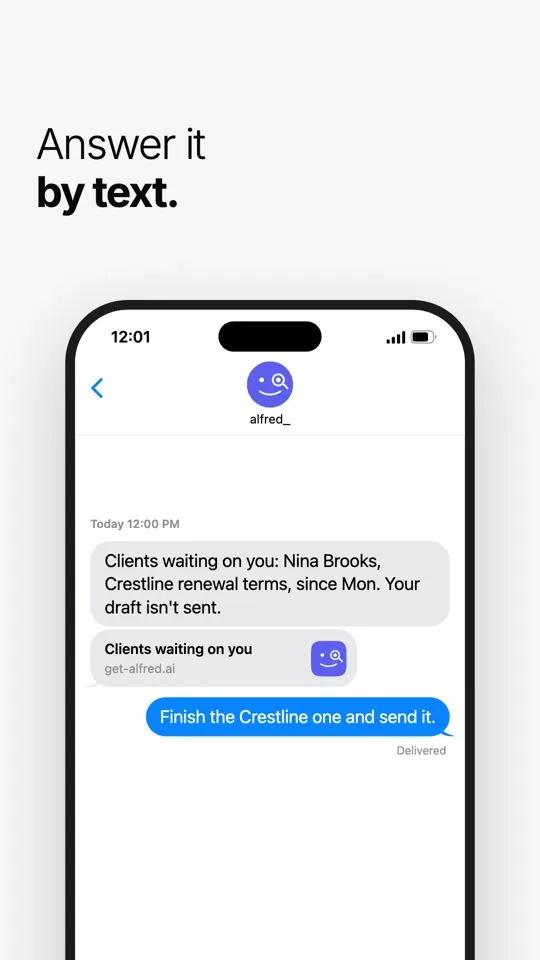
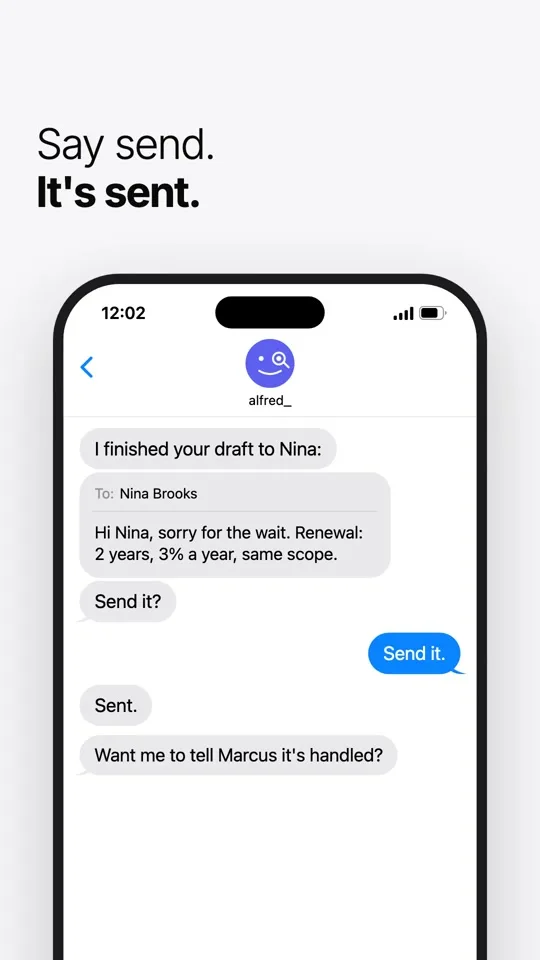
- Then the follow-up. Ask for a draft, and send it when it's right.
One week of calls, start to finish.Nothing reaches the client until you press send.
- 01
The call ends.
The summary lands in your inbox with four action items for Harbor.
- 02
Friday, you ask.
"What did we promise Harbor this week?"
- 03
It answers with receipts.
Each item, the summary it came from, and whether a reply went out.
- 04
You send the follow-up.
It drafts the email. You press send.
Make it every Friday.Ask once, as a routine.
"Every Friday at 4, send me what's still open from this week's calls." It runs on the schedule you set, and every run shows what it checked.
Built inside a client services team. Nothing goes out without your OK.
Used by people at 250+ businessesAgencies, law firms, contractors, real estate firms and accounting practices
You approve, alfred_ does the typing.
Nothing reaches a client until you press send.
Each teammate stays in control.
Nobody sees anyone's mail unless that person turns it on, and every look is logged where they can see it.
It shows its work.
Every answer points to the email it came from. If there's no evidence something got done, it says so.
Independently assessed.
A CASA Tier 2 security assessment, for Google's review. Your inbox stays in Gmail or Outlook.
Where do the action items come from?
From the call summaries your note taker emails you and the threads around them. Ask, and alfred_ pulls them together by client, with the email behind each one.
Does it check what I already sent?
When you ask, yes. It searches your sent mail and tells you what it found, or that it found nothing.
Can my whole team use it?
Yes. On the team plan every teammate gets their own alfred_, in their own email and calendar, on one company bill.
Will it send anything to a client on its own?
No. alfred_ drafts the reply when you ask and shows it to you first. Email goes out when you send it, or from a rule you set up.
Which email and calendars does it work with?
Gmail (including Google Workspace), Outlook (including Microsoft 365), iCloud and any inbox that signs in with IMAP. Up to six accounts a person, on one list.