Text alfred_
Your clients don't waituntil you're back at a desk.
Text alfred_ like you'd text a person. It knows your email, calendar and to-dos.
Clients expect an answer the same hour.Your team has more to keep track of than ever.
- 01
Their other vendors reply fast now.
A two-day reply reads as "they don't care."
- 02
Every call ends in a summary full of promises.
Nobody owns turning them into done.
- 03
More accounts, same team.
You're expected to grow the account list without adding coordinators.
Client work used to slip once in a while. Now it slips every week, and the client notices first.
Standups, spreadsheets and the CRMall depend on someone remembering.
- Ask each rep in standupIt's from memory, and you become the bottleneck.
- A coordinator with a spreadsheetStale by noon, and it leaves when they do.
- The CRMIt shows what someone typed, not what the client asked.
- ChatGPT or CopilotIt answers when someone asks. Your problem is what nobody asked about.
- Hire another personIt adds another inbox with the same blind spot.
Everything you'd textan assistant.
- Ask anything. Your email, calendar and to-dos, one text away.
- Add to-dos. Text it and it's on your list.
- Reminders. Ask for one and get a text when it's time.
- What can't wait. A text when an email you care about lands.
Just text it.Anything that sends, you see before it goes.
- 01
"What's on tomorrow?"
Your day, first meeting on top.
- 02
"Did Karen reply?"
It checks your email and tells you.
- 03
"Remind me at 5."
A text at 5, on your to-do list too.
- 04
"Email Luis the quote."
You see the email before it goes.
It texts you first.Before meetings. When an email lands.
Pick what it texts you, set quiet hours, and turn any text off. It works over iMessage, RCS and SMS, with no app to install.
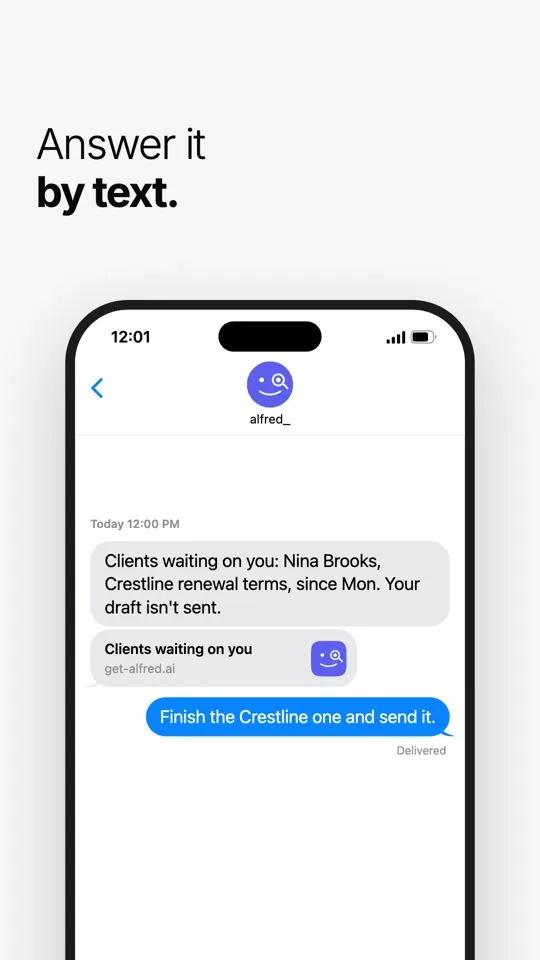
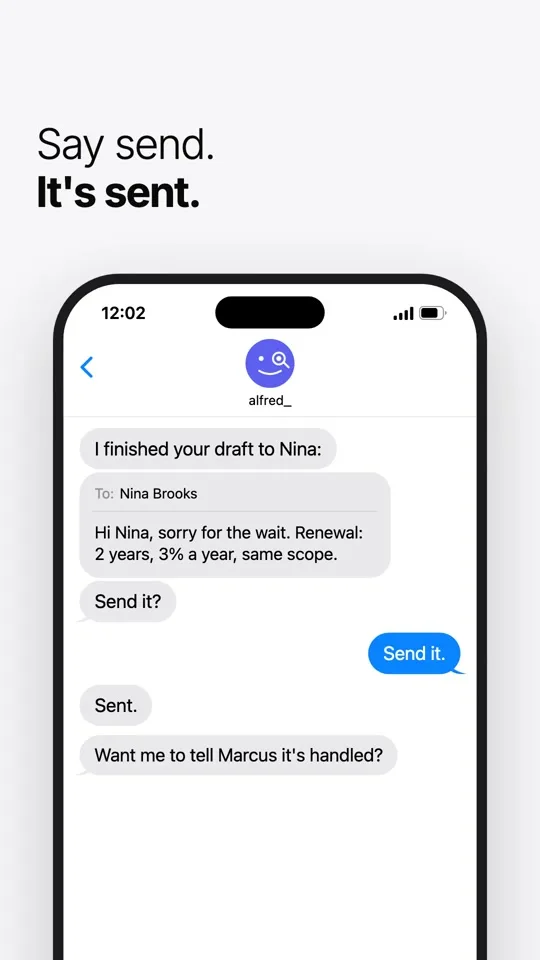
Built inside a client services team. Nothing goes out without your OK.
Used by people at 250+ businessesAgencies, law firms, contractors, real estate firms and accounting practices
You approve, alfred_ does the typing.
Nothing reaches a client until you press send.
Each teammate stays in control.
Nobody sees anyone's mail unless that person turns it on, and every look is logged where they can see it.
It shows its work.
Every answer points to the email it came from. If there's no evidence something got done, it says so.
Independently assessed.
A CASA Tier 2 security assessment, for Google's review. Your inbox stays in Gmail or Outlook.
Does alfred_ work with iMessage?
Yes. alfred_ texts over iMessage, RCS and SMS, so it works on iPhone and Android. There's no app to install.
What can I ask alfred_ by text?
Anything about your email, calendar and to-dos: what is on tomorrow, whether someone replied, what a thread said. You can also add to-dos, set reminders and add meetings.
Can alfred_ send an email from a text?
Yes. Tell it who and what, and it texts you the email to check first. It sends when you say yes.
What will alfred_ text me about?
What you turn on: a reminder before each meeting, a text when an email you care about lands, changes to your meetings, and your day each morning.
How do I turn texts down?
Turn any kind of text on or off in alfred_, or set quiet hours. Texts about changes wait until your quiet hours end.
How do I get started?
Add your phone number in alfred_ and confirm the code we text you. Then text alfred_ like you'd text a person.