

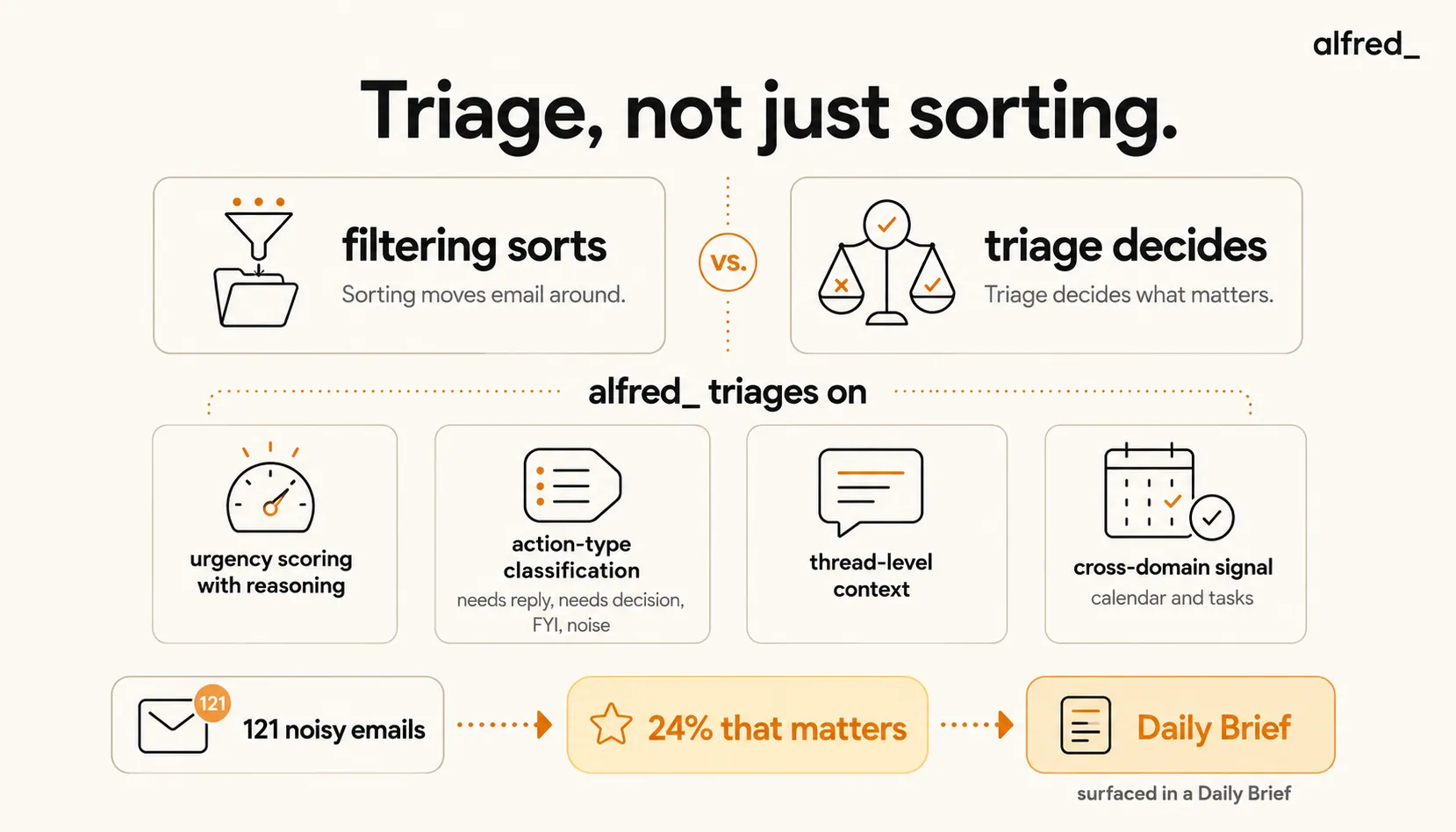
Most “inbox AI” sorts. alfred_ triages.
Sorting puts things into piles. Triage reads the pile and tells you what needs you, why, and when. It’s the difference between a digest and a decision aid, and it’s why alfred_ was built around content-aware triage from the start.
alfred_ reads each email, scores urgency based on content and context (not just sender), explains its reasoning, and prepares drafts for the messages that need replies. It works with both Gmail and Outlook. The full behaviour, including what it archives and how to correct it, is in How alfred_ triages your inbox.
- AI Email Triage Definition
- software that reads the content of each email, understands its context (deadlines, sender relationships, your calendar and tasks), and assigns urgency with explanation, so you can see what needs you today without scanning everything.
Why Filters Fail (Again)
If you’re searching for an AI inbox triage tool, you’ve already tried filters. Everyone has. Here’s why they keep falling off.
Gmail filters are static. They match keywords, senders, or subjects. A filter can’t understand that an email from Sarah is routine most days but urgent today because it references a deadline that moved. Filters require you to predict what matters in advance, but what matters changes daily.
Filters break silently. Sender formats change. Gmail overrides your filters for messages it considers “important.” Too many rules conflict. You trust the system for three weeks, then discover a client’s email has been landing in a folder you stopped checking because the filter misfired.
Gmail Priority Inbox is better than raw filters. It uses ML on your actions, but it’s opaque. You can’t see why an email was flagged, can’t tune it directly, and the classification is binary (important vs. not) with no gradient and no reasoning.
76%
of email is noise, newsletters, automated notifications, CC threads, marketing
121 emails/day
Average office worker inbound volume
600+
Weekly read, reply, forward, archive, or ignore decisions implied by inbound volume, one per message
What Triage Actually Does
Real email triage reads content and makes judgment calls. alfred_ does this along four axes.
1. Urgency Scoring (With Reasoning)
alfred_ scores each email on a gradient, not binary, and shows its reasoning. A score might be “Urgent: references deadline this Friday from repeat client who typically gets same-day responses” rather than a silent “important” flag.
This matters because you can correct the reasoning. If alfred_ scores an email as urgent because “sender emailed 3 times last week,” and you know that sender is a noisy internal stakeholder, you adjust the rule. Over time, scoring becomes specific to how you work.
2. Action Type Classification
Every email fits into one of four rough buckets:
- Needs reply, a response is expected
- Needs decision. You need to make a call, but may not need to reply
- FYI, informational, no action from you
- Noise, newsletters, auto-notifications, bulk CC
alfred_ classifies each email into one of these and surfaces only what actually needs you.
3. Thread-Level Context
alfred_ reads the full thread, not just the latest message. If a deadline was mentioned five replies ago and referenced obliquely today, it’s connected to current urgency. Rule-based tools that parse only the newest message miss this entirely.
4. Cross-Domain Signal
alfred_ triages with awareness of your calendar and task list. “Email from client X” with a “Call with client X at 2 PM on calendar” is weighted higher than a cold email from someone you’ve never heard of. This connection is what separates alfred_ from single-domain triage tools.
How Triage Becomes a Morning Brief
Triage is the machinery under the morning brief. Once emails are scored and classified, alfred_ surfaces the top 5-10 items that need you, with drafts ready for the ones requiring replies, while the rest is handled or deferred.
Before alfred_: open inbox, 121 undifferentiated emails, 30+ minutes of scanning to find the 6 that matter.
With alfred_: open morning brief, 6 items, each with one-line context and draft where applicable. 12 minutes of total email time to start the day. The other 115 emails were triaged and deferred.
The Landscape: How Triage Tools Actually Compare
| Tool | Triage method | Urgency scoring | Drafts included | Cross-domain | Price |
|---|---|---|---|---|---|
| Gmail Priority Inbox | ML on your actions (opaque) | Binary | No | No | Free |
| SaneBox | Header + sender ML | Binary (important/SaneLater) | No | No | $7-36/mo |
| Shortwave | AI bundles (reduces visual noise) | No explicit scoring | Yes (Ghostwriter) | Email only | $7-120/mo |
| Superhuman Split Inbox | Manual tiers (you set) | Manual | Yes | Email only | $33-40/mo |
| Fyxer | AI read + classify | No explicit scoring | Yes | Email only | $22.50-37.50/mo |
| alfred_ | Content + thread + cross-domain context | Numeric + reasoning | Yes | Email + tasks + brief | $29.99/mo |
Gmail Priority Inbox, opaque and binary. Better than nothing, but you can’t tune it and it doesn’t explain itself.
SaneBox, learns senders over 4-6 weeks and sorts into SaneLater folders. It’s a good noise reducer, but its output is a digest of what was filtered, not a brief of what matters. Binary classification with no gradient.
Shortwave, groups newsletters, receipts, and notifications into visual bundles, which reduces chaos. No explicit urgency scoring. Strong at drafting via Ghostwriter; weaker at triage.
Superhuman Split Inbox. You manually create tiers. It’s fast and keyboard-driven, but the intelligence is in your manual setup, not learned. Priced $33-40/month.
Fyxer, auto-classifies and drafts. Moderate triage depth. Smaller user base, less battle-tested.
alfred_, content-aware triage with urgency scoring on a gradient, reasoning exposed, drafts prepared, cross-domain context with calendar and tasks. Works with both Gmail and Outlook.
The Economic Logic of Real Triage
11.2 hours/week
Time the average knowledge worker spends on email, more than a quarter of the working week
28%
Percentage of the average knowledge worker's day spent processing email (McKinsey)
40%
Share of productive time lost to task-switching, the constant context-shifting email overload creates
At 28% of the workweek on email, cutting your triage time by 60% reclaims about 7 hours per week. At any billing rate, the math on a $29.99/month tool isn’t close.
But the cognitive value compounds on top. Triage removes 400-600 weekly micro-decisions from your plate. That doesn’t just save time. It preserves the cognitive bandwidth you need for the actual work your inbox is about.
The difference between starting your day having scanned 121 emails and starting it having read 6 items with context is the difference between reactive work and the work you were hired for.
What a Triaged Day Feels Like
You wake up at 7 AM. 63 overnight emails.
By the time you’re making coffee, alfred_ has triaged all 63:
- 4 need replies today (drafts ready)
- 2 need your decision but not a reply
- 8 are FYI (summarized in the brief)
- 49 were noise (newsletters, notifications, bulk CC), already archived or filed per your rules
You read the morning brief over breakfast. 10 minutes. You know what’s on your plate.
At 8:15 you open your laptop. Edit three drafts, send. Defer one decision to later in the day. Your inbox is not the first thing on your mind. The real work is.
“I don’t think about email the way I used to. It’s not an anxiety source anymore. It’s a feed I check, like any other.”
Who Needs AI Triage
- Anyone receiving 75+ emails per day
- Professionals whose inbox is their primary workflow (consultants, founders, executives, senior partners)
- People who have tried SaneBox or Priority Inbox and found the binary classification too blunt
- Anyone whose mornings are consumed by triage before the actual work starts
If you get 20 emails per day and mornings are calm, you don’t need AI triage. If your inbox is the first hour of your workday, you do.
What alfred_ Triage Does Not Do
Honest scope:
- alfred_ does not auto-send replies without your review. Drafts are prepared; decisions are yours.
- alfred_ does not delete email without approval. Archive behavior is configurable, but the default is you decide.
- alfred_ does not replace security email scanning (phishing detection stays with your provider).
It does one thing very well: reads each email, tells you what matters and why, and prepares drafts for the ones that need replies.
The Summary
Filtering sorts. Triage decides.
alfred_ triages your inbox, reading content, scoring urgency with reasoning, classifying action type, and preparing drafts for messages needing replies. It works across Gmail and Outlook, connects email triage to calendar and task context, and never trains on your data.
The average inbox is 76% noise and 24% signal. You can keep scanning everything. Or you can let a tool built for judgment surface the 24% and handle the rest.




