

It is 5:40. You have a feeling there is something you were meant to do today. You scroll the inbox once, see nothing that jumps out, and close the laptop. At 9:15 that night you remember what it was.
An end-of-day summary exists to replace that feeling with a list. It does not need to be long. It needs to answer four questions.
The four questions
| Question | Where the answer is | What you are looking for |
|---|---|---|
| What was I asked today that I have not answered? | Today's inbox, including mail you already opened | A question or request with your name on it |
| What did I send that needs a reply? | Today's Sent folder | Anything where you are now waiting on someone |
| What did I say I would do? | Sent mail and meeting notes | "I'll send that tomorrow", "let me check and come back" |
| What does tomorrow start with? | Tomorrow's calendar | The first meeting, and anything you need for it |
Doing it by hand in ten minutes
1. Today’s inbox (3 minutes). In Gmail, search in:inbox newer_than:1d. In Outlook, sort the inbox by date and look at today. Read the subject lines of everything, including what is already marked read, and star or flag anything that asked something of you.
2. Today’s Sent folder (3 minutes). Open Sent and scan today. For each email, ask whether you need something back. If yes, flag it or add a “Waiting” label or category. This is also where you catch your own promises: any sentence where you said you would do something.
3. Your flags or stars (2 minutes). Open the starred or flagged view. That is now your open list. Decide for each one: do it now, or first thing tomorrow.
4. Tomorrow’s calendar (2 minutes). Look at the first meeting and ask whether you need anything for it.
Write the result down as a short list, three to seven lines. That list is your summary.
It works. Its weakness is that it depends on you doing it at 5:40 on the days you least feel like it, and on your eyes catching the one request in sixty subject lines.
Asking for it instead
alfred_ is an AI personal assistant for work. It is connected to your email, calendar and to-dos, it flags the emails that need your answer as they arrive, and it tracks the threads where you are waiting on someone. So the end-of-day check can be a question.
On the web, in the iPhone app or by text:
You: What still needs me before I log off?
alfred_: Three replies are waiting on you: Dana about the signed SOW, Mike about the onboarding review, and the Harbor permit renewal due Friday. You are waiting on Luis for the revised quote, sent Tuesday. Two to-dos are due today. Tomorrow starts with Karen’s kickoff at 10:00.
Illustrative exchange. Names in this post are invented.
That covers the first, second and fourth questions from accounts it already reads, across up to six inboxes. You can follow up in the same thread: “draft a reply to Dana” gives you a draft to review and send, and “what am I waiting on?” gives just that list.
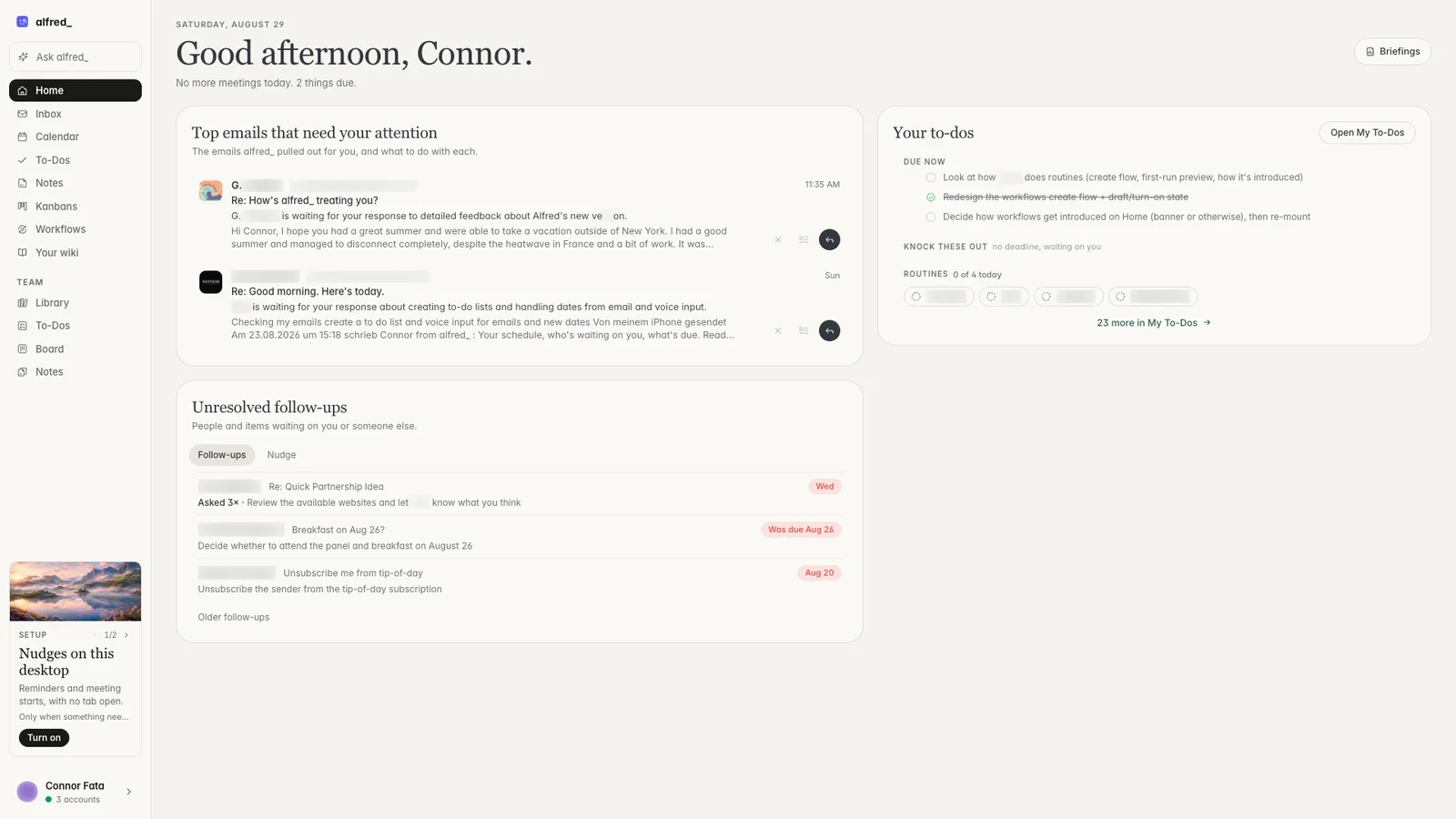
What needs you and today’s to-dos on Home. Shown with sample data.
Getting it without asking
alfred_ has ready-made routines, and one of them is Wrap up my day: before you log off, what still needs you and what tomorrow starts with. Turn it on from the Routines page and it runs on weekdays at 4:30 PM, sending the result by email or in the app. You can change the time or reword it, and every run shows what it checked and what it found.
Two things to know. Test it now runs it once, right away, so you can see what it would send before it goes on a schedule. And routines use the credits in your plan, while asking in chat does not need a routine at all.
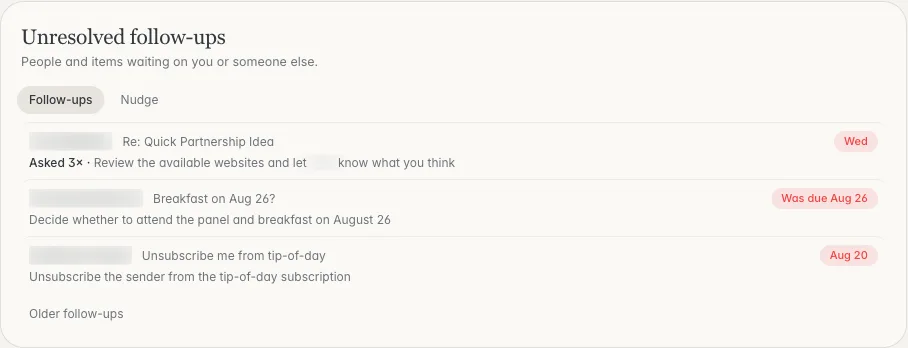
Open threads in both directions. Shown with sample data.
What it will not catch
Be clear about the edges. alfred_ answers from your email, calendar and to-dos, and from Slack or Microsoft Teams if you connect them. A promise you made out loud in a meeting is in none of those and will not be in the summary unless you add it as a to-do. The manual third question, “what did I say I would do?”, is still worth thirty seconds of your own memory.
Plans start at $29.99 a month with a 7-day free trial. More on routines is on the Routines page.
The short version
- Ten minutes by hand: inbox, Sent, flags, tomorrow’s calendar.
- One question: “what still needs me before I log off?”
- Either way: finish with a list you can read in a minute, and decide what waits until tomorrow on purpose.




