

It happened again.
Not a catastrophe. Not a deal lost or a client fired. Something smaller. An email you said you would respond to. A document you promised to review. An introduction you committed to making. A small, quiet thing that mattered, not enough to scream for attention, but enough to create a consequence when it did not happen.
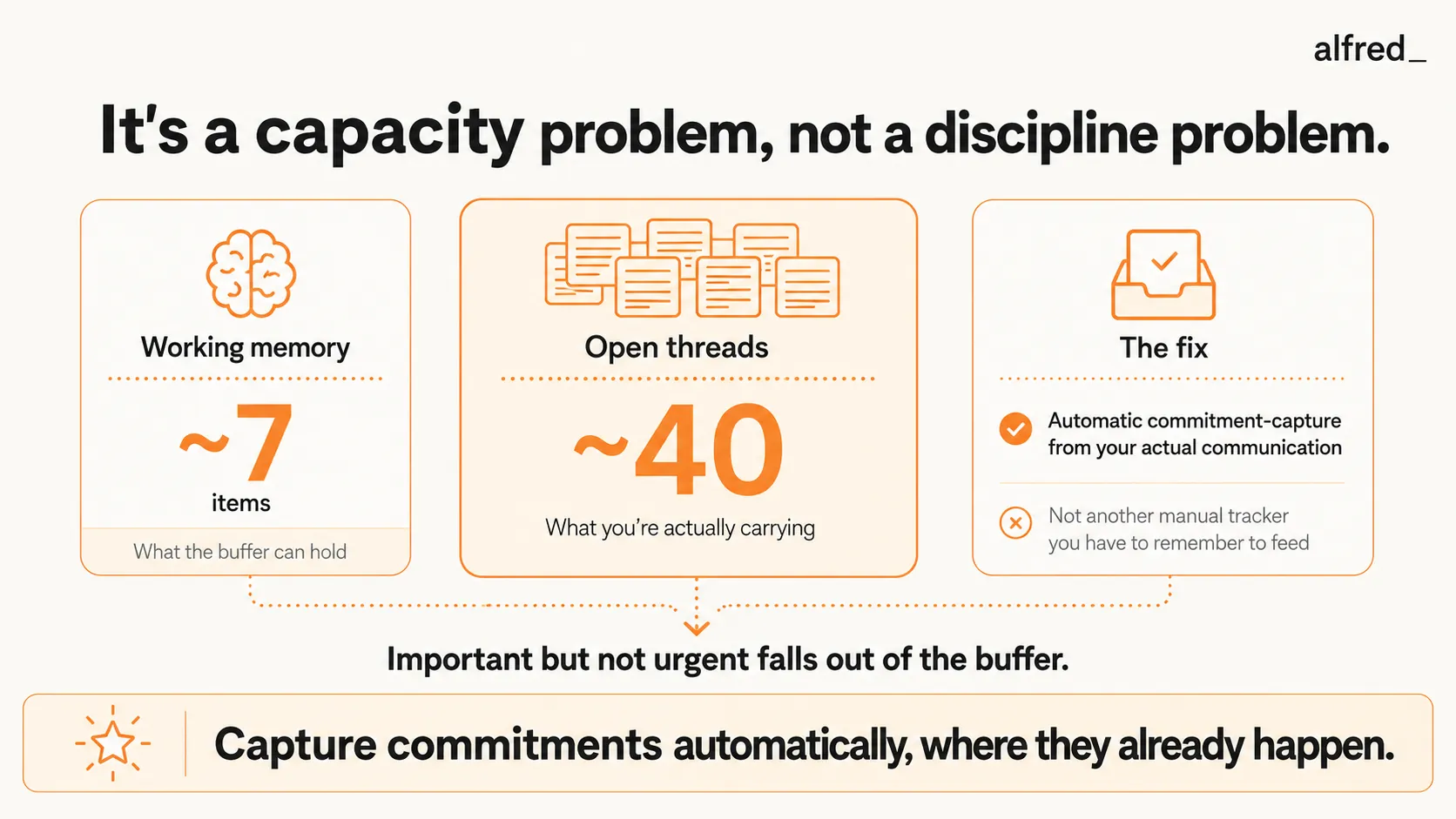
You did not forget because you do not care. You forgot because the thing that slipped was one of 40 things you were holding in your head, and your head can hold about 7.
The short answer: to make sure important emails never slip through the cracks you need a mechanism, not more attention. Separate needs-reply from FYI the moment mail arrives, keep a running list of unresolved threads (replies you owe and replies you are waiting on), and resurface each one at the right time instead of when you happen to remember. You can build that by hand with labels, snooze, and a weekly review; an AI assistant like alfred_ does the first and the resurfacing for you from the content of your email, keeps the replies you owe on a standing list, and finds what others owe you when you ask or every Monday, which is the right choice above about 100 emails a day and the wrong one if your inbox is small and you enjoy running the system yourself.
“The things I drop are never urgent enough to remember but always important enough to matter.”
That is the cruelest part. The things that slip are never the emergencies. Emergencies announce themselves. Emergencies have deadlines that scream, stakeholders that call, and consequences that are immediate and visible. You do not miss emergencies.
You miss the other things. The quiet obligations. The commitments made in passing. The “I’ll take care of that” promises buried in email threads and Slack messages. The things that sit in the Important-But-Not-Urgent quadrant of the Eisenhower matrix, patiently waiting, accumulating, until one day you realize they have been waiting for two weeks and the window has closed.
The direct answer, for work as a whole
Things fall through the cracks at the hand-offs: an email you read and meant to answer, a date mentioned in a thread that never reached the calendar, a promise made in a reply, a request someone else owes you that went quiet. The fix is the same for each: give every open item one place to wait, and one moment when it comes back to you.
- Requests to you: an email that asks you for something should land on a list without you flagging it. alfred_ keeps that list from the content of your mail, across up to six inboxes, and leads your morning brief with it. See what you owe and what you’re owed.
- Dates and deadlines: ask alfred_ to put the date from an email on your calendar, or accept the tasks it suggests from your email, with the due date the email gives. See dates and deadlines from email.
- What others owe you: ask “who hasn’t answered me this week?”, or turn on the Monday Chase what I’m owed routine.
- One review a day: read the morning brief, not the whole inbox. Add an end-of-day check with the Wrap up my day routine. See the brief and scheduled lists.
The limits. It works from the inboxes and calendars you connect. A promise made on a call, or work tracked only in another tool, isn’t seen until it’s written down somewhere it can read, and Slack or Teams requests count only if you connect them. Nothing is sent to anyone without your OK unless you set up an automation to.
The Mechanism: Separate, Track, Resurface
Every system that reliably stops things from slipping, whether it is a good human assistant, a disciplined label routine, or an AI, does the same three things. Everything else is decoration.
- Separate needs-reply from FYI at arrival. Most email needs no action. The damage happens when the 20% that does sits in the same list as the 80% that does not, and you re-read the whole stream to find it. Sorting on arrival, by content rather than sender, means the needs-reply pile is short enough to actually finish.
- Track unresolved threads in both directions. Two lists: replies you owe, and replies you are waiting on. The second list is the one almost nobody keeps, and it is where deals, intros, and vendor answers quietly die. A thread is resolved when the last message answered the last question, not when you read it.
- Resurface at the right time. Flags and stars fail because they pile up silently. An open item has to come back to you on the day it becomes late, with enough context to act in one step, ideally with the reply already drafted.
| DIY (labels, snooze, weekly review) | AI executive assistant (alfred_) | |
|---|---|---|
| Separate needs-reply from FYI | You apply a Needs Reply label or flag on first read | Every inbound message classified by content as it arrives |
| Track replies you owe | Needs Reply label, cleared by hand | Kept current as the thread moves; cleared when you actually answer |
| Track replies you are waiting on | A Waiting On label you must remember to apply when you hit send | Found when you ask, or every Monday with the Chase what I'm owed routine |
| Commitments you made in your own reply | Only if you stop and add a task | Found when you ask: what did I promise this week? |
| Resurfacing | Snooze or reminders, set one by one; Friday review | Morning brief lists the emails that need your answer, the meetings ahead and the tasks due |
| Cost | Free plus 15-30 minutes a day of upkeep | From $29.99/mo or $299.99/yr |
DIY: if you are under about 50 emails a day and will actually run the Friday review. Choose alfred_ if you want an AI executive assistant for email and calendar to run the three steps for you from the content of your mail. For how the assistant category compares more broadly, see our best AI email assistants test.
The Pattern, Not the Incident
If it happened once, you could call it a mistake. But it does not happen once. It happens chronically. It is not a single dropped ball. It is a pattern of dropped balls, and the pattern is what makes it feel personal.
You start to think it is a character flaw. “I’m disorganized.” “I can’t keep track of things.” “I’m unreliable.” You compare yourself to colleagues who seem to have everything together, who respond to every email within hours, who never miss a commitment, who appear to hold all 40 threads in their head simultaneously.
They cannot. They are dropping things too. The feeling of “being in control” is largely an illusion sustained by luck, the hope that the things you dropped were not the ones that mattered this time.
George Miller’s landmark 1956 study at Princeton established that human working memory holds approximately 7 items, plus or minus 2. This is not a rough estimate. It is one of the most replicated findings in cognitive psychology. Your working memory can hold 5-9 things. You have 40 things to track. The math does not work. It has never worked. The only question is which items fall out of the 7-slot buffer, and whether those items were the ones that mattered.
The things that fall out are predictably the quiet ones. The ones without deadlines attached. The ones where nobody will follow up with you if you do not deliver. The ones that affect long-term relationships rather than short-term fires. The introduction you promised to make. The feedback you said you would give. The vendor you told your colleague you would look into. These things do not have alarm bells. They just have consequences.
The Invisible Accumulation
Each individual dropped ball is small. “I forgot to send that email.” Understandable. Forgivable. Human. But the drops accumulate, and the accumulation creates something larger: a reputation.
Not a dramatic reputation collapse. A slow erosion. Colleagues who used to rely on you start double-checking. “Hey, did you get a chance to look at that thing I sent?”, a polite way of saying “I’m following up because you’ve dropped things before.” Clients who used to trust your word start asking for written confirmations. Your manager starts CC’ing herself on emails to make sure things are tracked.
Nobody says “you are unreliable.” They just start building systems around your unreliability. And you notice. And the shame of noticing, of seeing the workarounds people have built because they cannot fully count on you, is worse than the shame of the drop itself.
Research on trust in organizational settings consistently shows that perceived reliability is one of the strongest predictors of workplace trust, and trust, once eroded, takes significantly longer to rebuild than it took to lose. Psychologists call this the negativity bias: negative events have a disproportionately larger impact on trust than positive events of equal magnitude. Dropping the ball once costs you more trust than delivering on time several times earns you.
The things that slip through the cracks are not just tasks. They are trust deposits you failed to make.
Why Your Current Systems Fail
You have tried systems. Of course you have. You are a competent person who recognizes the problem and has attempted to solve it.
Todoist / Notion / Asana (Free-$11/month). You create tasks for your commitments. The system works, for the commitments you remember to add. The problem is that most commitments are made in the flow of conversation, an email reply at 3:47 PM, a Slack message between meetings, a verbal promise during a call. These commitments exist in your head, not in your task manager. The task you did not add is the task that slips. And the tasks you do not add are, by definition, the ones you forgot about.
Flags and stars. You flag important emails. The flag folder grows. You stop checking it, or you check it and feel overwhelmed by the 47 flagged items staring back at you. The flags were supposed to prevent drops. Instead, they became another pile to feel guilty about.
Calendar blocking. You block time for “admin catch-up” on Friday afternoons. Some Fridays you use the time. Other Fridays a meeting gets scheduled over it, or a fire breaks out, or you are exhausted from the week and spend the block half-heartedly scrolling through flagged emails. The system depends on consistent execution, and consistent execution is exactly what the overload prevents.
Writing things down. You carry a notebook. You write down commitments as they happen. This works in meetings but not in email, where commitments are made asynchronously throughout the day. You cannot pause to write in a notebook while triaging 121 emails. And the notebook does not remind you. It just stores information that you have to remember to review.
The common failure: every system requires you to do the work of tracking. The things that slip are the ones you did not track, not because you chose not to, but because you were not aware enough, in the moment, to capture them. You need a system that captures commitments you did not know you were making.
The Capacity Problem
This is not a discipline problem. Repeat that. This is not a discipline problem.
A discipline problem means you know what to do and choose not to do it. That is not what is happening. What is happening is that the volume of incoming commitments, email, Slack, meetings, hallway conversations, texts, exceeds the capacity of your working memory to track them.
Research by Basex, a knowledge economy research firm, estimated that information overload costs the U.S. economy $900 billion per year in lost productivity, a figure that reflects the loss of roughly 25% of each knowledge worker’s day to unnecessary interruptions and the recovery time required to regain focus after each one.
Your brain is not failing. It is operating exactly as designed, for an environment with far less input. The human cognitive architecture evolved for a world where you tracked a handful of relationships, a few ongoing projects, and one communication channel (speech). You are operating in a world with 121 daily emails, numerous active projects, 3-5 communication channels, and dozens of concurrent relationships. The architecture was not built for this load. The drops are not bugs in your performance. They are the expected behavior of a system operating beyond capacity.
How alfred_ Catches What Falls
alfred_ is an AI assistant for client-facing teams, and each person on the team gets their own. It keeps a list of the replies you owe, finds who you’re still waiting on when you ask, manages your calendar, prepares you for meetings and sends a morning brief, across Gmail and Outlook. It does not add another tracking system to your life. It eliminates the need for you to track, by running the separate-track-resurface mechanism on the content of your email rather than on tasks you remember to add.
 Gmail · Sent
You to J. Park
I'll send you the revised numbers by Friday.
 # ops
# ops
Dana Kim
@Chris did the Acme invoice go out? Need it before Friday.

alfred_
Today 9:41 AM
Anything slipping?
Delivered
Two. You told J. Park you'd send the revised numbers by Friday. Nothing's gone out.
Dana asked in #ops if the Acme invoice went out.
Remind me Thursday at 9
Delivered
Got it. I'll text you Thursday at 9:00 AM.
Needs-reply versus FYI, at arrival. Every inbound message is sorted by what it asks of you, not by who sent it. The question from a colleague who never follows up lands in the same short needs-reply list as the client asking for a number. Newsletters, notifications, and threads someone else already answered do not.
Unresolved threads, both directions. alfred_ keeps the list of replies you owe and clears an item when the thread actually resolves, not when you read it. For the replies you’re waiting on, ask, or turn on the Chase what I’m owed routine for a Monday list. The intro you asked someone for two weeks ago and never heard back on comes back when you ask “who hasn’t answered me this month?”; you did not have to remember to flag it.
Commitments, found when you ask. Ask alfred_ “what did I promise this week?” and it reads your sent mail for commitments, both explicit (“I’ll send you the report by Friday”) and implicit (“Let me look into that and get back to you”). For a list every Friday, make it a routine. The promise you made at 3:47 PM in an email reply, the introduction you committed to in a forwarded thread, the review you agreed to in a 23-message chain: they come from your actual communication, not from tasks you remembered to create.
Reminders that reach you. Text alfred_ “remind me Thursday at 9 to send J. Park the revised numbers” and you get a text at 9 on Thursday; ask for the draft and it’s ready to approve. A request someone sends you is suggested as a task as it arrives, with the date from the email.
The safety net. alfred_ is not a replacement for your judgment. It is a safety net for your memory. You still make the decisions. You still choose what to prioritize. But the things you would have dropped, the quiet, important, non-urgent obligations that fall out of your 7-slot working memory buffer, are caught before they hit the ground.
It costs $29.99 a month, or $299.99 a year, flat. Less than one apologetic coffee a week bought for a colleague after forgetting to do the thing you said you would do.
What Changes
You stop living with the low-grade anxiety of “what am I forgetting?” Not because you developed a better memory. Not because you became more organized. Because the commitments you make are captured automatically, tracked without your involvement, and surfaced before they become overdue.
The introduction you promised to make? It is in your morning briefing on day 3: “You committed to introducing A. Chen to your contact at Meridian. Draft email ready.” You review the draft. You send it. The introduction happens on time instead of not at all.
The document review you agreed to? alfred_ flagged it on Wednesday: “Document review for Product Team due Friday. 12 pages. Suggested review window: Thursday 2-3 PM (open on your calendar).” You do the review. The team gets your feedback. The project moves forward without a gap.
The email you would have missed, the one buried in a thread, the one from a colleague who does not follow up, the one that matters but does not scream, gets surfaced. Not because you saw it. Because something else saw it for you.
The pattern of drops does not stop because you became a different person. It stops because you are no longer the only thing standing between a commitment and its completion. The cracks are still there. Things just stop falling through them.
“The things I drop are never urgent enough to remember but always important enough to matter.”
They still matter. You just stop dropping them.



