

Every Friday afternoon you do the same thing. You open Sent, scroll back to Monday, and work out which quotes went out and which came back signed. It takes twenty minutes, it is the same twenty minutes every week, and some Fridays it does not happen.
That is the kind of work a recurring report is for: a check you already know how to do, on a schedule you already keep, where the only hard part is doing it every time.
What you are actually asking for
“Run a workflow and prepare a report” is three separate things, and it helps to pull them apart before choosing a tool.
| Part | The question | What to look for |
|---|---|---|
| The check | What should it look at, and what counts? | Can you describe it in plain words, or do you have to build it from triggers and fields? |
| The schedule | When does it run? | A fixed time, or the moment something arrives |
| The proof | How do you know it did the job? | Can you run it once first, and see what each run checked? |
How a routine works in alfred_
alfred_ is an AI personal assistant for work. Its recurring workflows are called routines, and setting one up takes three steps.
1. Say what you want, in a sentence. Type it the way you would ask a person:
Every Friday at 4, email me which quotes are still waiting on a yes.
alfred_ turns that into a plan you can read before anything runs: find the quotes you sent, check each for a reply, email you the rest.
2. Test it now. It runs once, right away, and shows you what it finds. If it picked up twelve quotes and three are still open, you can see whether those are the right three. If something is off, reword the sentence or tell alfred_ what to change.
3. Turn it on. From then on it runs when you said. Results arrive by email or in the app, and every run is on the record: what it checked, and what it found.
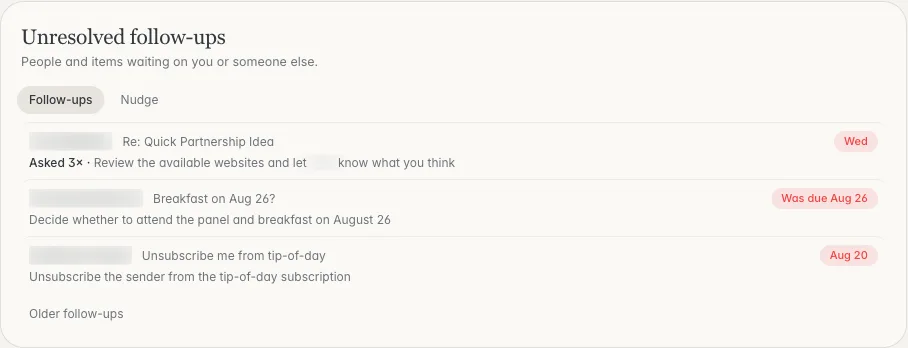
The kind of list a follow-up routine reports on: what is still open, oldest first. Shown with sample data.
A routine can run on a schedule (every weekday at 5, every Monday at 8, every few hours) or when mail lands (an invoice, a request, an invite). It reads your mail and calendar across every account you connect, up to six.
Six you can turn on today
You do not have to write your own. These are ready-made on the Routines page, and you can change the time or reword any of them.
| Routine | Runs | What it reports |
|---|---|---|
| Wrap up my day | Weekdays, 4:30 PM | Before you log off, what still needs you and what tomorrow starts with |
| Plan my week | Every Monday, 8 AM | Your week day by day and the mail that needs you |
| Chase what I'm owed | Every Monday, 8 AM | What you asked people for that is still outstanding, with a follow-up ready for your OK |
| Sort my tasks | Every day, 7:30 AM | Your open tasks ranked: do now, schedule this week, consider dropping |
| Clean up your calendar | Every Sunday, 6 PM | Real conflicts, long runs of back-to-back meetings, and declined invites that are still there |
| Log every invoice | Every Friday, 5 PM | Invoices and receipts from your mail, kept in one running list |
More examples to copy are in the Routine library.
Reports for client work
The most useful routines for people who run client accounts are the ones that replace a weekly scan. Some sentences to start from, then check with Test it now:
- “Every Friday at 3, list the client threads from this week that I have not answered.”
- “Every Monday at 8, tell me which proposals I sent in the last two weeks have no reply.”
- “Every weekday at 5, tell me what Harbor and Northwind sent today and whether anything is waiting on me.”
- “When an invoice arrives, add it to my list and tell me the amount and the due date.”
Each one is a check you could do by hand from your inbox. The routine does it on the day you said and shows its work.
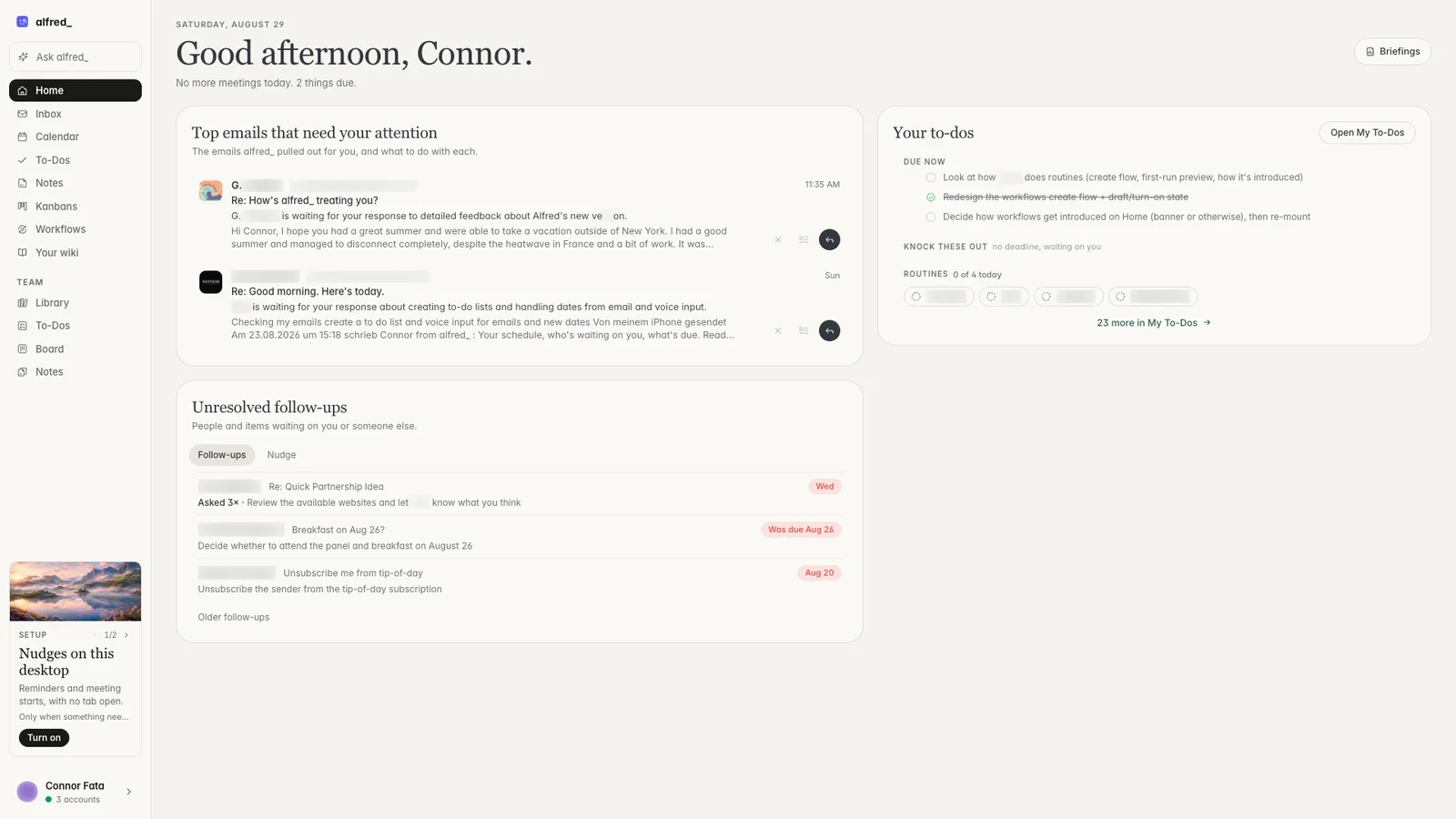
What needs you, on Home. Shown with sample data.
What a routine does not do
Three limits to know before you rely on one.
- It reports on what you have connected. That is your email and calendar, plus tools such as Slack, Teams, HubSpot and Salesforce. A tool you have not connected is not in the report.
- It tells you; it does not send for you. Where a routine prepares a follow-up, as Chase what I’m owed does, the follow-up waits for your OK.
- It uses credits. Routines and workflows run on the credits in your plan. Asking a question in chat does not.
When Zapier or Make is the better tool
If the job is “when a row is added here, create a record there”, use Zapier or Make. They are built for moving data between systems on fixed rules, they connect to thousands of apps, and they are cheaper for that work.
A routine is the better fit when the job needs reading: which of these threads is still open, which invoice is new, what changed with this client. There are no triggers to pick and no fields to map, because the instruction is the sentence.
How to start
- Pick the check you already do by hand every week.
- Write it as one sentence with a day and a time.
- Run Test it now and compare the result with what you would have found yourself.
- Turn it on, and read the first two or three runs closely before you trust it.
Plans start at $29.99 a month with a 7-day free trial. More is on the Routines page.




