

Most advice on replying to email faster assumes you are at your desk: write shorter, use templates, batch your inbox. All true, and none of it helps with the client email that arrives at 10:15 while you are on a site walk, in a meeting or driving between jobs.
That is where client replies actually slow down. Not in the two minutes it takes to write the answer, but in the four hours before you see the email. So the fastest fix is not typing faster at your desk. It is answering from where you already are.
The Fastest Way: Answer Clients by Text
alfred_ is an AI assistant for client-facing teams, and each person on the team gets their own. It reads your email, and when a client email needs your answer, it texts you. You answer by text, and the reply goes out as a proper email.
Here is Mike Brennan, who owns Brennan HVAC, between two service calls:
alfred_: Lauren Hayes at Westfield Property Group asks if Thursday at 8am still works for the rooftop unit at 40 Elm.
Mike: yes, and tell her the part came in yesterday
alfred_: Here’s the reply to Lauren: “Hi Lauren, Thursday at 8am works. Good news, the part came in yesterday, so we’ll be all set. Mike” Send it?
Mike: 👍
alfred_: Sent.
Illustrative exchange. Names in this post are invented.
Lauren gets a complete, polite email in the same thread, from Mike’s own address, a few minutes after she asked. Mike did not open his email app.
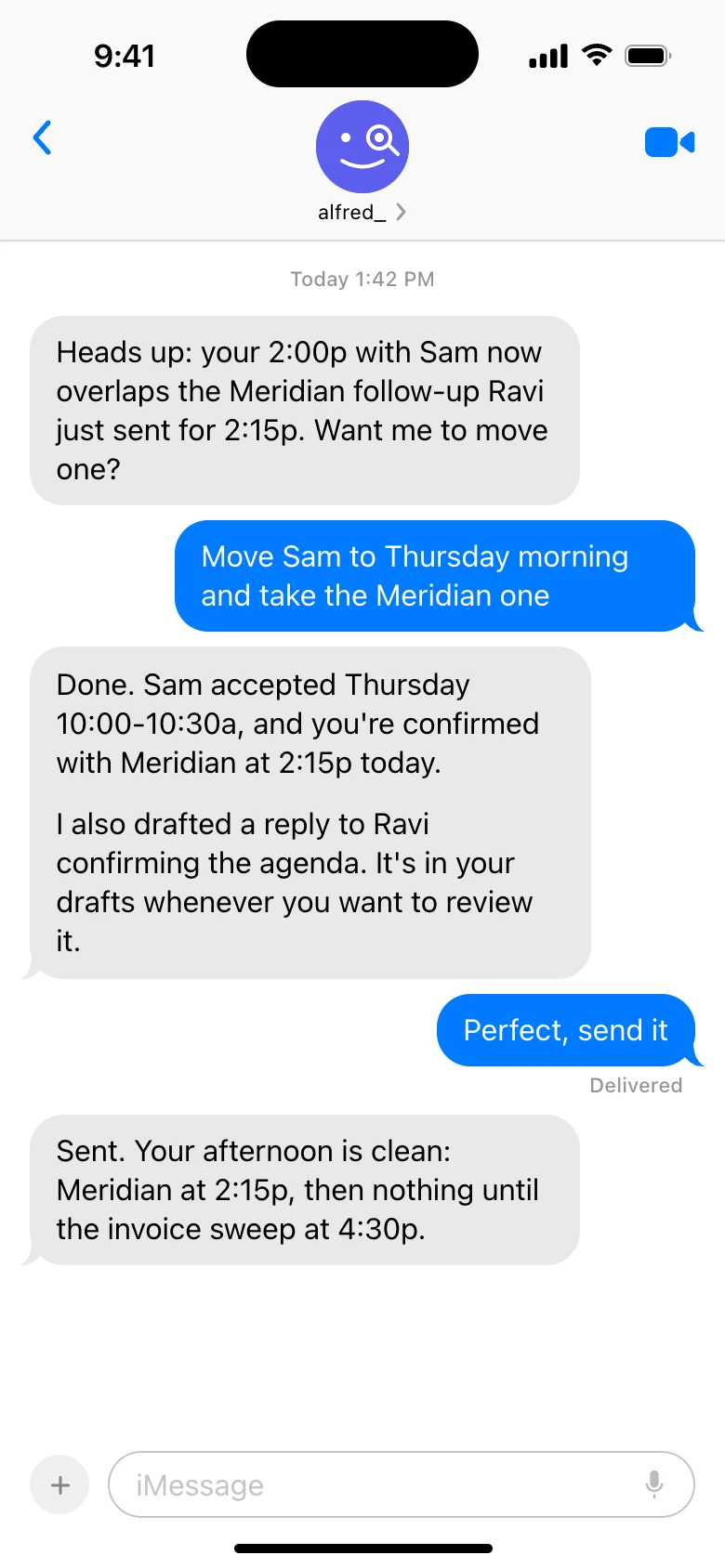
Texting alfred_ in iMessage. Shown with sample data.
How it works
- alfred_ watches your email. It reads every incoming email across up to six Gmail, Outlook and IMAP accounts and flags the ones that need your answer.
- It texts you when one of those comes in, in iMessage on iPhone or RCS and SMS on Android. No app to install.
- You text back what to say, in as few words as you like.
- alfred_ writes the reply in the email thread and texts it to you to check.
- A 👍 sends it, or text “send”. Want a change? Text “make it shorter” or “say Friday instead”.
Nothing goes out until you approve it. That is why this is the fastest way to reply to client emails without giving up control of what clients receive. One client-facing team cut its reply time to clients by 58% with alfred_.
Why Client Replies Are Slow
| What slows the reply | How long it costs | The fix |
|---|---|---|
| You are away from your desk when it arrives | Hours | Get told and answer by text |
| It is buried among 100+ other emails | Until you scroll past it | A list of only what needs you |
| The real answer needs information you don't have yet | Days of silence | Acknowledge now, answer later |
| You are writing the same answer for the tenth time | Minutes each time | Saved answers |
| Nobody knows what "fast" means for you | The client chases | A stated response window |
Typing speed is not on the list. The time goes into the gap between the email arriving and you seeing it.
Six Habits That Make Every Reply Faster
1. Only look at the emails that need you
Scanning a full inbox to find the five client emails that need an answer is where the morning goes. alfred_ flags those for you and keeps one list of the replies you owe and the replies you’re waiting on, so the client who wrote at 4:55 yesterday is still on it this morning. If you use Gmail or Outlook on their own, a filter or a star for clients is the manual version. More on tracking the emails you still need to reply to.
2. Acknowledge now, answer later
When the real answer needs a quote, a document or someone else, send a holding reply straight away with a time:
- “Got it. I’ll have the revised numbers to you by Thursday noon.”
- “Checking with the crew and will confirm the start date by end of day.”
- “Thanks for this. Pulling the file now; you’ll have it within the hour.”
Clients mind silence much more than a short wait. By text, this is three words to alfred_: “tell her thursday noon.”
3. Set a response window your clients can count on
Decide what “fast” means at your firm (same business day is a common standard; a few hours is better) and say it, in your onboarding email or your signature. A known window stops the “just following up” emails that double your inbox.
4. Keep saved answers for the questions you get every week
Pricing, availability, what to bring, how to pay: write the best version once and reuse it. In Gmail these are templates; in Outlook, My Templates.
5. Start the day with what’s owed
A morning brief, by email or text, with the client emails that need you, the meetings ahead and the tasks due means the first thing you do is answer clients, not hunt for them. Here is what one HVAC owner’s morning text looks like.
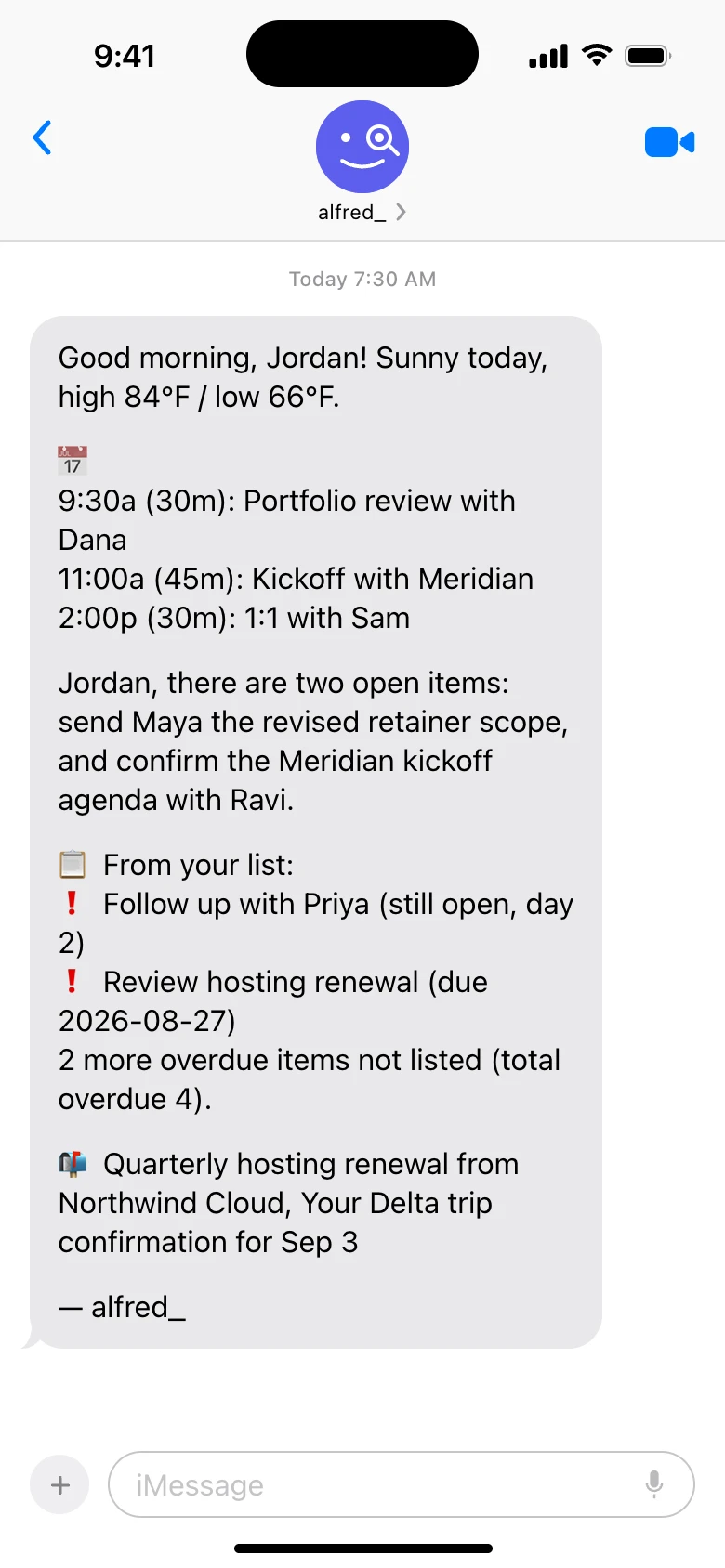
A morning text from alfred_. Shown with sample data.
6. Follow up before they do
Some of the slowest “replies” are on the other side: the client you are waiting on. alfred_ keeps the emails you sent that have not had an answer on the same list, so you can nudge before the project stalls. See tracking emails waiting on a reply.
What This Looks Like for Different Teams
- Contractors and trades: answer the GC from the roof. Texting an assistant from the truck.
- Account managers: send the client an update straight from the site visit. Texting an update into the client thread.
- Anyone in back-to-back meetings: move the next one without opening the calendar. Rescheduling meetings by text.
How to Set It Up
- Connect your email. Sign in with Google or Microsoft, or add an IMAP account. Your password stays with them.
- Add your phone number in alfred_ and confirm the code it texts you.
- Text it “what needs me today?” to see it reading the right inbox.
- Answer the next client email by text.
Plans start at $29.99 a month with a 7-day free trial, and teams are $49.99 a seat on one bill. More on what you can text on the text assistant page.




