

The client replies at 4:50 on a Thursday: yes to the proposal, start on the 14th, and could you send the onboarding form. That one email means three things have to happen. The deal should move to won. Someone needs a task to send the form. And the client is owed a reply.
What usually happens is the reply. The record gets updated on Monday, or at the pipeline review, or not at all.
Three layers, and which one is the problem
| Layer | What it means | Solved by | Still manual |
|---|---|---|---|
| Logging | The email is attached to the record | The CRM's own email integration | Nothing, once it is on |
| Updating | A field changes: stage, amount, close date, next step | A person, or an assistant you ask | Deciding what changed |
| Catching | A request or promise in an email that nobody entered | Reading the inbox, not the CRM | Without a tool, all of it |
Layer one: turn on logging
Do this first, because it is free and built in.
- HubSpot: install the HubSpot Sales extension or add-in for Gmail or Outlook, and turn on logging so emails to contacts are saved to their records.
- Salesforce: use the Salesforce integration for Outlook or Gmail, which lets you log email to the related account, contact or opportunity.
After this the record has the conversation on it. It still says the deal is in Proposal.
Layer two: update the record from the thread
alfred_ is an AI personal assistant for work. Connect HubSpot or Salesforce and you can read and change a record without leaving the email you are in.
Looking something up is a question:
 HubSpot · Deal
Harbor Facilities
$48,000 · Dana Kim

alfred_
Today 9:41 AM
Where's the Harbor deal at?
Delivered
It moved to Contract signed yesterday, $48,000. Dana logged the call.
Remind me to send the kickoff invite at 3
Delivered
Got it. I'll text you at 3:00 PM.
Changing something is a sentence:
You: Move the Harbor Facilities deal to Contract signed and set the start date to the 14th.
alfred_: Update the Harbor Facilities deal in HubSpot: stage Proposal to Contract signed, start date October 14. Make this change?
You: yes
Illustrative exchange. Names in this post are invented.
The rule is the same one alfred_ applies to email: it reads, and any change is shown to you first and waits for your yes.
Layer three: the email becomes the task and the reply too
The same message from the opening needs two more things, and they come from the same place.
- The task. alfred_ suggests to-dos from what people ask you in email. “Send the onboarding form” appears for you to accept, with the email it came from.
- The reply. The thread goes on your list of replies you owe and stays there until you answer. A draft is there for your OK.
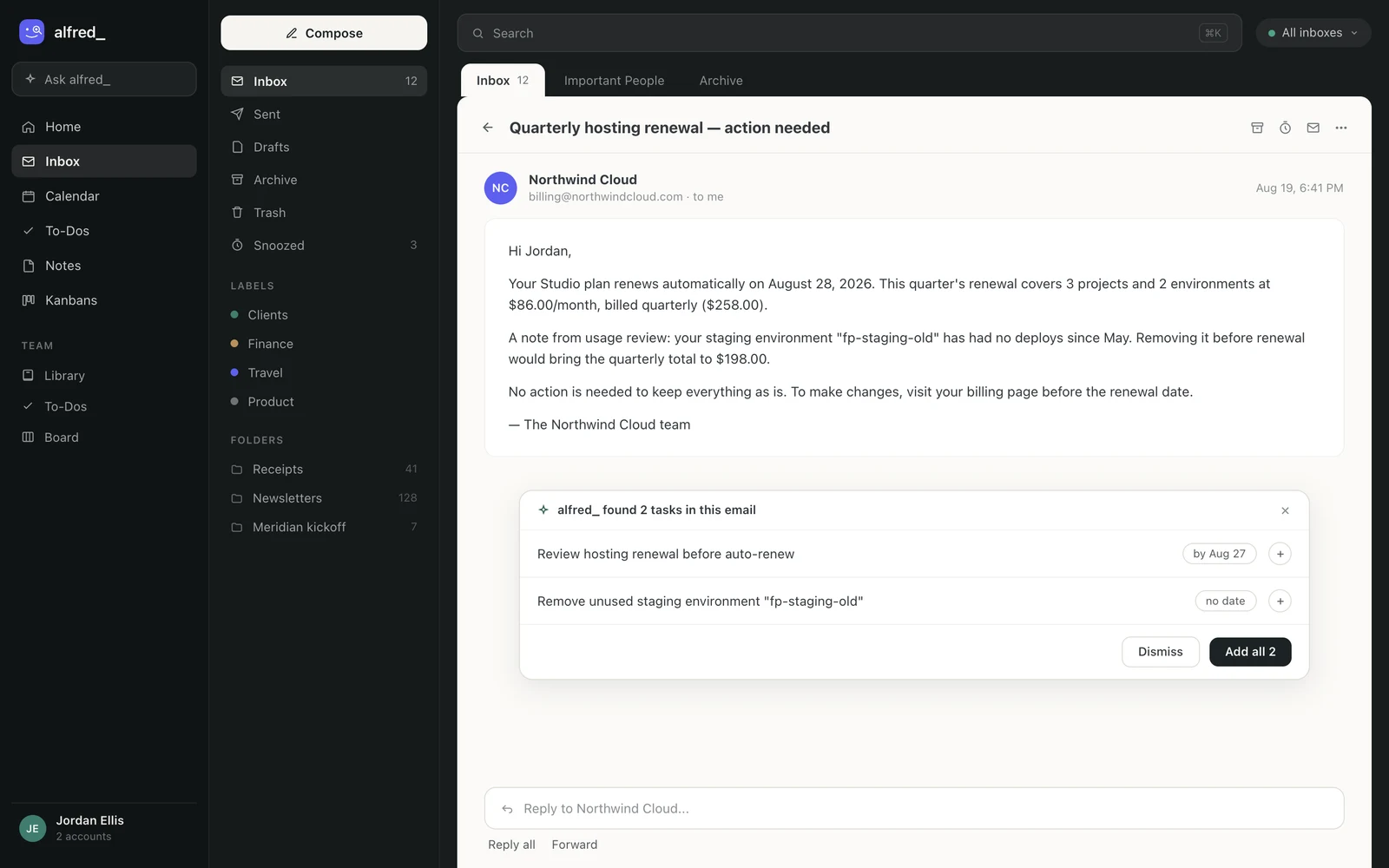
To-dos suggested from one email. Shown with sample data.
So the 4:50 email becomes three approved actions from one place: the deal update, the to-do and the reply.
What it does not do
It does not edit your CRM on its own, and it does not replace the CRM’s email logging. It is not a CRM: your pipeline stays in HubSpot or Salesforce.
How to set it up
- Turn on your CRM’s email logging (layer one).
- Connect your email to alfred_, then open Integrations and connect HubSpot or Salesforce.
- From a client thread, ask for a lookup first: “what stage is this deal in?” Then try an update and read the change it shows before you approve it.
Plans start at $29.99 a month with a 7-day free trial. More on each connection is on the HubSpot and Salesforce pages.




