

You want Claude Code to check whether the client replied before you push the fix, or Cursor to pull the spec someone emailed last week. The usual Outlook MCP server is a GitHub repo that asks you to register an app in Microsoft Entra, grant Graph permissions, paste a client secret into a config file and keep a process running.
There’s a shorter way.
Add Outlook to your MCP client in one step
alfred_ is a hosted MCP server at https://get-alfred.ai/api/mcp. Connect your Outlook accounts to alfred_ once (personal or Microsoft 365, up to six accounts with Gmail, iCloud and IMAP), then add the URL to each client:
| Client | How to add it |
|---|---|
| Claude Code | claude mcp add --transport http alfred https://get-alfred.ai/api/mcp, then type /mcp, choose alfred and Authenticate |
| Claude Desktop and claude.ai | Settings, Connectors, Add custom connector. Name it alfred_, paste the URL, press Add, then Connect |
| Cursor | The Add to Cursor button on get-alfred.ai/mcp/cursor, or add {"mcpServers": {"alfred": {"url": "https://get-alfred.ai/api/mcp"}}} to ~/.cursor/mcp.json |
| VS Code | Save {"servers": {"alfred": {"type": "http", "url": "https://get-alfred.ai/api/mcp"}}} as .vscode/mcp.json (the key is servers, not mcpServers) |
| ChatGPT | Add alfred_ from its listing in ChatGPT and press Connect |
Each client opens get-alfred.ai in your browser. Sign in and choose the permissions: reading is the default, and drafting, sending and calendar changes are boxes you tick. Nothing about your account goes in a config file, so a project .mcp.json can be committed and every teammate signs in as themselves.
On Claude Team and Enterprise, the organization’s owner adds the connector first.
What the server can do with Outlook
- Search every connected mailbox in one query, by person, company, subject or date, and say which account each thread came from.
- Read a thread with every message, and PDF and image attachments as text.
- Shared mailboxes: a Microsoft 365 shared mailbox you have Full Access to, added in alfred_ through your work account.
- Calendar: your Outlook calendar for a day or a range and free time. It can add events, and anything that invites other people is shown to you first.
- Send, reply and forward from your Outlook address, with attachments from the thread or from OneDrive and SharePoint, after you approve.
- Drafts saved into your real Outlook Drafts folder, if you’d rather send yourself.
- Tidy: archive, move and label, with a count shown before any bulk sweep.
What it can’t do, whatever you allow: delete an email, cancel an event, remove a to-do, or connect and disconnect accounts.
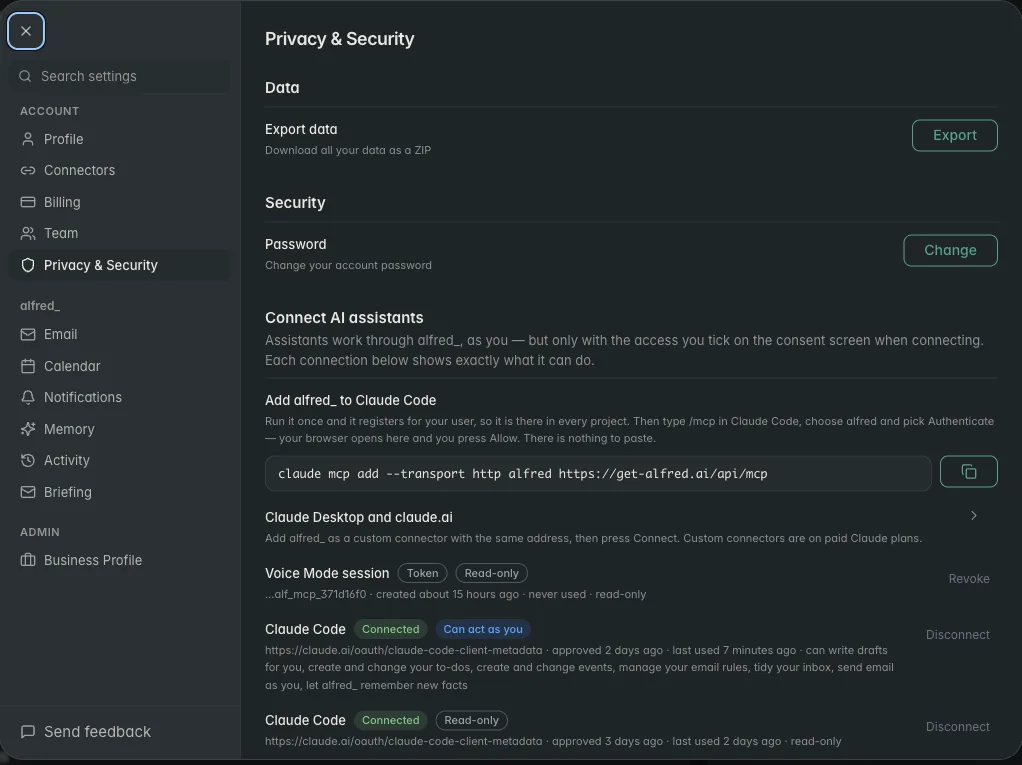
The Claude Code command and every connected client, with what each can do. Shown with sample data.
What it’s like from Claude Code
You: Before I ship this, did anyone at Meridian reply about the staging deadline?
Claude: Ravi Shah replied in your Outlook account yesterday at 4:12 PM: staging can move to Thursday if the migration is done by Wednesday noon. You haven’t answered.
You: Reply that the migration is done and Thursday works.
Claude: Here’s the reply from your work account: “Hi Ravi, the migration is done, so Thursday works for staging.” Send it?
You: Yes.
Illustrative exchange. Names are invented.
The confirmation lives in alfred_, not in the client, so an agent running a long task can’t send without your yes.
Self-hosted vs hosted
A self-hosted Outlook MCP server gives you full control of the code, and you own the Entra app, the token storage and the uptime. It usually covers Microsoft accounts only.
alfred_ is the hosted route: one sign-in to Microsoft, OAuth to each client, personal and work Outlook next to Gmail, iCloud and IMAP, the same connection in Claude, Cursor, VS Code and ChatGPT, and a check before every send. Away from the editor, alfred_ also reads your inbox, flags what needs your answer and can text you about it.
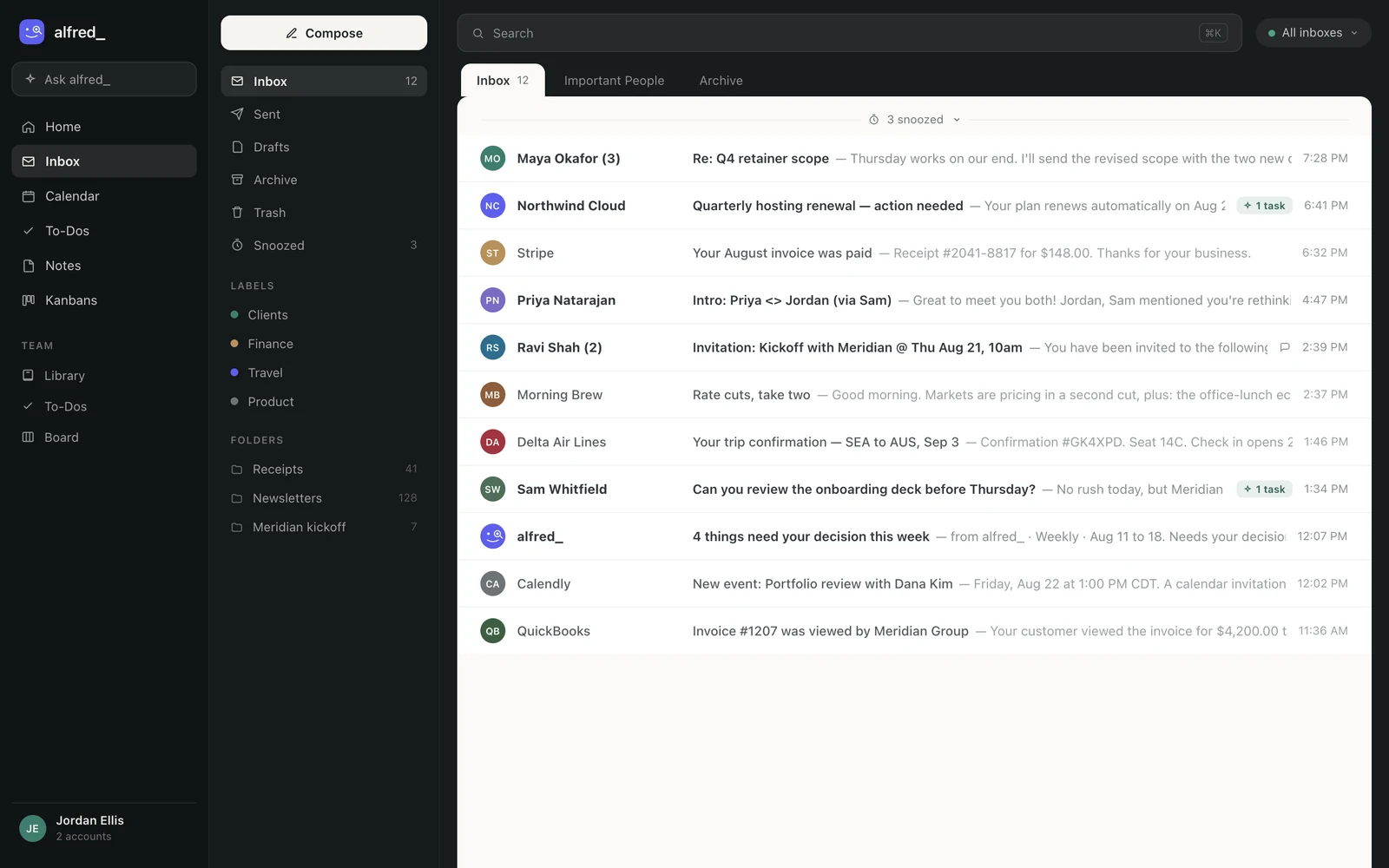
The accounts the server searches are the ones connected in alfred_. Shown with sample data.
You need an alfred_ account for any of this. Plans start at $29.99 a month with a 7-day free trial.




