

Skip to content
Oct '265 min read

How to Connect a Personal Outlook or Hotmail Account to Claude

Outlook.com, Hotmail and Live, Inside Claude.

Claude's Microsoft 365 connector only accepts work and school accounts, so an @outlook.com or @hotmail.com address can't connect. Here is how to give Claude your personal Outlook mail and calendar with alfred_.

Quick answer

How do I connect a personal Outlook or Hotmail account to Claude?

  • Connect your Outlook.com, Hotmail or Live account to alfred_ (it takes personal Microsoft accounts), then add alfred_ to Claude as a connector
  • Claude can then search your personal Outlook inbox, read threads, check your Outlook calendar and find free time, alongside up to five other accounts
  • With your permission it replies and sends from your @outlook.com or @hotmail.com address, after it shows you the message and you say yes
  • It works in claude.ai, Claude Desktop and Claude Code, and the same connection works in ChatGPT

alfred_ is our product. Claude's connector requirements are from Anthropic's help center as of October 28, 2026.

You open Claude, go to Connectors, find Microsoft 365, sign in with your @hotmail.com address, and it refuses. Nothing is wrong with your account. That connector was built for something else.

Why Claude’s Microsoft 365 connector won’t take a Hotmail address

Claude’s Microsoft 365 connector reads Outlook, OneDrive, SharePoint and Teams for companies. Anthropic’s help center says it needs a Microsoft Entra tenant tied to a Microsoft business plan, and that personal Microsoft accounts can’t connect. On Team and Enterprise plans an owner turns it on and a Microsoft administrator grants consent first.

A personal Outlook account has none of that: no tenant, no administrator. So @outlook.com, @hotmail.com and @live.com addresses are left out, which is a lot of freelancers, consultants and small-business owners who never moved to Microsoft 365.

The fix: connect it through alfred_

alfred_ accepts personal Microsoft accounts directly, and alfred_ connects to Claude. So the route is two connections:

  1. Connect your Outlook to alfred_. In alfred_, add an account and choose Microsoft · personal (Outlook.com, Hotmail, Live). Sign in with Microsoft and allow access. Your Outlook calendar comes with it.
  2. Add alfred_ to Claude. In claude.ai or Claude Desktop, open Settings, then Connectors, and add a custom connector named alfred_ with the address https://get-alfred.ai/api/mcp. Press Connect. In Claude Code, run claude mcp add --transport http alfred https://get-alfred.ai/api/mcp, then type /mcp and choose Authenticate. Step-by-step: Connect Claude.
  3. Sign in and choose what to allow. Claude opens get-alfred.ai. Sign in and press Allow. Reading is the default; tick sending if you want Claude to send for you.

On Claude Team and Enterprise, the organization’s owner adds the connector first, then you sign in as yourself.
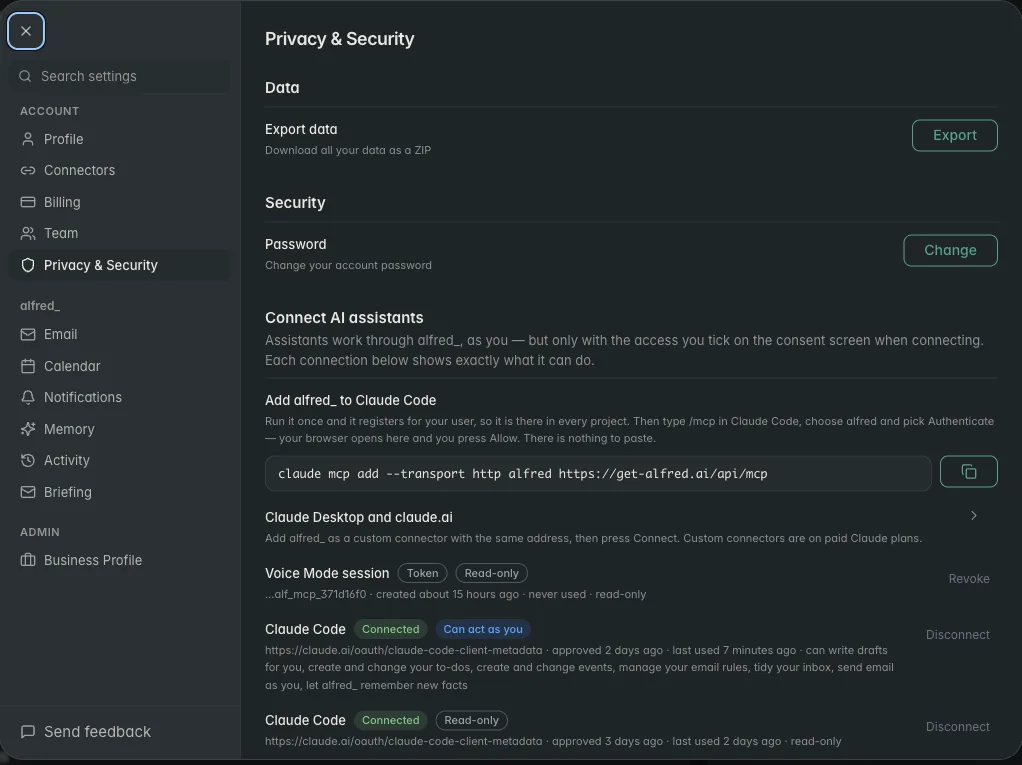
alfred_ settings showing connected AI assistants, each marked read-only or can act as you

Each AI connection is listed in alfred_ with exactly what it can do, and you can disconnect it there. Shown with sample data.

What Claude can do with your Outlook once it’s connected

Ask in plain language. These work as written:

  • “Did the landlord reply about the lease renewal?”
  • “What’s on my calendar Thursday, and when am I free for an hour?”
  • “Find the invoice from Harbor Electric and tell me the amount and due date.”
  • “Reply to Jen that Saturday at 10 works.”

The last one is a send. Here is how it goes:

You: Reply to Jen that Saturday at 10 works.

Claude: Here’s the reply from your Hotmail account: “Hi Jen, Saturday at 10 works for me. See you then.” Send it?

You: Yes.

Claude: Sent.

Illustrative exchange. Names are invented.

Nothing goes out until you have seen it and said yes, and that check lives in alfred_, so Claude can’t skip it. Through this connection Claude cannot delete an email, cancel an event or remove a to-do.

If you have more than one account

Most people with a personal Outlook also have a work address somewhere. alfred_ holds up to six accounts, Outlook.com, Microsoft 365, Gmail, iCloud, Yahoo and other IMAP mailboxes, and Claude searches all of them in one question. Each answer says which account the thread came from.
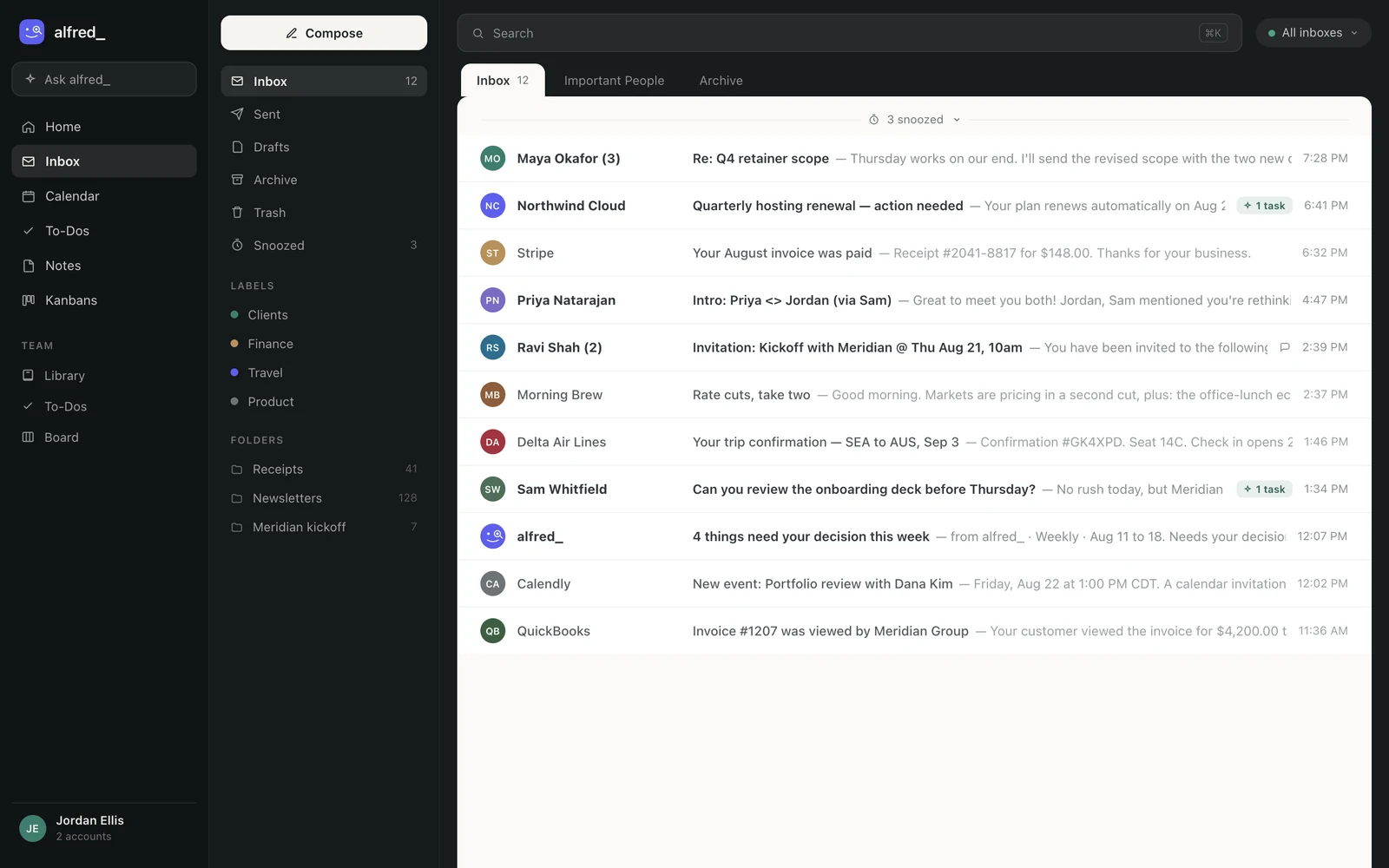
The alfred_ inbox showing mail from several connected accounts in one list

The accounts Claude searches are the ones connected in alfred_. Shown with sample data.

When you’re not in Claude

The connection works when you ask. alfred_ also works when you don’t: it reads every incoming email, keeps a list of the replies you owe, sends a morning brief, and texts you when something needs your answer, so you can reply to a client by text.

You need an alfred_ account for any of this. Plans start at $29.99 a month with a 7-day free trial.


Keep client work from slipping through the cracks

alfred_ is an AI assistant for client-facing teams. Each teammate gets help with email, calendar, replies and follow-ups.

See what’s slipping+ more

Frequently asked questions

How do I connect a personal Outlook or Hotmail account to Claude?

Connect the account to alfred_ under Microsoft personal (Outlook.com, Hotmail, Live), then add alfred_ to Claude in Settings, Connectors with the address https://get-alfred.ai/api/mcp. Sign in when Claude opens alfred_ and press Allow. Claude can then search and read your personal Outlook mail and calendar, and send from your address after you approve each message.

Why won't my Hotmail account connect to Claude's Microsoft 365 connector?

Claude's Microsoft 365 connector needs a Microsoft Entra tenant tied to a Microsoft business plan, so personal Microsoft accounts such as @outlook.com, @hotmail.com and @live.com addresses can't sign in to it. It was built for company Microsoft 365 accounts, where an administrator grants consent.

Can Claude send email from my Outlook.com address?

With alfred_ connected and sending allowed, yes. Claude writes the message, alfred_ shows it to you, and it goes out from your own Outlook.com or Hotmail address only after you say yes. Reading is the default permission; sending is one you tick when you connect.

Can I use my personal Outlook and my work email in Claude at the same time?

Yes. alfred_ holds up to six accounts, personal Outlook, Microsoft 365, Gmail, iCloud, Yahoo and other IMAP mailboxes, and Claude searches all of them in one question. Each result says which account it came from.

Does this work in ChatGPT too?

Yes. Add alfred_ in ChatGPT from its listing and sign in with the same alfred_ account. ChatGPT then reaches the same personal Outlook mail and calendar.

About the authors

Written byPranav MishraAI/LLM Engineer at alfred_

Pranav builds the agents behind alfred_, the systems that watch your inbox and calendar, keep track of what is waiting on you, and surface what actually needs a response. He runs alfred_’s head-to-head field tests against other assistants.

Reviewed byConnor FataFounder & CEO of alfred_

Connor is the founder and CEO of alfred_, focused on making personal assistants accessible to business operators and individuals so they can focus on what matters and what’s important.