

Motion’s pitch is compelling: stop manually scheduling your day and let AI figure out when you should work on what. Drop in your tasks with deadlines and durations, and Motion’s algorithm finds the optimal time slots in your calendar. When meetings shift, your tasks automatically reschedule.
It sounds like the future of personal productivity. And in a narrow but important way, it is. The scheduling algorithm genuinely works. The problem is what happens before the algorithm runs, the part where you need to figure out what your tasks actually are.
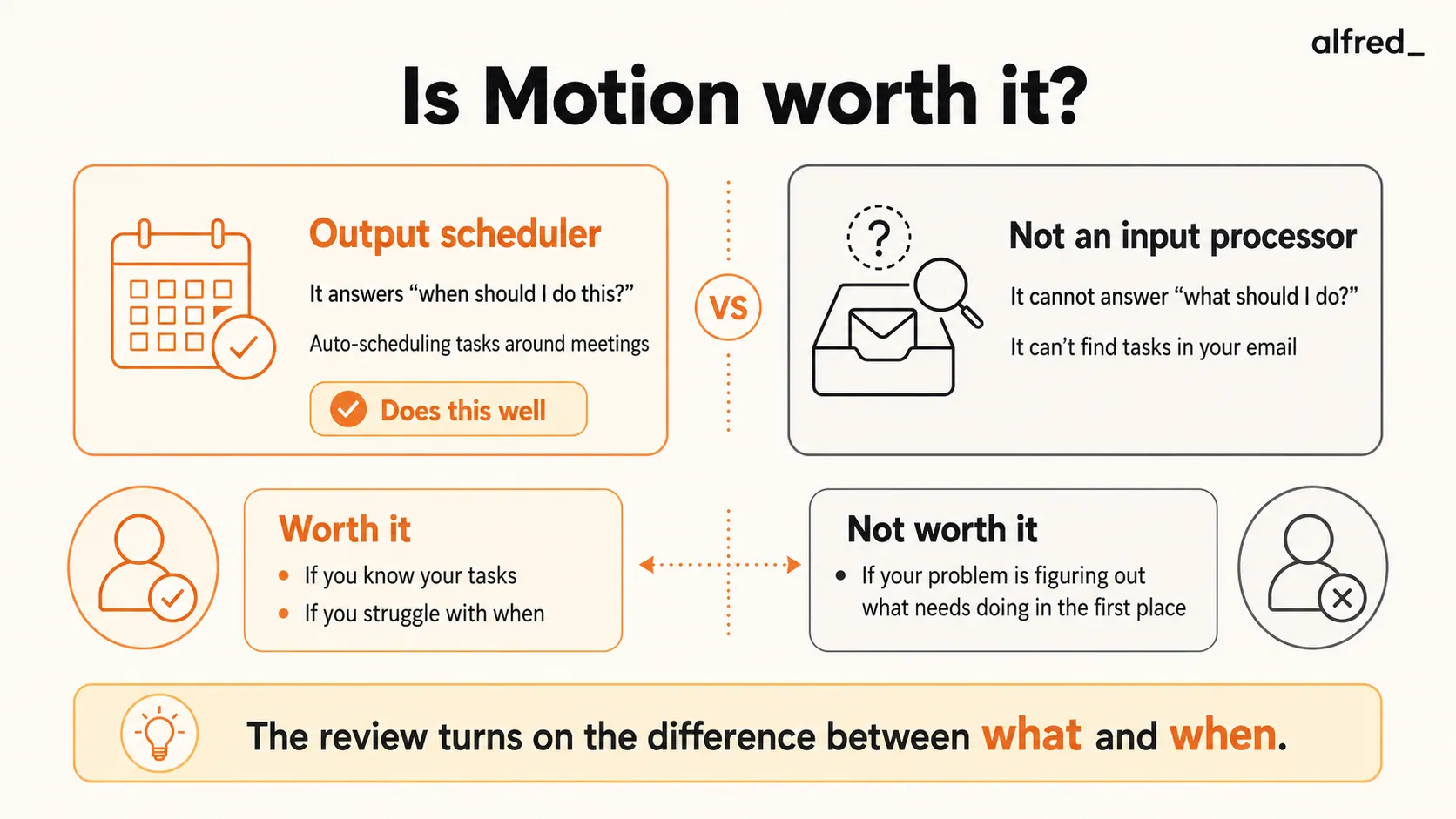
What Motion Does Well
The auto-scheduling algorithm is real. This is not vaporware AI marketing. You create a task, specify a deadline and estimated duration, and Motion places it in an optimal calendar slot. It considers your existing meetings, buffer time preferences, working hours, and task priority. When your calendar changes, a meeting gets added, moved, or canceled, Motion automatically reschedules affected tasks. This is genuinely useful and works as advertised.
It protects focus time. Motion treats your task blocks as real calendar events. If someone tries to book a meeting during your scheduled deep work, that time shows as busy. This is surprisingly effective at preventing the calendar fragmentation that kills productivity, the death-by-a-thousand-meetings problem where you have eight free 30-minute windows but no 2-hour block for actual work.
Deadline awareness is intelligent. Motion understands that a task due Friday with a 3-hour duration needs to start by Wednesday at the latest if your Thursday is packed with meetings. It works backward from deadlines and alerts you when something is at risk. This preemptive awareness prevents last-minute crunches better than any to-do list.
The daily planning is automatic. Each morning, your calendar shows exactly what to work on and when. You do not spend 15 minutes at the start of the day deciding what to tackle first. Motion has already made that decision based on deadlines, priorities, and available time. For people who struggle with decision fatigue around task prioritization, this is valuable.
Meeting scheduling works well. Motion includes meeting scheduling links (similar to Calendly) that integrate with its task scheduling. When someone books a meeting, your tasks automatically adjust. This tight integration between meetings and tasks is something standalone scheduling tools cannot offer.
The interface is polished. The calendar view is clean and informative. Drag-and-drop works intuitively. The task creation flow is quick. It feels like a product designed by people who actually use calendar apps, not just build them.
What Motion Does Not Do
It does not find your tasks. This is the critical gap. Motion is an incredibly sophisticated answer to “when should I do this?” But it cannot answer “what should I do?” Every task in Motion was manually created by you, imported from another tool via integration, or added through a team member. Motion does not read your email and notice that your client asked for a deliverable by Friday. It does not scan your Slack messages for commitments you made. It does not extract action items from meeting notes.
The result: Motion is only as good as the tasks you feed it. If you forget to create a task, Motion will not catch it. If you underestimate duration, Motion will schedule too little time. The intelligence is in scheduling, not in task discovery.
It does not manage your email. Motion and email live in separate worlds. The emails piling up in your inbox, the ones that contain tasks, requests, and deadlines, are invisible to Motion. You need to manually translate email into Motion tasks. For professionals who receive most of their work through email, this means the hardest part of task management (figuring out what needs to be done) is still entirely manual.
It does not provide communication context. When Motion tells you to work on “Client proposal” at 2pm, it does not tell you what the client said in their last email, what changes they requested, or what the current status is. You need to go find that context yourself, switching between Motion, your email, and whatever documents are relevant.
The learning curve is real. Motion requires discipline to maintain. You need to create tasks consistently, estimate durations accurately, and update tasks when scope changes. If you stop feeding Motion tasks for a few days, your calendar becomes stale. This maintenance overhead is often underestimated in reviews.
It gets expensive for teams. At $19-29/month per seat, Motion can add up for larger teams. A five-person team on the Business AI plan pays $145/month. For that price, you get scheduling and AI features but not the full project management depth of tools like Linear or Asana.
Over-scheduling can backfire. Some users report that Motion packs their day too tightly, leaving no room for the unplanned work that inevitably shows up. The algorithm optimizes for fitting everything in, which can create a schedule that feels oppressive rather than helpful. You can configure buffers, but the default behavior tends toward maximum density.
Pricing Breakdown
Motion’s pricing:
- Pro AI: $19/month per seat, AI chat, projects, tasks, calendar, docs, wiki, notes, sheets, databases, 7,500 AI credits/month
- Business AI: $29/month per seat, everything in Pro AI plus team capacity planning, dashboards, timeline and Gantt charts, time tracking, permissions, 15,000 AI credits/month
- Free trial: Available on all plans
For comparison:
- Google Calendar is free
- Todoist is free to $5/month
- Notion is free to $12/month
- Reclaim.ai is free to $8/month
- alfred_ is $29.99/month
Motion’s pricing is competitive with other AI productivity tools, particularly given its expanded feature set beyond just calendar scheduling.
Who Should Buy Motion
Professionals with packed calendars and many discrete tasks. If your calendar has 20+ hours of meetings per week and you juggle 15+ tasks with hard deadlines, Motion solves a real problem. Finding time to do deep work when your calendar is fragmented is genuinely difficult, and Motion does it better than any manual approach.
People who know their tasks but struggle with scheduling. If you have a clear task list but consistently fail to make time for the important-but-not-urgent items, Motion’s automatic scheduling ensures those tasks get calendar time. It turns intentions into commitments.
Individuals who respond well to structure. If you work best when your day is planned hour-by-hour and you want an external system enforcing that structure, Motion delivers. It removes the “what should I work on next?” decision fatigue.
Teams that need lightweight task coordination. For small teams that want to see each other’s availability and coordinate task scheduling without a full project management platform, Motion’s team features are useful.
Who Should Not Buy Motion
Anyone whose primary problem is communication overload. If you are drowning in email, Slack messages, and meeting follow-ups, Motion does not help. It schedules tasks, but the overwhelming part, processing all those communications to figure out what the tasks are, is still on you. Motion is downstream of the problem.
People who get most of their work through email. If 70% of your tasks originate in email, using Motion means manually translating every email request into a Motion task. This creates duplicate work: reading the email, creating the task, and then doing the task. The translation step is friction that adds up.
Professionals with unpredictable schedules. If your days are highly reactive, interruptions, urgent requests, changing priorities, Motion’s carefully planned schedule falls apart by mid-morning. You spend time rescheduling rather than working. Motion works with predictable calendars and known task lists.
Budget-conscious users. At $19-29/month, Motion is a moderately priced tool that now includes AI features beyond just calendar scheduling. If money is a consideration, free alternatives like Reclaim.ai or even manual time-blocking in Google Calendar get you some of the benefit at no cost.
Where alfred_ Fits
Motion and alfred_ solve different pieces of the productivity puzzle.
Motion answers: “When should I work on this task?” It takes known tasks and finds optimal time slots.
alfred_ answers: “What actually needs my attention?” It reads your email, understands context from your calendar and conversations, identifies what matters, drafts responses, and briefs you on decisions.
The distinction is sequential. alfred_ operates upstream, in the communication and triage layer where tasks are born. Motion operates downstream, in the scheduling layer where known tasks get calendar time.
At $29.99/month, alfred_ is priced between Motion’s Pro AI and Business AI plans. But they are not substitutes. alfred_ ensures you know what needs to be done by processing your communication channels. Motion ensures you have time to do it by optimizing your calendar. Some users benefit from both.
But if you have to choose one, the question is: which problem is harder for you? If you know exactly what you need to do but struggle to find time, Motion is the better investment. If your problem is that tasks are buried in your email, you have follow-ups you have lost track of, and you are not sure what actually needs your attention today. That is alfred_’s territory.
For most overloaded professionals, the upstream problem (figuring out what needs doing) is harder than the downstream problem (scheduling when to do it). That is why so many Motion users still feel overwhelmed. They have a perfectly scheduled calendar full of tasks they extracted from an inbox they are still drowning in.
The Verdict
Motion is a genuinely innovative product that solves a real problem. The auto-scheduling algorithm works. The focus time protection is valuable. The deadline awareness prevents last-minute scrambles. For the right user, someone with a packed calendar, clear task lists, and hard deadlines. It is worth the price.
But Motion solves the scheduling problem, not the overwhelm problem. Most people who feel “unproductive” are not failing at scheduling. They are failing at triage, at figuring out what matters across their email, messages, and meetings. Motion cannot help with that because it never sees those inputs.
If your to-do list is clear and your calendar is the bottleneck: buy Motion.
If your to-do list is buried in your inbox and you are not even sure what you should be doing: start upstream. Handle the triage problem first, and the scheduling problem often resolves itself.




