

The client is on the phone asking what was agreed about the renewal date. You remember the email. You do not remember whether it went to your company address, the old domain you still forward from, or the Gmail you gave them at the very beginning.
When one relationship is spread across several inboxes, finding the message is two problems: what to search for, and where. The second one is the one that costs you the minute you do not have.
Search for the company, not the person
Whatever tool you use, search by the client’s email domain. A name misses the colleague who replied on their behalf, the accounts department, and the person who has since left.
In Gmail:
from:client.com OR to:client.comfinds both directions of the conversation.- Add a word from the subject, or
after:2026/06/01, to narrow it. has:attachmenthelps when you are looking for the signed version of something.
In Outlook, type the domain in the search box and use the From and To filters to narrow it.
That is the right search. Now you have to run it in the right place.
Three ways to search every account
| Method | How | Works well when | Where it stops |
|---|---|---|---|
| Repeat the search per account | Switch account, paste the same search | Two accounts, occasional lookups | You have to guess the account, or check all of them |
| One desktop mail app | Add every account to Apple Mail or classic Outlook and search All Mailboxes | You work at a desk and like a mail app | Not on the web or in new Outlook; results are a list to read through |
| Ask an assistant that reads every account | Ask the question in a sentence | Three or more accounts, or you are on your phone | Paid |
Repeat the search per account
Gmail searches one account at a time, even when you are signed in to several. New Outlook also searches the account you are in. So the manual method is: run the domain search, switch account, run it again. It is reliable and slow, and it depends on you remembering every account the client has ever written to.
Put every account in one desktop app
Apple Mail searches All Mailboxes across every account you have added. Classic Outlook for Windows does the same when you set the search scope to All Mailboxes. Either gives you one search across everything, at a desk. You still get a list of messages and read through them to find the answer.
Asking the question instead of running the search
Most of the time you do not want the emails. You want to know what was said.
alfred_ is an AI personal assistant for work. It connects up to six Gmail, Outlook and IMAP accounts and reads them together, so a question is answered from every connected account at once.
You: What did Harbor say about the renewal date?
alfred_: Luis Ortega confirmed the renewal for March 1 in his email on Tuesday at 10:14 AM. It came to your company address.
Illustrative exchange. Names in this post are invented.
The answer links to the email it came from, so you can open the original and check it. You can ask on the web, in the iPhone app, by text, or from Claude or ChatGPT if you connect alfred_ there.
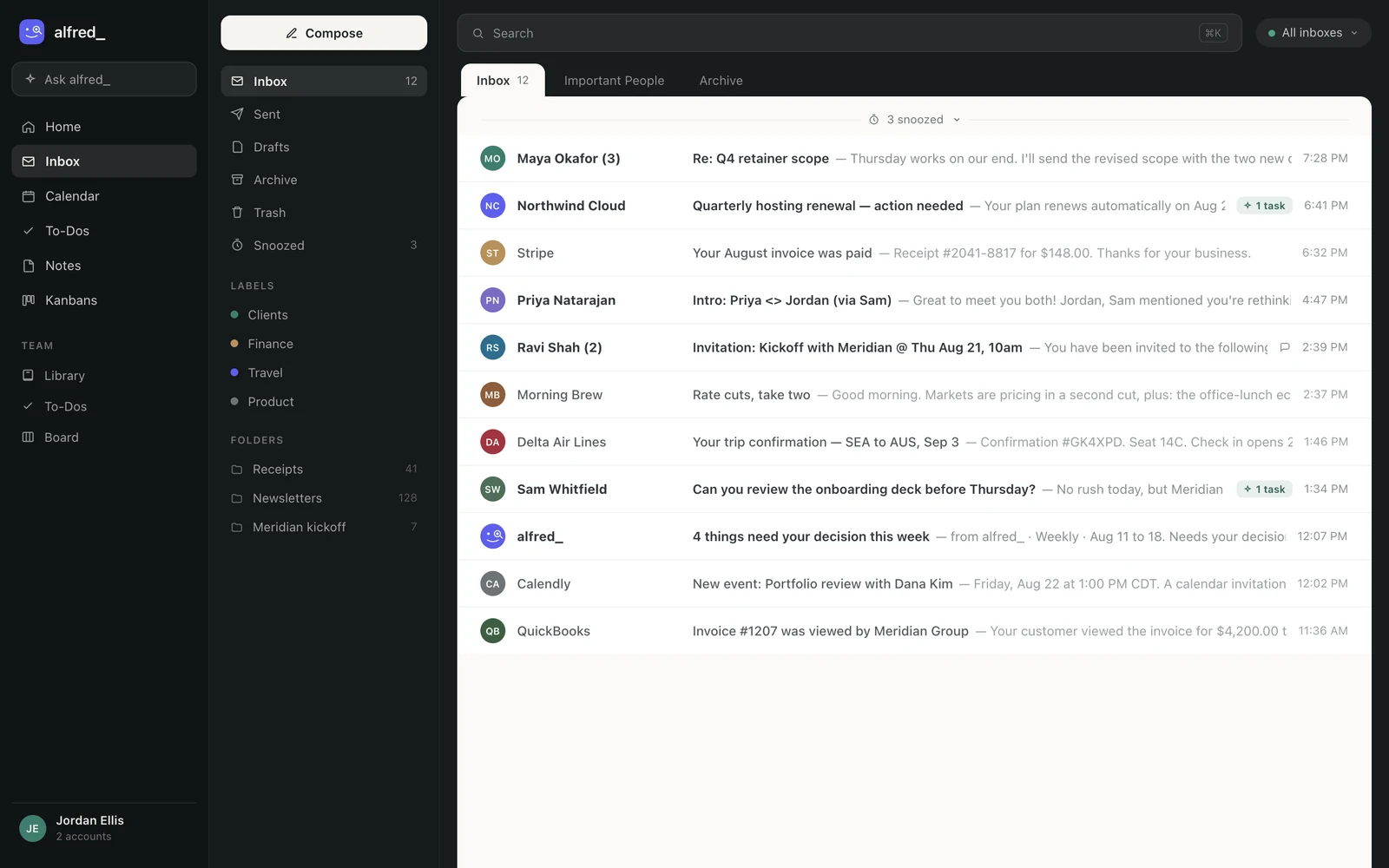
Several accounts in one list. Shown with sample data.
Three things stay as they are. Your accounts are not merged or moved; each one stays with its provider. A reply starts from the account the email came to, so the client hears back from the address they wrote to. And nothing is sent unless you send it or approve it.
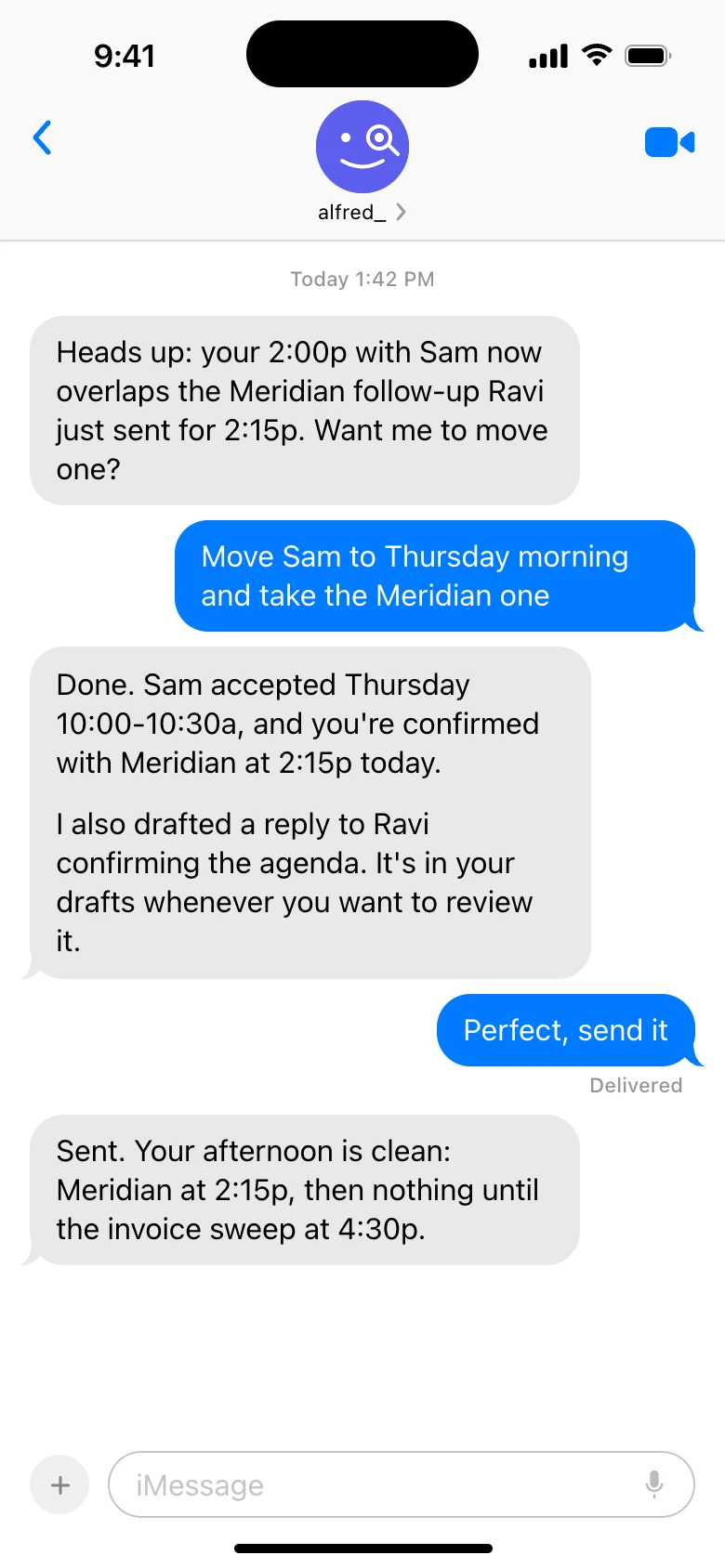
alfred_ answers by text too, when you are away from your desk. This exchange is about a calendar change. Shown with sample data.
The limit: alfred_ answers from the accounts you connected. An old mailbox you did not add is not searched. Plans start at $29.99 a month with a 7-day free trial; more is on the email page.
Which to use
- Two accounts, a lookup now and then: repeat the domain search in each. Free.
- Several accounts and a desk: one desktop mail app with All Mailboxes search. Free.
- Several accounts, often on your phone, usually mid-conversation with the client: ask the question and get the answer with a link.
Whichever you pick, write down every address a client might have used. The search only finds what is in the accounts you remembered to check.




