

Skip to content
Oct '265 min read

How to Connect Zoho Mail or Any IMAP Mailbox to ChatGPT

Zoho, Fastmail or Your Host's Email, Inside ChatGPT.

ChatGPT's email plugins cover Gmail, Outlook and iCloud. Here is how to bring Zoho Mail, Fastmail or your web host's email into ChatGPT with the alfred_ plugin, an IMAP connector that sits next to your other accounts.

Quick answer

How do I connect Zoho Mail or another IMAP mailbox to ChatGPT?

  • Connect the mailbox to alfred_ (choose Other email, then Zoho, Fastmail or a custom server), then add the alfred_ plugin in ChatGPT
  • ChatGPT can then search the inbox, read threads and attachments, and reply or send from that address after you approve
  • It sits next to Gmail, Outlook, iCloud and Yahoo, up to six accounts, in one search
  • The same connection works in Claude, Claude Desktop and Claude Code

alfred_ is our product. ChatGPT's plugin list is as of October 28, 2026.

The email on your business card is name@yourcompany.com, and it runs on Zoho, Fastmail or whatever your web host set up. ChatGPT’s email plugins cover Gmail, Outlook and iCloud. Your actual business inbox isn’t on the list.

Why it’s missing

ChatGPT’s built-in email plugins are made by or for the big providers: Google, Microsoft and, since October 27, Apple. Zoho, Fastmail and hosted mail use IMAP and SMTP, the open standards nearly every mailbox speaks, and they aren’t among ChatGPT’s built-in email plugins.

alfred_ connects to any IMAP mailbox and is a plugin in ChatGPT, so it bridges the two.

How to connect it

  1. Turn on IMAP at your provider. In Zoho Mail, open Settings, then Mail Accounts, and enable IMAP access. With two-factor sign-in on, create an app-specific password. Fastmail and most hosts have the same setting.
  2. Connect the mailbox to alfred_. Add an account and choose Other email. Pick Zoho or Fastmail and the server settings are filled in (imap.zoho.com and smtp.zoho.com for Zoho), or choose Other and enter the IMAP and SMTP settings your host gives you.
  3. Add the alfred_ plugin in ChatGPT. Open alfred_ in ChatGPT and press Connect.
  4. Sign in and choose what to allow. Reading is the default; tick sending if you want ChatGPT to send from your address.

If your Zoho account lives in another region or on a business plan with different server names, use the settings Zoho shows you.
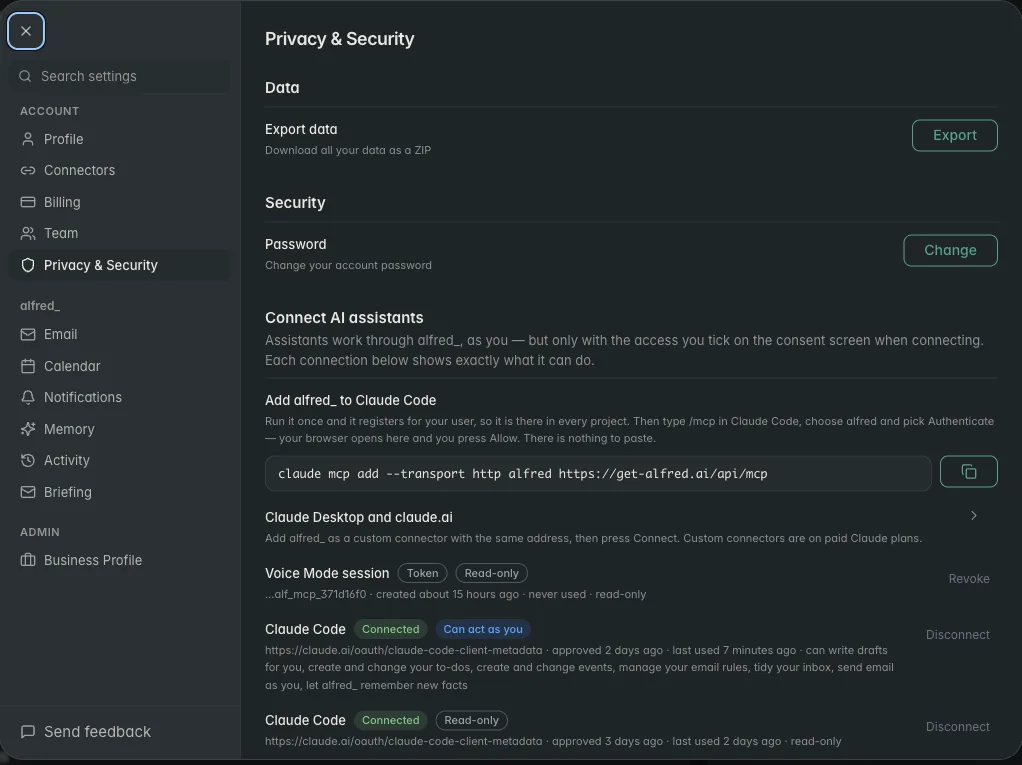
alfred_ settings listing each connected AI assistant and what it is allowed to do

Each AI connection is listed in alfred_ with its permissions. Shown with sample data.

What it looks like

You: Did the venue send the final invoice to my business email?

ChatGPT: Yes. Harbor Hall emailed your Zoho address on Monday with “Invoice 2214 - Final.pdf”: $3,850, due November 14. You haven’t replied.

You: Reply that we’ll pay by the 10th.

ChatGPT: Here’s the reply from your Zoho account: “Thanks, we’ll pay invoice 2214 by November 10.” Send it?

You: Yes.

Illustrative exchange. Names are invented.

It reads PDF and image attachments as text, and the reply goes out through your provider from your own address after you say yes. Through this connection ChatGPT cannot delete an email, an event or a to-do.
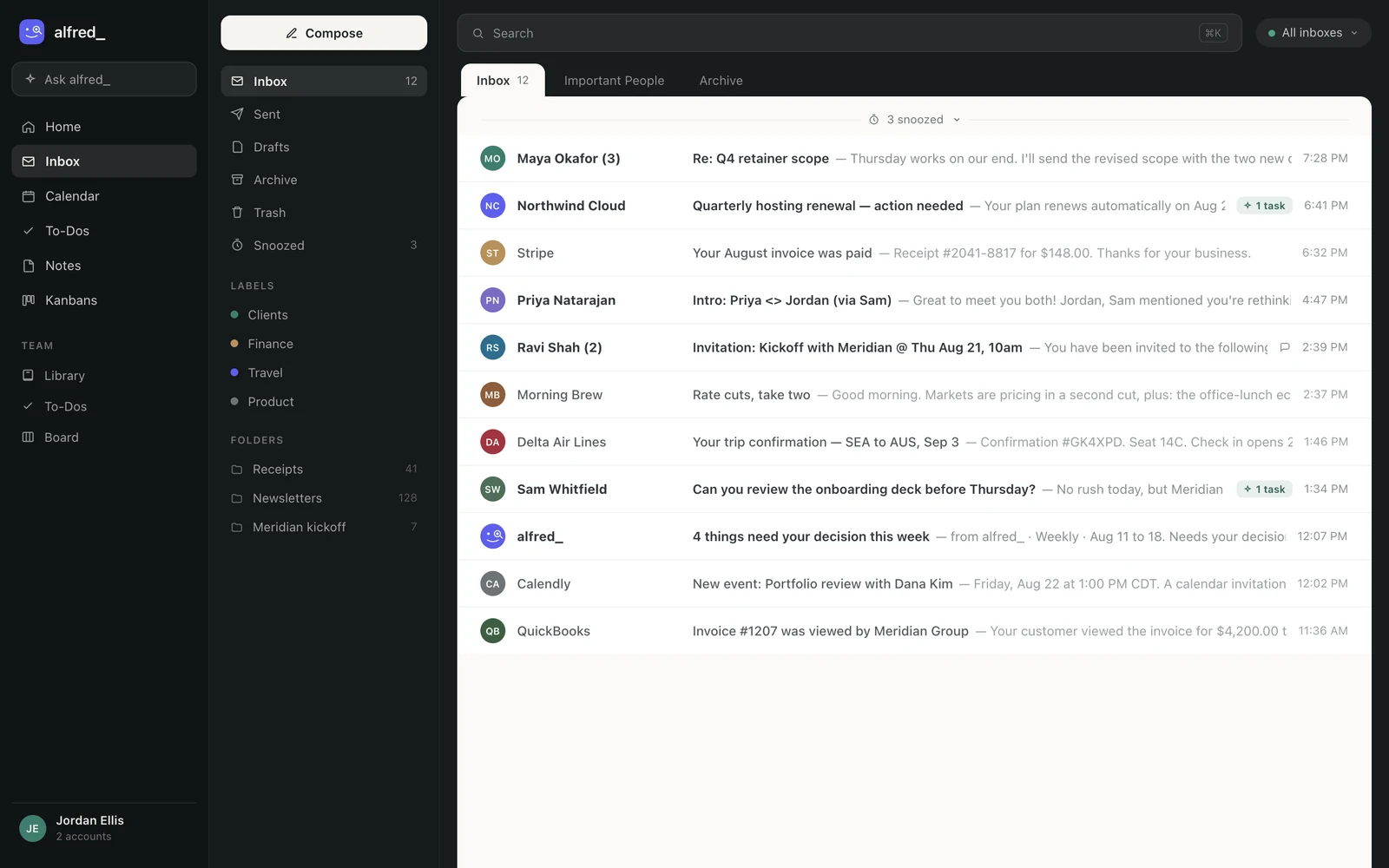
The alfred_ inbox showing mail from several connected accounts in one list

Your business mailbox next to your other accounts, one search away in ChatGPT. Shown with sample data.

One search across everything

Your Zoho inbox sits next to Gmail, Outlook, iCloud and Yahoo, up to six accounts, and one question searches all of them. The same connection works in Claude. And between chats alfred_ keeps reading: it flags what needs your answer and can text you when a client is waiting.

You need an alfred_ account for any of this. Plans start at $29.99 a month with a 7-day free trial.


Keep client work from slipping through the cracks

alfred_ is an AI assistant for client-facing teams. Each teammate gets help with email, calendar, replies and follow-ups.

See what’s slipping+ more

Frequently asked questions

How do I connect Zoho Mail to ChatGPT?

In Zoho Mail settings, turn on IMAP access (and make an app-specific password if two-factor is on). In alfred_, add an account, choose Other email, then Zoho, and sign in. Then open the alfred_ plugin in ChatGPT and press Connect. ChatGPT can then search your Zoho inbox and send from your Zoho address after you approve.

Is there an IMAP connector for ChatGPT?

alfred_ works as one. Any mailbox that speaks IMAP and SMTP, Zoho, Fastmail, a web host's email or a company mail server, connects to alfred_, and ChatGPT reaches it through the alfred_ plugin alongside your Gmail, Outlook, iCloud and Yahoo accounts.

Can ChatGPT send from my Zoho or custom-domain address?

Yes, if you allow sending when you connect. ChatGPT writes the message, alfred_ shows it to you, and it goes out through your provider's SMTP from your own address only after you say yes.

Does Zoho have its own option?

Zoho offers Zoho MCP, where you create an MCP server in Zoho's console for Zoho's own apps. alfred_ is a different route: Zoho Mail is one of up to six accounts in the same search.

About the authors

Written byPranav MishraAI/LLM Engineer at alfred_

Pranav builds the agents behind alfred_, the systems that watch your inbox and calendar, keep track of what is waiting on you, and surface what actually needs a response. He runs alfred_’s head-to-head field tests against other assistants.

Reviewed byConnor FataFounder & CEO of alfred_

Connor is the founder and CEO of alfred_, focused on making personal assistants accessible to business operators and individuals so they can focus on what matters and what’s important.