

You run a business on one Gmail, freelance on another, and still get the school newsletter at a third. You connect Gmail in Claude, ask about a client, and get nothing, because the client wrote to the other account. You connect the second one, and the first disappears.
Why Claude only sees one Gmail account
Claude’s Gmail connector is part of its Google connector, and it signs in to one Google account. Gmail, Google Calendar and Google Drive all come from that sign-in. Connecting a different Google account replaces it rather than adding to it, so moving between accounts means disconnecting and signing in again.
That is fine with one inbox. With two or more, Claude only knows half the story, and you can’t ask a question across both.
The fix: one connection that holds every account
alfred_ connects to many accounts at once and connects to Claude as one connector. So Claude asks alfred_, and alfred_ searches every inbox.
- Connect each Gmail account to alfred_. In alfred_, add an account, choose Google and sign in. Repeat for each one. Personal Gmail and Google Workspace both work, and so do Outlook, iCloud, Yahoo and other IMAP mailboxes. Up to six in all.
- Add alfred_ to Claude. In claude.ai or Claude Desktop, open Settings, then Connectors, and add a custom connector named alfred_ with the address
https://get-alfred.ai/api/mcp. In Claude Code, runclaude mcp add --transport http alfred https://get-alfred.ai/api/mcp, then/mcpand Authenticate. Step-by-step: Connect Claude. - Sign in and choose what to allow. Reading is the default; tick sending if you want Claude to send for you.
If Claude’s own Gmail connector is also switched on, turn it off for that chat or say “use alfred_” so Claude searches every account instead of one.
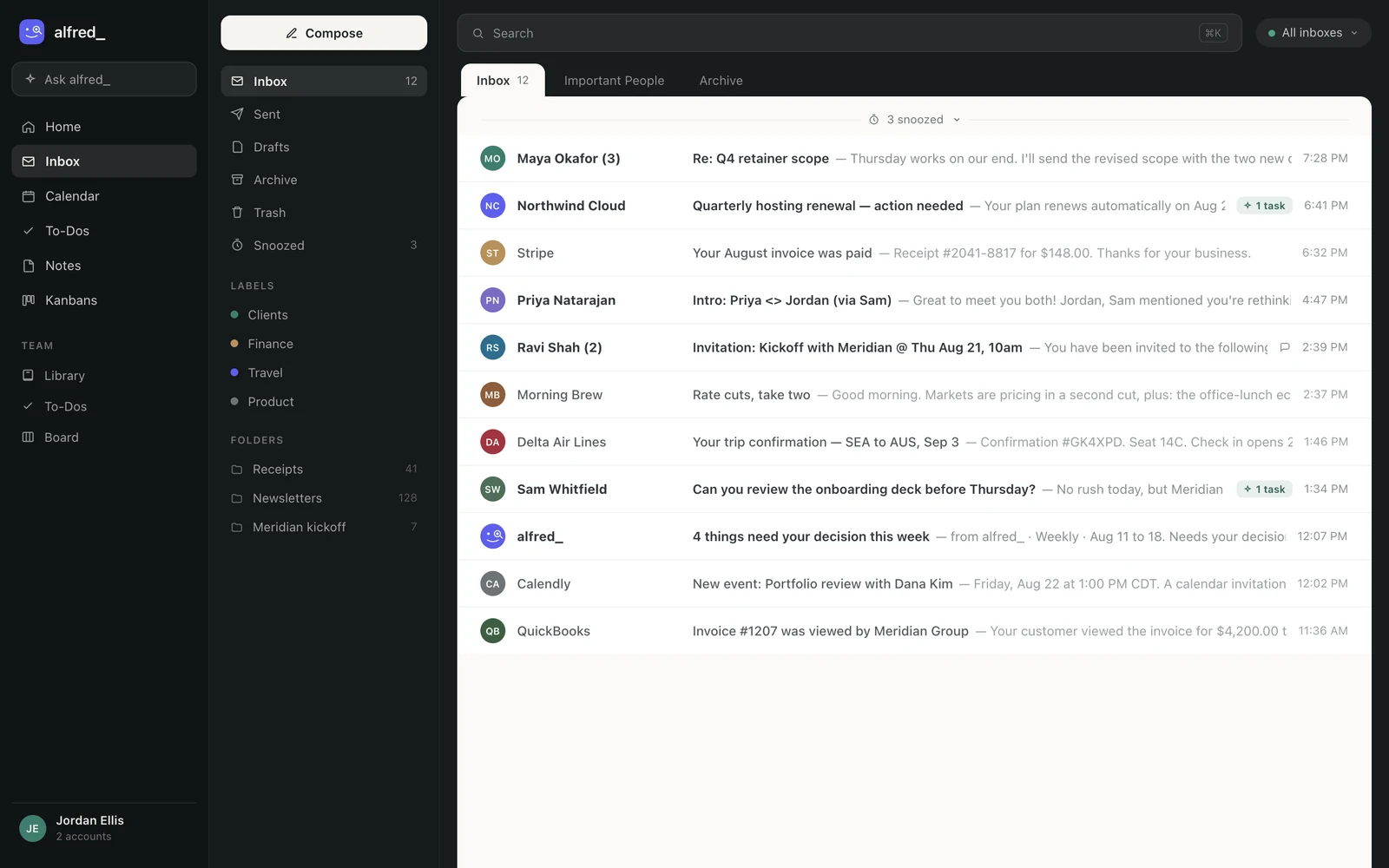
Every account connected to alfred_ is one search away in Claude. Shown with sample data.
What it looks like
You: Did anyone from Becker Logistics write this week? Check all my accounts.
Claude: Two threads. Tom Becker wrote to your work account on Tuesday asking for a revised quote, and you haven’t replied. Their accounts payable team wrote to your personal Gmail on Wednesday confirming the March invoice was paid.
You: Reply to Tom that the revised quote is coming Friday.
Claude: Here’s the reply from your work account: “Hi Tom, the revised quote will be with you Friday.” Send it?
You: Yes.
Illustrative exchange. Names are invented.
The reply goes out from the account Tom wrote to, and only after you say yes. Through this connection Claude cannot delete an email, an event or a to-do.
Calendars come along too
Each Google account brings its calendar. Ask “when am I free Thursday afternoon?” and Claude checks every connected calendar, not just the one you happened to sign in with. With your permission it can add an event, and anything that invites other people is shown to you first.
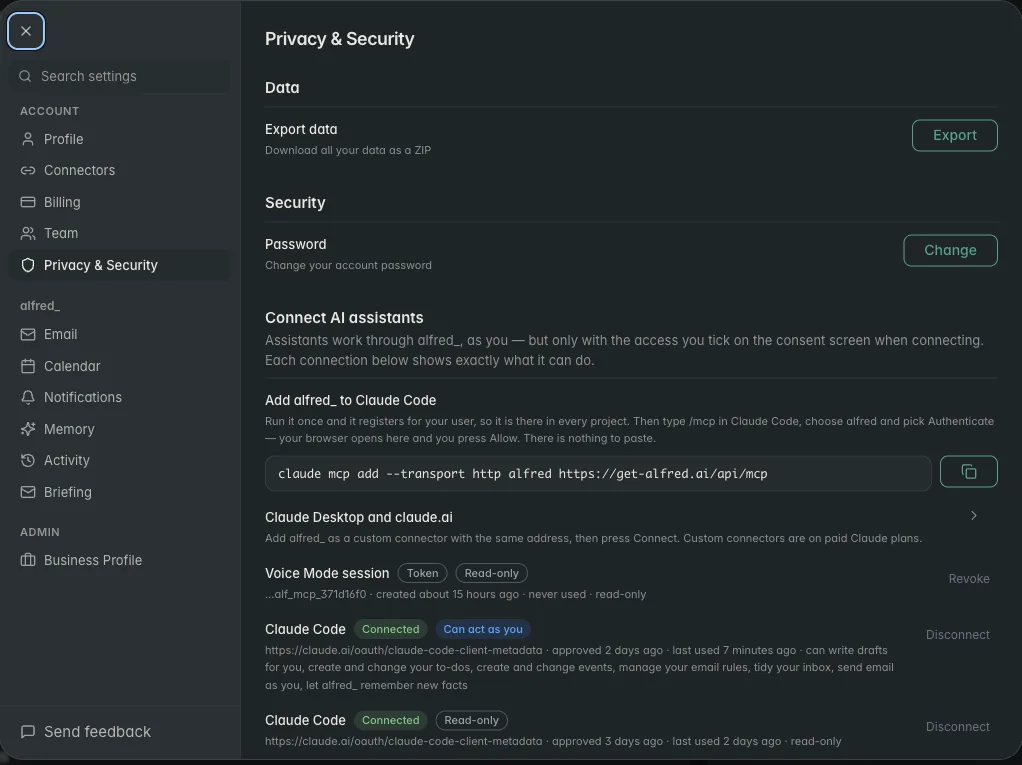
Each AI connection is listed in alfred_ with its permissions. Shown with sample data.
The same accounts everywhere
The connection is one way into alfred_. The same accounts answer in ChatGPT, in the alfred_ app, on iPhone and by text, and alfred_ keeps watching them when Claude is closed: it flags the emails that need your answer and texts you when a client is waiting.
You need an alfred_ account for any of this. Plans start at $29.99 a month with a 7-day free trial.




