

If your life runs on an iPhone, your mail is probably @icloud.com and your calendar is the one in the Calendar app. Then you open Claude’s connectors and find Gmail, Google Calendar and Microsoft 365. Nothing for Apple.
Why there’s no iCloud option in Claude
Claude’s connector directory has Google’s and Microsoft’s apps built in, and no iCloud Mail or iCloud Calendar connector from Apple or Anthropic. Apple also doesn’t offer the kind of sign-in Google and Microsoft do: other apps reach iCloud mail and calendars over the standard IMAP and CalDAV protocols, with an app-specific password.
Community-built iCloud MCP servers exist, but you run them on your own computer and keep them running. alfred_ is a hosted connection: set it up once and it works in claude.ai, Claude Desktop, Claude Code and ChatGPT, next to your other accounts.
How to connect iCloud to Claude through alfred_
- Make an app-specific password. Go to account.apple.com, open Sign-In and Security, choose App-Specific Passwords and create one named alfred_. Copy it.
- Connect iCloud Mail to alfred_. Add an account, choose iCloud Mail, and enter your @icloud.com address and the app-specific password.
- Connect iCloud Calendar to alfred_. Add an account, choose iCloud Calendar, and enter your Apple ID and the same password (or a new one).
- Add alfred_ to Claude. In claude.ai or Claude Desktop, open Settings, then Connectors, and add a custom connector named alfred_ with the address
https://get-alfred.ai/api/mcp. In Claude Code, runclaude mcp add --transport http alfred https://get-alfred.ai/api/mcp, then/mcpand Authenticate. Step-by-step: Connect Claude. - Sign in and choose what to allow. Reading is the default; tick sending if you want Claude to send from your iCloud address.
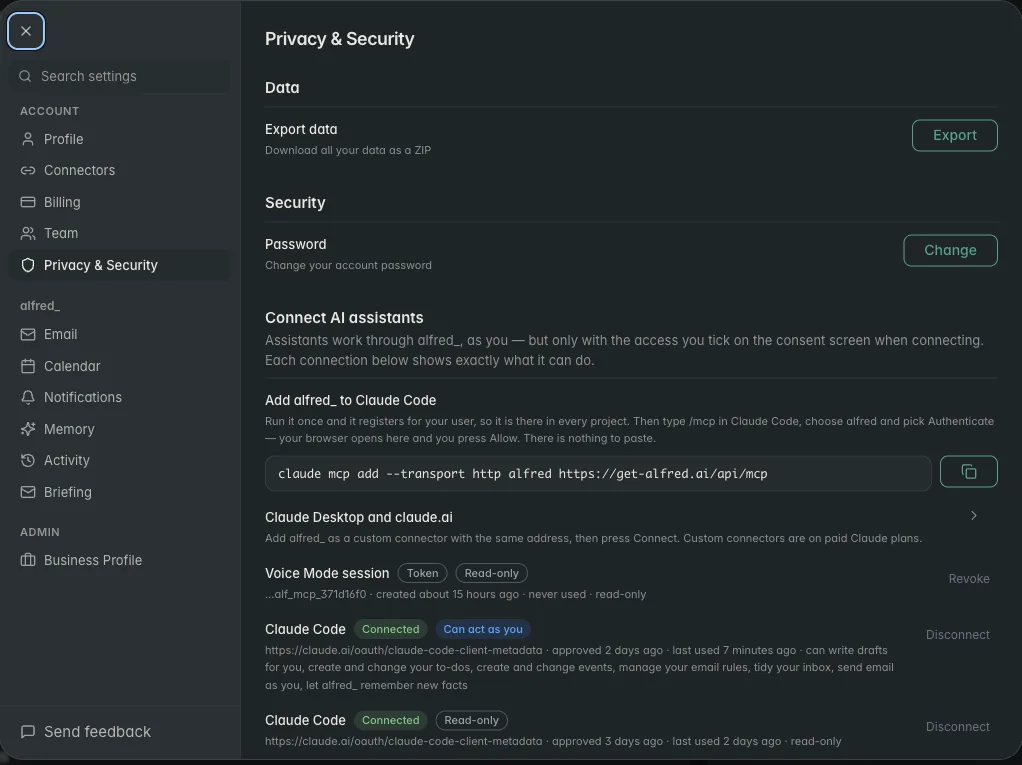
Each AI connection is listed in alfred_ with its permissions, and you can disconnect it there. Shown with sample data.
What to ask once it’s connected
You: What’s on my calendar Saturday, and did the plumber confirm the time?
Claude: Saturday you have Lily’s swim meet at 9 and dinner at the Parks’ at 7. Rivera Plumbing emailed your iCloud address yesterday confirming 1 PM, and you haven’t replied.
You: Reply that 1 works and the side gate will be open.
Claude: Here’s the reply from your iCloud account: “Hi, 1 PM Saturday works. The side gate will be open.” Send it?
You: Yes.
Illustrative exchange. Names are invented.
The reply goes out from your @icloud.com address, and only after you say yes. Through this connection Claude cannot delete an email, an event or a to-do.
Other questions that work as written:
- “When am I free for two hours next week?”
- “Find the receipt from the furniture store and tell me the order number.”
- “Did my sister reply about Thanksgiving?”
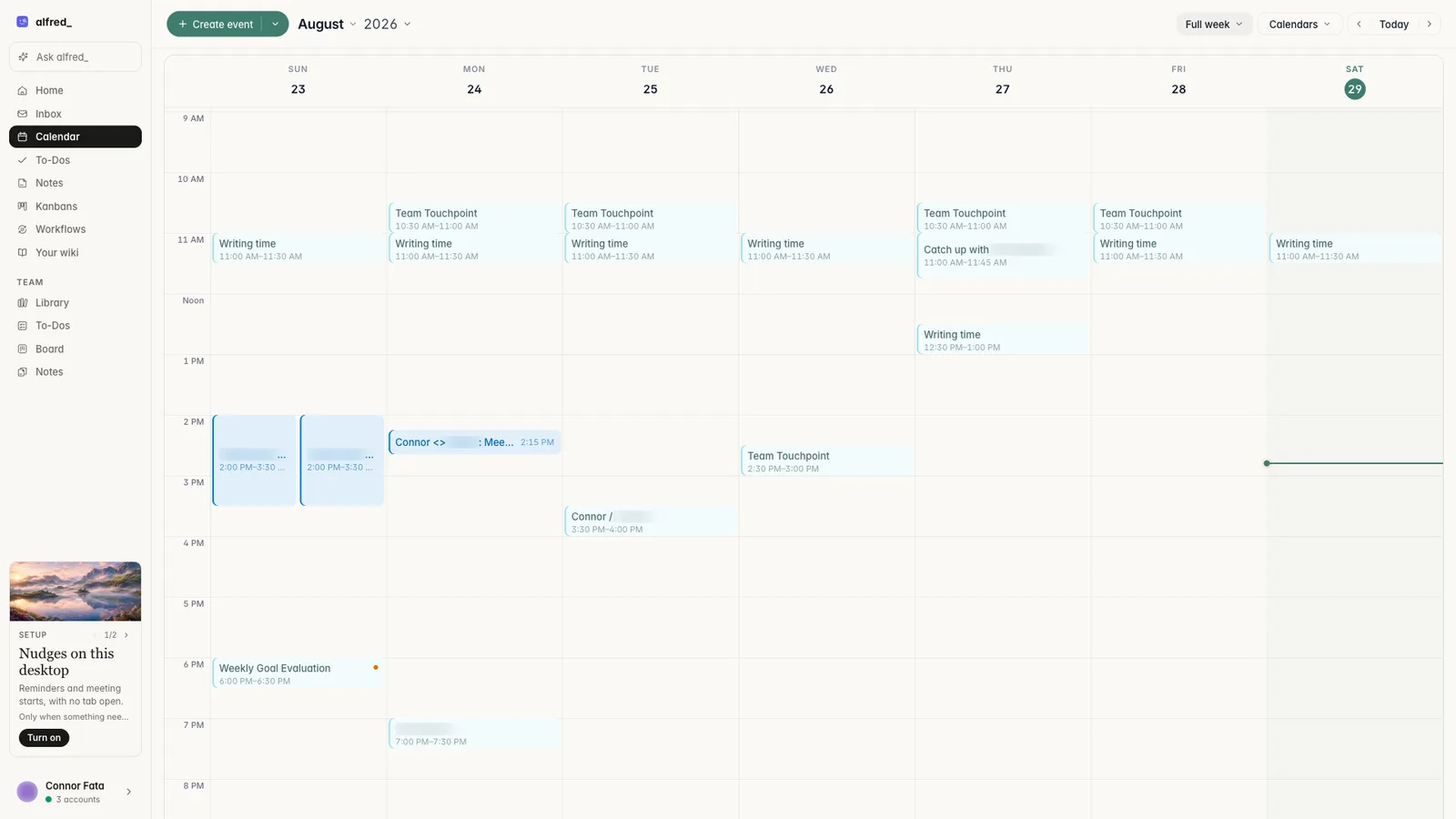
Connected calendars in alfred_, the same ones Claude checks. Shown with sample data.
iCloud next to your other accounts
Most people with an iCloud address also have a work inbox. alfred_ holds up to six accounts, iCloud, Gmail, Google Workspace, Outlook, Yahoo and other IMAP mailboxes, and Claude searches all of them in one question, saying which account each answer came from.
When Claude is closed, alfred_ keeps reading: it flags the emails that need your answer and can text you about them, so a reply can go out from your phone with a text and a 👍.
You need an alfred_ account for any of this. Plans start at $29.99 a month with a 7-day free trial.




