

What you want is an EA. What you can afford is another subscription you will not use.
You have done the math. A US-based executive assistant runs $60,000-$100,000+ per year. Add benefits, taxes, equipment, and office space, and the real number is $75,000-$140,000 annually (Boldly 2025). That is $6,250-$11,667 per month for a human who, if you are being honest, will spend more than half their time on two things: email and your calendar.
Virtual assistants are supposed to be the affordable alternative. Athena charges $3,000/month with a 12-month commitment. Belay bills around $42.70/hour for US-based VAs. Overseas VAs cost $5-15/hour but bring timezone gaps, language barriers, and turnover that means retraining someone new every six months.
You know what you need. You just cannot find it at a price that makes sense.
The 60% Problem
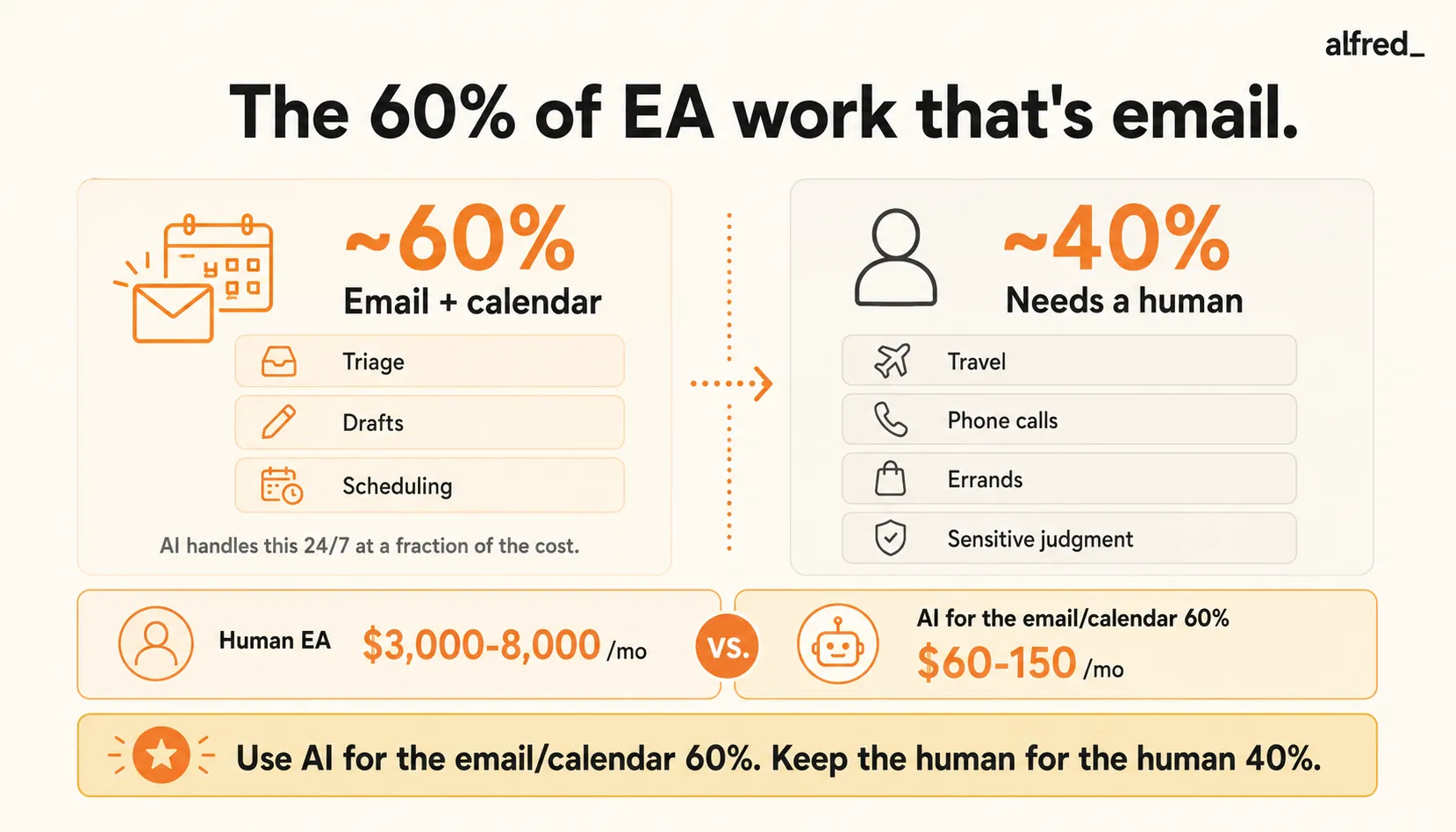
Here is the number that changes the calculation: 60%+ of an executive assistant’s workload is email and calendar management.
About 33% of an EA’s day goes to calendar management and scheduling (The EA Campus). Knowledge workers spend roughly 28% of their week on email alone (cloudHQ 2025). CEOs spend 24% of their time on electronic communications (Harvard Business Review). Combining industry data, email and calendar represent the clear majority of what an EA actually does day-to-day.
That means if you are paying $5,000/month for an EA, you are paying roughly $3,000/month for email and calendar management. The remaining $2,000 covers travel booking, errand coordination, meeting preparation, and the strategic tasks that genuinely require human judgment.
For most professionals, the 60% is the part they are drowning in. The 40% would be nice, but the 60% is what keeps them up at night.
Why Virtual Assistants Disappoint
You probably considered a virtual assistant before landing here. Maybe you even tried one. Here is why it did not work.
The timezone problem. Your Athena EA is in the Philippines. You send an email at 3 PM Eastern asking them to reschedule tomorrow’s 9 AM meeting. They see it at 3 AM their time. By the time they act, the meeting is in an hour. Urgent does not translate across 12 timezone hours.
The turnover problem. “The executive assistant was a high turnover position in every company I have worked at”. This is a universal experience. Your VA leaves after six months. You spend three weeks training the replacement. They leave after four months. You start over. The time you spend managing the transition is time you could have spent on the work that actually matters.
The training overhead. Even experienced VAs need weeks to learn your business. Your communication style. Your client hierarchy. Which emails from your boss are truly urgent and which are just her thinking out loud. Which meeting requests to accept and which to push back on. By the time they learn all of this, you have already spent more time training than you have saved.
The managing-the-manager problem. The irony that nobody talks about: you need an assistant to manage your assistant. Checking their work. Re-explaining context. Clarifying instructions. You wanted someone to take work off your plate, and instead you added a management layer to your plate.
The trust problem. “I can’t hand my inbox to a stranger.” This is not irrational. Your inbox contains confidential client information, financial details, sensitive conversations. Handing it to a person who works across multiple clients, who you have never met in person, who might leave next month and take that familiarity elsewhere. It requires a leap of faith that most people never fully make.
Industry surveys suggest roughly 60% of failed VA relationships start with a communication mismatch. Most first-time VA hires fail within six months.
The Subscription Graveyard
Before the VA, you tried the apps. You have a graveyard of subscriptions: the task manager you set up once, the email client you used for two weeks, the calendar app that was going to change everything. Each one promised to give you back time. Each one required time to set up, time to learn, and time to maintain, which is time you did not have, which is why you were looking for help in the first place.
“What I want is an EA. What I can afford is another subscription I won’t use.”
The frustration is not about the money. It is about the gap between what you need (someone with judgment who handles things without being asked) and what exists (apps that require you to define rules, create workflows, and check on them constantly).
You do not want to learn a new system. You want to open your laptop in the morning and know what actually matters today.
The Honest Comparison
| Option | Monthly Cost | Email Triage | Reply Drafting | Calendar | The Real Cost |
|---|---|---|---|---|---|
| US-based EA | $5,000–8,333 | Yes | Yes | Yes | Plus benefits, turnover, training, sick days |
| Athena | $3,000 (12-mo lock) | Yes | Yes | Yes | Mixed quality reviews, $24K buyout fee, 30% to actual EA |
| Belay | $1,700–3,400 | Yes | Yes | Yes | $42.70/hr adds up fast, VA works across clients |
| Overseas VA | $800–2,400 | Partially | Partially | Partially | Timezone gaps, language barriers, constant retraining |
| Superhuman | $30–40 | Sort of | No | No | You still do all the work, just faster |
| alfred_ | $29.99 | Yes, AI | Yes, in your voice | Yes | Not a human, cannot call, travel, errands |
Let us be honest about what is on this table. A human EA does things that AI cannot. They can call the restaurant to change your reservation. They can pick up the gift for your client. They can navigate a politically sensitive situation with a judgment call that requires reading between the lines.
But if what you need, truly need, right now, the thing that is drowning you, is someone to handle the email and calendar, the comparison changes.
What the 60% EA Actually Looks Like
alfred_ connects to your Gmail or Outlook and handles the portion of EA work that is eating your day. Here is what that means in practice.
Inbox triage with judgment. Not rules-based sorting. AI that understands context, which emails are from your most important contacts, which are time-sensitive, which are noise. When you open your inbox, the decisions are already made. The five things that need your attention are surfaced. The rest is handled.
Reply drafts in your voice. The scheduling email. The “thanks for sending this over, I’ll review by Friday” email. The delegation email. The follow-up. All drafted and waiting for your review. The EA part of this is not just that the reply exists. It is that the reply sounds like you wrote it. Not corporate. Not robotic. Your tone, your patterns, your level of formality with each contact.
Calendar management. Scheduling, conflict resolution, timezone coordination. When someone emails “can we find 30 minutes next week?”, alfred_ handles the back-and-forth. No Calendly link. No 12-email chain. No double-booking because you accepted a meeting without checking your calendar (third time this month).
Always available. No timezone gaps. No sick days. No “I’m taking Friday off.” If a client emails at 2 AM, it is triaged at 2 AM. The draft is ready when you wake up.
No training period. alfred_ learns from your existing email patterns from day one. No two-week onboarding. No re-training after turnover, because there is no turnover. No explaining for the fourth time that when your boss says “ASAP” she means “by end of week” and when your biggest client says “whenever” they mean “yesterday.”
One price. Every feature. No hourly billing, no per-seat pricing, no annual commitment with a $24,000 buyout clause. Less than 1% of what a human EA costs.
What alfred_ Does Not Do
This is the honest part, because the honest part matters.
alfred_ will not book your flights. It will not pick up your dry cleaning. It will not make a phone call to your client’s office when they are not responding to email. It will not sit in a meeting and take notes. It will not handle the complex, judgment-heavy, politically sensitive situation that requires a human who deeply understands your business.
That is the 40%.
For most professionals, the 40% is important but infrequent. The 60%, the email, the calendar, the drafts, the triage, is every single day. It is the constant background hum. It is the reason you feel behind before your day even starts.
alfred_ handles the 60%. You keep the strategic 40%, the part that actually requires you.
The Math
A human EA who spends 60% of their time on email and calendar at a total cost of $7,000/month means you are paying $4,200/month for email and calendar management.
alfred_ does exactly that.
Even Athena, the “affordable” option, costs $3,000/month. If 60% of their work is email and calendar, that is $1,800/month for the same tasks alfred_ handles for $25.
The question is not whether AI can do everything an EA does. It cannot. The question is whether you are paying $3,000-8,000/month for the email and calendar portion, and whether $29.99 could cover that while you save the human EA budget for when you actually need a human.
You know what you need. Now the price makes sense.




