

You got into freelancing to use your expertise. You spend most of your day proving you read emails.
That is not an exaggeration. It is the math. Freelancers spend 36-40% of their working time on non-billable activities, email, invoicing, proposals, scheduling, client communication. That is roughly 6 hours every week you are working for free (Clockify 2025, Memtime 2025). In a 40-hour week, the average freelancer bills only 24 hours. The remaining 16 hours disappear into admin.
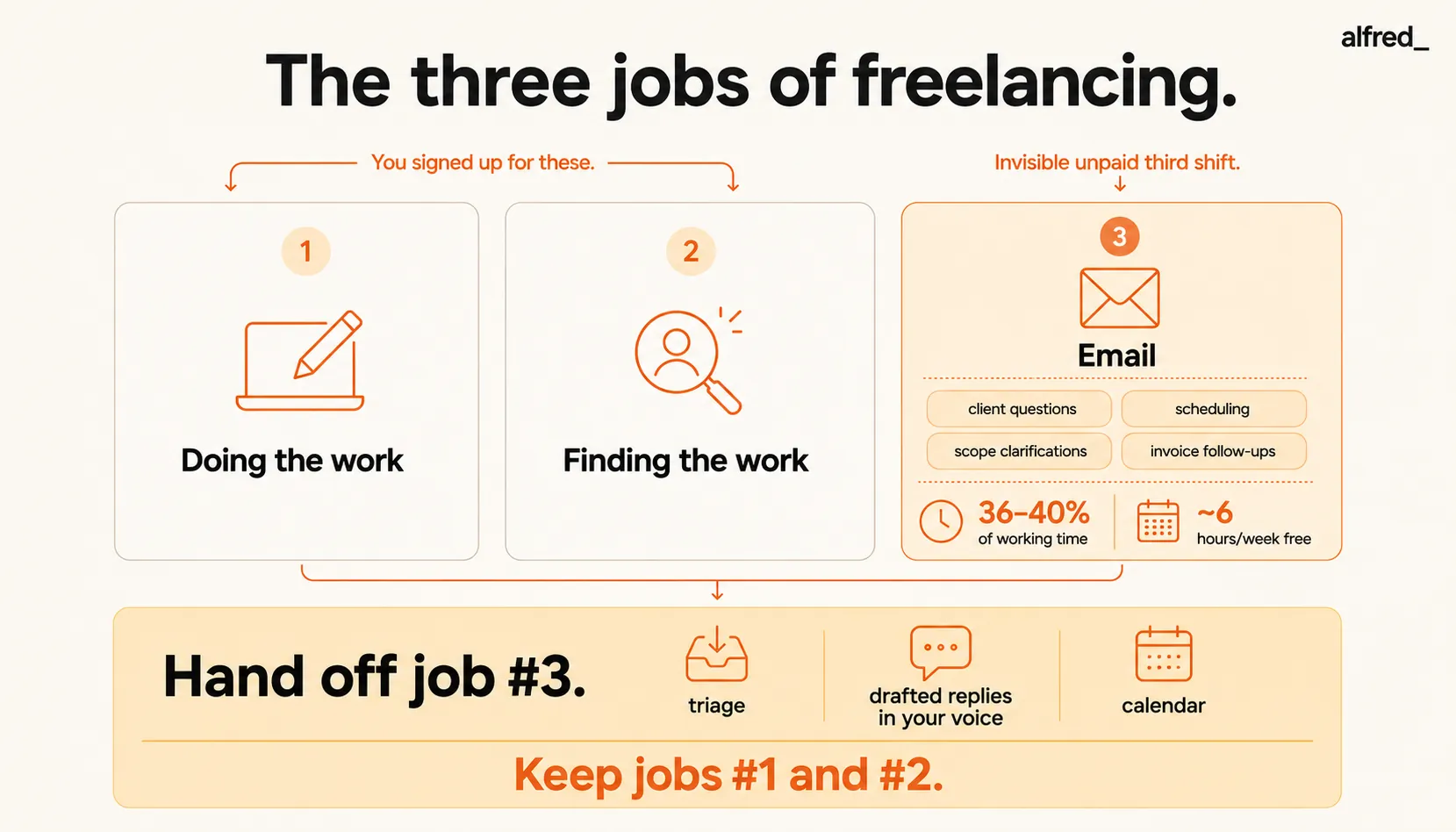
You did not leave your job for this. You left because you were good at something and you wanted to do more of it. Instead, you have three jobs: doing the work, finding the work, and email. You signed up for two of those.
The Three Jobs of Freelancing
Here is how most freelancers actually spend their week:
Job #1, Doing the work. The thing you are good at. The thing clients pay for. Design, writing, consulting, development, photography, coaching, whatever your craft is. This is the reason you went independent.
Job #2, Finding the work. Proposals, networking, referral follow-ups, portfolio updates, lead conversations. Nobody loves this part, but it is clearly tied to revenue.
Job #3, Email. The invisible, unpaid, endless third shift. Client questions. Scheduling calls. Scope clarifications. Invoice follow-ups. The “quick question” that arrives at 9 PM and takes 45 minutes to answer. The proposal revisions. The timezone gymnastics. None of this is billable. All of it is mandatory.
A freelancer billing $150/hour who spends 3 hours a day on email loses roughly $450/day. That is $9,000/month in potential billable time. Even at $75/hour with a conservative 8 hours per week of admin, you are burning $2,400/month. Not on tools. Not on overhead. On email.
And the worst part? Your clients do not email you to say things are going well. They only email when something is wrong. So every notification is a small crisis. Every ping carries weight. You cannot ignore it, and you cannot bill for it.
Why CRMs Miss the Point Entirely
If you have looked for help, you have probably landed on HoneyBook or Dubsado. Both are fine products. Neither of them will give you those 6 hours back.
HoneyBook ($36-129/month) is a client management platform. It handles contracts, proposals, and invoicing. It does not triage your inbox. It does not draft the reply to your client’s 9 PM “quick question.” It does not follow up on the invoice that is 30 days overdue and requires a carefully worded email that does not sound desperate.
Dubsado ($35-55/month) is similar, workflows, client portals, proposals. Users describe the setup as having a steep learning curve. The time you would spend configuring Dubsado is time you could be billing. And after all that setup, you still open your inbox to 47 unread messages every morning.
The mismatch is fundamental. CRMs solve the client management problem. They do not solve the email problem. A freelancer spending 3 hours a day triaging email will still spend 3 hours a day triaging email after setting up Dubsado. The CRM just gives you more buttons to push.
Other things freelancers try:
- Superhuman ($30-40/month) makes you faster at email, but you are still doing all the work yourself. No calendar. No auto-drafting. And $30-40/month is steep for a solo operator.
- SaneBox ($7-36/month) filters noise into a separate folder. But filtering is not the hard part. Writing the reply is the hard part. SaneBox will not draft your scope negotiation email.
- Boomerang ($4.99-49.99/month) reminds you to follow up. But you still have to write the follow-up. That has always been the hard part.
The Invoice Follow-Up Shame
Let us talk about the thing nobody wants to admit.
Your invoice is 30 days overdue. You have sent two “just following up” emails. Each one made you feel smaller. This is not what you went independent for. You are a professional asking to be paid for work you already delivered, and somehow it feels like you are bothering someone.
The activation energy of writing that third follow-up, finding the right tone between “professional persistence” and “I need this money to pay rent”, is enough to make you put it off for another week. And another. And then it is 60 days overdue, and the email you need to write has gotten even harder.
This is not a client management problem. HoneyBook cannot write that email for you. This is an email problem. The draft sitting in your head, unwritten, getting heavier by the day.
The 9 PM “Quick Question”
Your client emails at 9 PM: “Quick question about the deliverable.”
It is never quick. It is a scope clarification that requires you to pull up the project, review the brief, and craft a careful response. If you answer now, you are working for free on your personal time. If you wait until morning, you spend the night wondering if they are unhappy, if the project is in trouble, if waiting will cost you the relationship.
You are a one-person agency. You are the sales team, the PM, the designer, AND the person answering those questions at 9 PM. There is no admin team to absorb this. There is no EA to triage it. There is just you, your phone, and the notification you are pretending not to see.
What Actually Needs to Happen
The problem is not that you need better filters or faster email processing. The problem is that email is an entire job, and you are doing it on top of two other jobs. What you need is for someone, or something, to handle job #3 so you can focus on jobs #1 and #2.
That means:
- Triage with judgment, not just rules. Your $50K client’s urgent request and a cold vendor pitch should not land in the same pile.
- Drafted replies, not just reminders. The scope negotiation, the invoice follow-up, the scheduling back-and-forth, written and waiting for your review.
- Calendar handling, because half your email is scheduling. A separate calendar app means separate context, separate logins, separate cognitive load.
- Learning your voice, because your clients know how you write. Generic AI slop is worse than no reply at all.
Quick Comparison: What Freelancers Actually Try
| What You Try | Monthly Cost | Handles Email Triage | Drafts Replies | Calendar | The Gap |
|---|---|---|---|---|---|
| HoneyBook | $36–129 | No | No | No | Client management, not email relief |
| Dubsado | $35–55 | No | No | No | Same, steep setup, no inbox help |
| Superhuman | $30–40 | Sort of (Split Inbox) | No | No | You still do all the work, just faster |
| SaneBox | $7–36 | Filtering only | No | No | Filters noise, ignores the hard emails |
| Boomerang | $4.99–49.99 | No | No | No | Reminds you, but you still write it |
| alfred_ | $29.99 | Yes, AI triage | Yes, in your voice | Yes | The one here that handles job #3 |
How alfred_ Handles Job #3
alfred_ connects to your Gmail or Outlook and works in the background. It is not another app to check. It works inside your existing inbox.
AI email triage. alfred_ understands the difference between a $50K client’s urgent request and a cold pitch from a vendor. It surfaces what matters and handles the rest. When you open your inbox in the morning, the sorting is already done.
Auto-drafts replies in your voice. The scope negotiation email. The “just following up on my invoice” email. The scheduling back-and-forth. Drafted, contextual, and written the way you write, not the way a chatbot writes. You review, tweak if needed, and send. The blank reply box is already filled.
Calendar included. Scheduling calls, protecting your focus blocks, handling timezone coordination across clients, without a separate app, a separate login, or a separate subscription.
Learns your patterns. Over time, alfred_ writes like you. Your clients cannot tell the difference. Your tone, your sentence structure, your level of formality with different contacts, all learned from your existing communication.
From $29.99 a month, and every plan is the whole assistant. No annual commitment, and less than one hour of most freelancers’ billable rate. If alfred_ reclaims even 5 hours per week, that is $2,000/month in recovered revenue at $100/hour, for a negligible monthly cost.
The invoice follow-up you have been avoiding? Drafted. The 9 PM “quick question?” Triaged and, if it is not truly urgent, waiting for morning with a draft ready. The scheduling email chain that would take 12 messages? Handled.
You signed up for two jobs. Let alfred_ take the third one.




