

There is a specific kind of Sunday afternoon that Notion users know well. You sit down to “organize your productivity system.” Three hours later, you have redesigned your task database, added six new properties, created a linked dashboard, watched two YouTube tutorials on advanced formulas, and accomplished zero actual work.
Notion is the most powerful personal productivity tool ever built. It is also, for many individuals, the most effective form of productive procrastination ever invented.
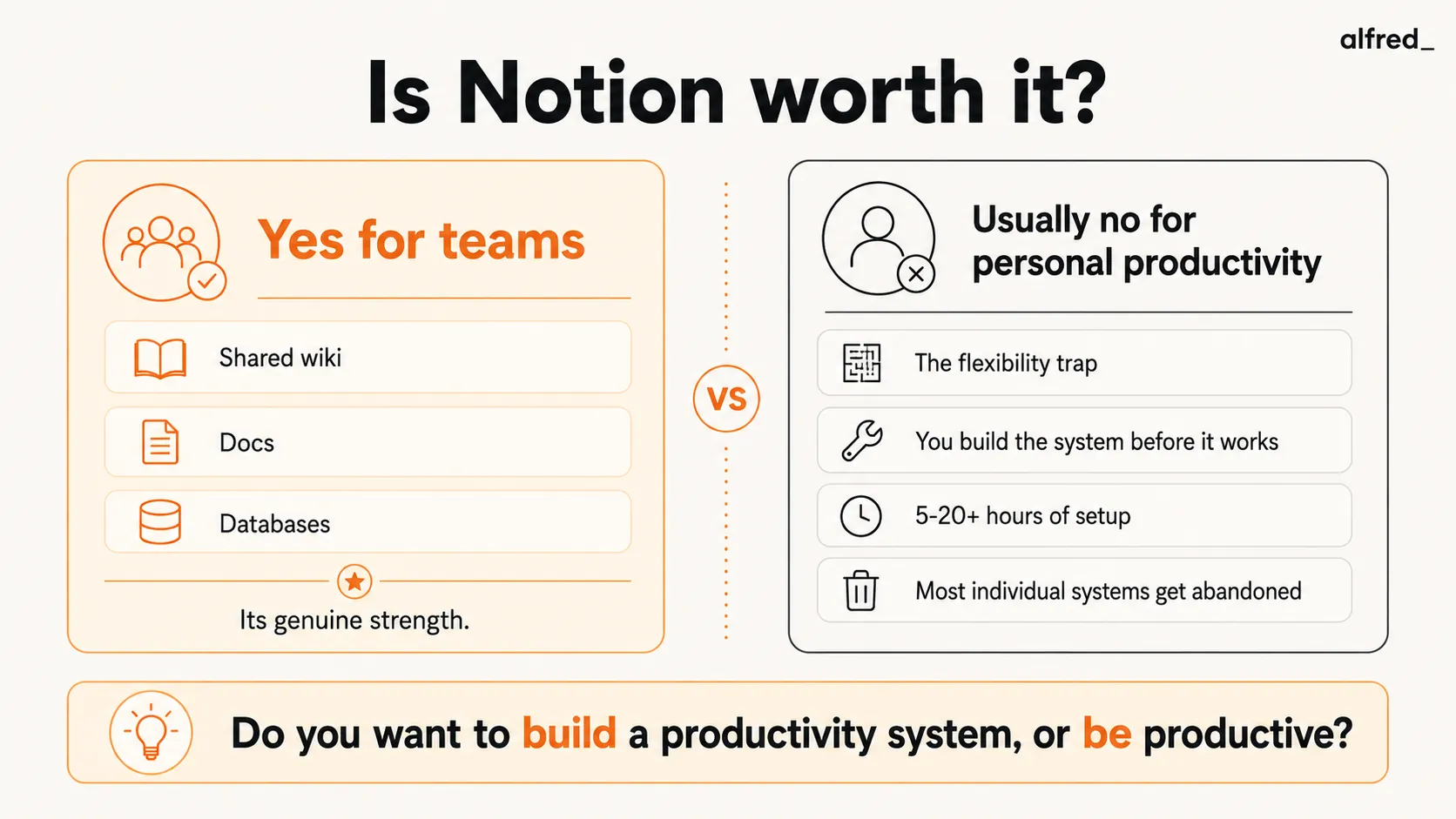
The question “Is Notion worth it?” requires a different answer depending on whether you are asking about teams or individuals. For teams, the answer is often yes. For individuals chasing personal productivity, the answer is usually no, and understanding why matters more than the answer itself.
What Notion Does Well
It is genuinely the most flexible workspace available. Notion can be a note-taking app, a task manager, a wiki, a database, a project tracker, a CRM, a content calendar, a habit tracker, and a documentation hub, simultaneously. The building blocks (pages, databases, blocks, relations, rollups, formulas) can be assembled into virtually any system. This is not marketing exaggeration. The flexibility is real.
Team wikis and documentation work. If your team needs a central place for processes, documentation, meeting notes, and institutional knowledge, Notion is an option. The collaborative editing is smooth. Permissions are granular. The organizational structure (workspaces, teamspaces, pages, sub-pages) maps naturally to how teams think about information hierarchy.
Databases are powerful. Notion’s databases can store any type of information with custom properties, views, filters, sorts, and relations. A single database can be viewed as a table, board, timeline, calendar, gallery, or list. Relations between databases create genuinely useful connections, linking a project to its tasks, a client to their documents, a meeting to its notes.
The template ecosystem is vast. Thousands of community templates cover every conceivable use case. You can start from a pre-built system rather than building from scratch. This lowers the initial setup barrier, though templates often need customization to fit individual workflows.
The free tier is generous. For personal use, Notion’s free plan includes unlimited pages and blocks, basic collaboration, a 7-day page history, and a limited AI trial. You can use Notion meaningfully without paying anything. The Plus plan at $10/month adds unlimited file uploads, 30-day page history, and unlimited guests (though note that full AI access requires the Business plan at $20/month).
Notion AI is competent. Bundled into Business and Enterprise plans (no longer available as a separate add-on), Notion AI summarizes pages, generates content, fills databases, and answers questions about your workspace. It is a useful copilot for working within Notion, particularly for summarizing long documents and drafting content.
The Flexibility Trap
Here is where the honest review diverges from the feature tour. Notion’s greatest strength is also its most significant liability for individual users.
You build the system before you use it. Unlike a tool like Todoist (open it, add a task, done) or Apple Notes (open it, type, done), Notion requires architecture. Before you can manage tasks, you need to design your task database. What properties? What views? What statuses? What relations? Every decision is a decision you make before the tool starts helping.
A realistic estimate: a basic personal productivity system in Notion takes 5–8 hours to set up. A comprehensive one with linked databases, dashboards, and templates takes 15–20+ hours. That’s one to three full workdays spent building a system instead of doing work, before the tool has saved you a single minute.
The setup is never finished. Notion systems evolve. Your needs change. New projects start. Old workflows break. You discover that your task database needs a priority property, or your meeting notes template is missing a section, or your project tracker needs a new status. Each adjustment pulls you back into system design mode.
The YouTube rabbit hole is real. Search “Notion productivity system” on YouTube and you will find thousands of videos, many over an hour long, showing elaborate setups. These videos are compelling because the systems look beautiful and comprehensive. But watching them, and then rebuilding your system to match, is itself a productivity sink. The irony is rich: spending hours watching productivity content instead of being productive.
Complexity increases maintenance cost. The more sophisticated your Notion system, the more time you spend maintaining it. A task database with six properties, three views, and relations to two other databases requires you to fill in six fields every time you add a task. A simple list requires you to type the task. The overhead per action is higher in Notion, and it compounds across hundreds of actions per week.
Most individual systems get abandoned. Talk to enough Notion users and a pattern emerges: enthusiastic setup, productive honeymoon period (2-6 weeks), gradual decline in maintenance discipline, eventual abandonment or radical simplification. The system that was going to organize your entire life becomes one more tab you feel guilty about not updating.
Pricing Breakdown
| Plan | Annual price | Monthly price | AI access | Who uses it |
|---|---|---|---|---|
| Free | $0 | $0 | Limited trial | Solo users, basic notes |
| Plus | $10/user/mo | $12/user/mo | Limited trial | Small teams, shared wikis |
| Business | $20/user/mo | $24/user/mo | Full (AI Agents, Ask Notion) | Teams that need AI + SSO |
| Enterprise | Custom | Custom | Full | Compliance-heavy orgs |
As of mid-2025, Notion discontinued the separate AI add-on. Full AI access (AI Agents, Ask Notion) is Business-only. Free and Plus users get a limited trial that runs out fast.
How Notion Compares on Price
| Tool | Price | Setup time | What it does |
|---|---|---|---|
| Todoist | Free–$5/mo | 2 minutes | Task management – add tasks, set dates, done |
| Apple Notes | Free | 0 minutes | Quick notes, no configuration |
| Obsidian | Free | 30 minutes | Local knowledge management, plugin ecosystem |
| Notion | Free–$24/user/mo | 5–20+ hours | Flexible workspace – you build everything |
| alfred_ | $29.99/mo | 5 minutes | AI email triage, drafts, tasks, daily briefing |
The setup time column is the hidden cost. Notion’s sticker price is competitive, but the 5–20 hours of system design before it becomes useful is time most people underestimate.
Who Should Use Notion
Teams that need a shared documentation hub. This is Notion’s undisputed strength. If your team needs a wiki, a process library, shared meeting notes, and project documentation in one place, Notion is an option. It is more modern and flexible than Confluence, more structured than Google Docs folders, and the collaboration features are strong.
People who genuinely enjoy system design. Some people find building productivity systems intrinsically satisfying. If designing databases, creating templates, and optimizing workflows is something you enjoy, not just tolerate, Notion is a canvas for that interest. The tool rewards creativity and technical thinking.
Specific professional use cases. Content calendars, CRM for freelancers, research databases, course note organization. These are structured, defined use cases where Notion’s database features provide real value. The key is having a specific, bounded use case rather than trying to make Notion your “everything app.”
Users who will actually maintain the system. If you are the kind of person who keeps a clean desk, maintains a filing system, and updates your tools regularly, Notion can be powerful. The maintenance overhead is real, but some people naturally incorporate it into their workflow.
Who Should Not Use Notion (for Productivity)
Anyone who wants to be productive, not build productivity systems. If your goal is to get through your email, manage your tasks, and leave work on time, not to design the perfect system for doing those things, Notion is the wrong tool. You need something that works immediately, not something you build.
People prone to optimization as procrastination. If you recognize the “Sunday afternoon system redesign” pattern, Notion will make it worse, not better. The infinite flexibility enables infinite tinkering. A simpler tool with fewer options (Todoist, Things, Apple Reminders) forces you to work within constraints rather than redesigning them.
Professionals whose primary problem is communication overload. Notion is a workspace, not a communication tool. It does not touch your email, does not manage your calendar, does not process your Slack messages. If you are overwhelmed by inputs (emails, messages, meeting requests), Notion gives you a beautiful place to organize outputs but does nothing about the inputs drowning you.
Solo users who do not need databases. If your productivity needs are “remember to do things” and “take notes sometimes,” Notion is overkill. A simple task app and a notes app will serve you better with zero setup cost.
Where alfred_ Fits
Notion and alfred_ represent opposite philosophies about productivity tools.
Notion says: here is a blank canvas. Build what you need. Maintain it. Make it yours.
alfred_ says: here is an assistant. It already knows what to do. Connect your email and calendar. It starts working.
Notion requires you to design the system, populate it with data, and maintain it over time. alfred_ connects to your existing communication channels and starts working immediately, triaging your inbox, drafting replies, tracking follow-ups, preparing daily briefings. There is no setup because there is no system to build. The AI is the system.
This matters most for the kind of person who downloads Notion to be more productive and then spends the weekend building a productivity system instead of being productive. alfred_ short-circuits that pattern entirely. You sign up, connect your accounts, and check your briefing the next morning.
At $29.99/month, alfred_ costs more than Notion Plus ($10/month) and is in the same range as Notion Business with AI ($20-24/month). The difference is not price. It is what you do with your time. With Notion, you invest time building and maintaining a system. With alfred_, you invest zero time and get an assistant that handles communication management from day one.
They can coexist: Notion as your team wiki and documentation hub, alfred_ as your personal AI assistant handling email and calendar. But for personal productivity specifically, alfred_’s zero-setup approach solves the problem that Notion’s infinite-setup approach often creates.
The Verdict
Notion is a product that deserves its massive user base. For team documentation, shared wikis, and collaborative knowledge management, it is among the best tools available. The free tier is generous. The flexibility is unmatched.
But for personal productivity, Notion is usually the wrong answer. The flexibility that makes it powerful for teams makes it a maintenance burden for individuals. Most personal Notion systems get abandoned within months, not because Notion is bad, but because the overhead of maintaining a system exceeds the value of using it.
The question is not “Is Notion powerful?” It obviously is. The question is “Do I want to build and maintain a productivity system, or do I want to be productive?” For most people, those are different things.
If you need a team wiki: Notion works.
If you love building systems: Notion is your playground.
If you want to be productive without building anything: look for tools that work out of the box, require zero maintenance, and handle the hard parts (like communication triage) automatically.
Quick Decision: Is Notion Worth It for You?
- “I need a team wiki and shared docs” → Yes, Notion works. Start with Plus at $10/user/month.
- “I want to build a custom productivity system” → Yes, if you enjoy the building. Be honest about maintenance.
- “I just need to manage tasks and take notes” → No. Todoist (free–$5/mo) or Apple Notes will do this with zero setup.
- “I’m drowning in email and meetings” → No. Notion doesn’t touch email or calendar. Look at AI email assistants instead.
- “I want AI to help me work” → Depends. Notion AI ($20/user/mo Business plan) helps within Notion. alfred_ ($29.99/mo) helps across email, calendar, and tasks with zero setup.
- “I’ve tried Notion before and abandoned it” → Probably not worth trying again. The pattern repeats. Choose a simpler tool.




