

Skip to content
Oct '265 min read

How to Connect a Personal Outlook or Hotmail Account to ChatGPT

Outlook.com, Hotmail and Live, Inside ChatGPT.

ChatGPT's Outlook plugin only accepts work and school Microsoft accounts, so @outlook.com and @hotmail.com addresses get turned away. Here is how to use your personal Outlook in ChatGPT with the alfred_ plugin.

Quick answer

How do I connect a personal Outlook or Hotmail account to ChatGPT?

  • Connect your Outlook.com, Hotmail or Live account to alfred_ (it takes personal Microsoft accounts), then add the alfred_ plugin in ChatGPT
  • ChatGPT can then search your personal Outlook inbox, read threads, check your Outlook calendar and find free time
  • With your permission it replies and sends from your @outlook.com or @hotmail.com address, after it shows you the message and you say yes
  • Your personal Outlook sits next to Gmail, iCloud, Yahoo and work accounts, up to six, in one search

alfred_ is our product. ChatGPT's Outlook account requirement is as reported on Microsoft's Q&A forum through April 2026.

You open ChatGPT’s settings, find Outlook, sign in with your @hotmail.com address, and Microsoft tells you only business or education accounts are allowed. You don’t have one. Your email is the Hotmail address you’ve had for fifteen years.

Why ChatGPT’s Outlook plugin turns personal accounts away

ChatGPT’s Outlook plugin connects through Microsoft 365, the company version of Outlook. Its sign-in asks for a work or school account, and personal Outlook.com, Hotmail and Live addresses don’t qualify. People have been reporting it on Microsoft’s own Q&A forum since September 2025; the most recent reply there, from April 2026, says it still isn’t supported.

That leaves out a lot of freelancers, consultants and small-business owners whose business email is a personal Microsoft account.

The fix: the alfred_ plugin

alfred_ accepts personal Microsoft accounts directly, and alfred_ is a plugin in ChatGPT.

  1. Connect your Outlook to alfred_. Sign up at get-alfred.ai, add an account and choose Microsoft · personal (Outlook.com, Hotmail, Live). Sign in with Microsoft and allow access. Your Outlook calendar comes with it.
  2. Add the alfred_ plugin in ChatGPT. Open alfred_ in ChatGPT and press Connect.
  3. Sign in and choose what to allow. ChatGPT opens get-alfred.ai. Sign in and press Allow. Reading is the default; tick sending if you want ChatGPT to send for you.
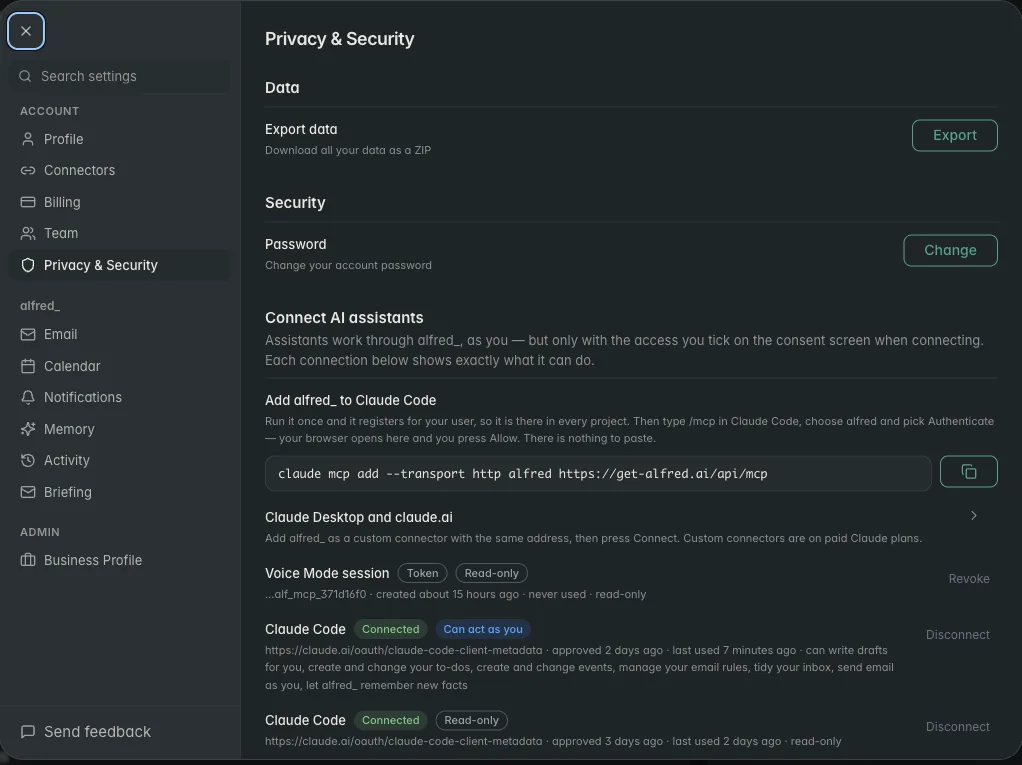
alfred_ settings listing each connected AI assistant and what it is allowed to do

Each AI connection is listed in alfred_ with its permissions, and you can revoke it there. Shown with sample data.

What you can ask

You: Did the contractor send the revised estimate to my Hotmail?

ChatGPT: Yes. Rivera Remodeling emailed your Hotmail on Monday with “Estimate v2.pdf”: $18,400, down from $21,000, with the tile allowance cut. You haven’t replied.

You: Reply that we accept and ask when they can start.

ChatGPT: Here’s the reply from your Hotmail account: “Thanks, we accept the revised estimate. When could you start?” Send it?

You: Yes.

Illustrative exchange. Names are invented.

Nothing goes out until you’ve seen it and said yes, and that check lives in alfred_, so ChatGPT can’t skip it. Through this connection ChatGPT cannot delete an email, cancel an event or remove a to-do.

Other questions that work as written:

  • “What’s on my Outlook calendar Thursday, and when am I free?”
  • “Find the receipt from the airline and tell me the confirmation number.”
  • “Who emailed me about the lease this week?”

Your Hotmail next to everything else

alfred_ holds up to six accounts: personal Outlook, Microsoft 365, Gmail, iCloud, Yahoo and IMAP mailboxes. ChatGPT searches all of them in one question and says which inbox each answer came from.
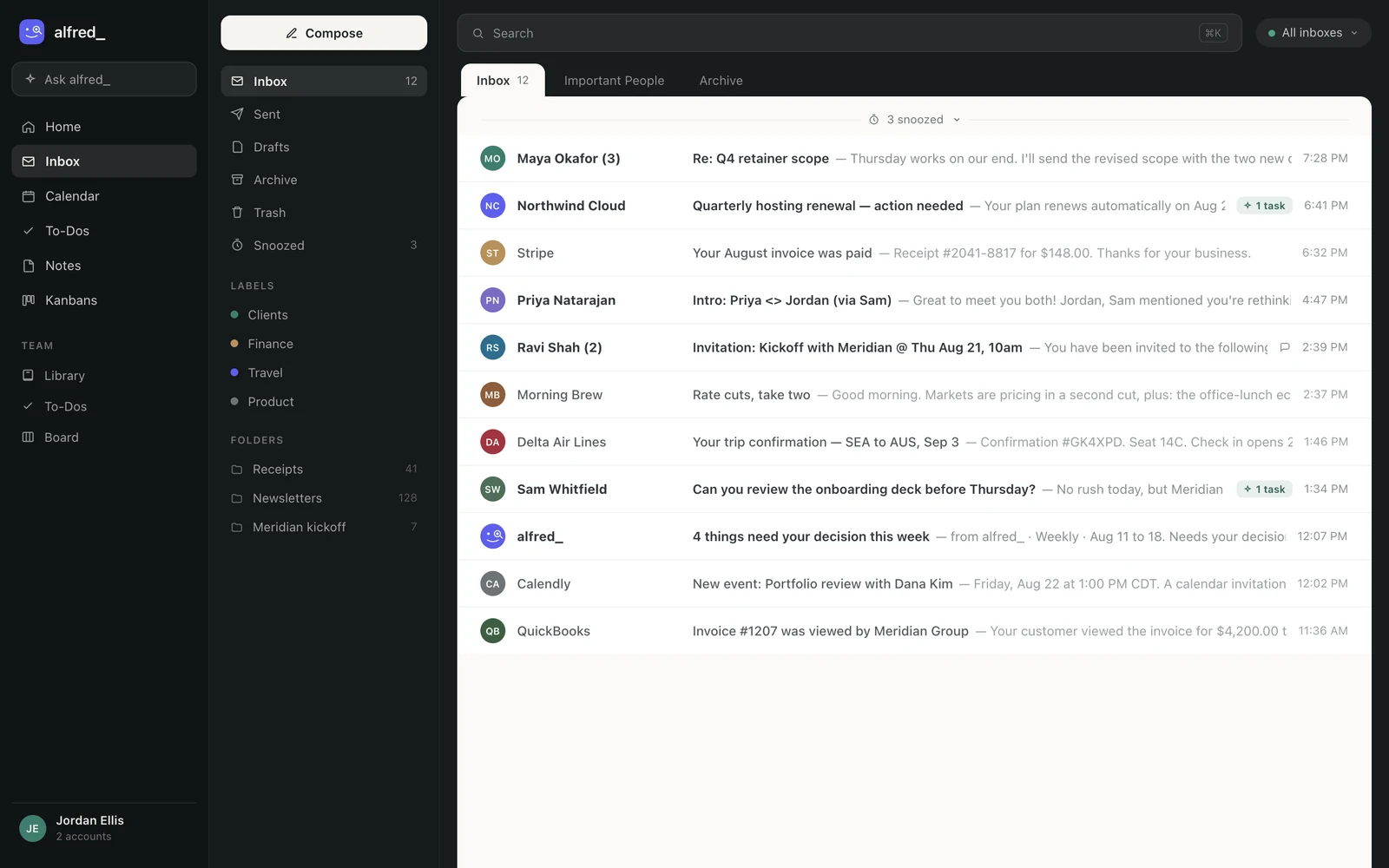
The alfred_ inbox showing mail from several connected accounts in one list

The accounts ChatGPT searches are the ones connected in alfred_. Shown with sample data.

The same account works in Claude, in the alfred_ app, on iPhone and by text, and alfred_ keeps reading your Hotmail when ChatGPT is closed: it flags what needs your answer and can text you about it.

You need an alfred_ account for any of this. Plans start at $29.99 a month with a 7-day free trial.


Keep client work from slipping through the cracks

alfred_ is an AI assistant for client-facing teams. Each teammate gets help with email, calendar, replies and follow-ups.

See what’s slipping+ more

Frequently asked questions

How do I connect a personal Outlook or Hotmail account to ChatGPT?

Connect the account to alfred_ under Microsoft personal (Outlook.com, Hotmail, Live), then open the alfred_ plugin in ChatGPT and press Connect. Sign in when ChatGPT opens alfred_ and press Allow. ChatGPT can then search and read your personal Outlook mail and calendar, and send from your address after you approve each message.

Why does ChatGPT say my Outlook account must be a work or school account?

ChatGPT's Outlook plugin signs in through Microsoft 365, and its sign-in turns away personal Microsoft accounts with a message asking for a business or education account. People have reported it on Microsoft's Q&A forum since September 2025, most recently in April 2026.

Can ChatGPT send email from my Hotmail address?

With alfred_, yes, if you allow sending when you connect. ChatGPT writes the message, alfred_ shows it to you, and it goes out from your own Hotmail or Outlook.com address only after you say yes.

Can I use my personal Outlook and my work email in ChatGPT together?

Yes. alfred_ holds up to six accounts, personal Outlook, Microsoft 365, Gmail, iCloud, Yahoo and IMAP, and ChatGPT searches them all in one question, saying which account each thread came from.

Does this work in Claude too?

Yes. The same alfred_ account connects to Claude, Claude Desktop and Claude Code. Claude's own Microsoft 365 connector also takes work accounts only.

About the authors

Written byPranav MishraAI/LLM Engineer at alfred_

Pranav builds the agents behind alfred_, the systems that watch your inbox and calendar, keep track of what is waiting on you, and surface what actually needs a response. He runs alfred_’s head-to-head field tests against other assistants.

Reviewed byConnor FataFounder & CEO of alfred_

Connor is the founder and CEO of alfred_, focused on making personal assistants accessible to business operators and individuals so they can focus on what matters and what’s important.