

Skip to content
Oct '265 min read

Can Claude Connect to Multiple Email Accounts? (Gmail, Outlook, iCloud and More)

Six Inboxes, One Connector, One Question.

Yes, with the alfred_ connector: up to 6 email accounts, Gmail, Outlook, Hotmail, iCloud, Yahoo and IMAP, in one connection. Claude searches all of them in one question and replies from the right address after you approve.

Quick answer

Can Claude connect to multiple email accounts?

  • Yes, with alfred_: connect up to 6 accounts to alfred_ (Gmail, Google Workspace, Outlook, Hotmail, iCloud, Yahoo, Zoho or any IMAP mailbox) and add alfred_ to Claude once
  • Claude searches every account in one question and says which inbox each answer came from
  • It reads threads, attachments and every connected calendar, and replies from the right address after you say yes
  • It works in claude.ai, Claude Desktop and Claude Code, and the same accounts work in ChatGPT

alfred_ is our product. Claude's own connector behavior is as of October 28, 2026.

Claude is good at email once it can see it. The trouble starts with the second inbox. Connect your work Gmail and your personal one disappears. Try your Hotmail and the Microsoft connector says it’s for work accounts only. Your iCloud address has no connector at all.

Why Claude’s own connectors stop at one

  • Gmail: Claude’s Google connector signs in to one Google account. Connecting a second replaces the first.
  • Outlook: Claude’s Microsoft 365 connector needs a company Microsoft tenant, so personal Outlook.com and Hotmail addresses can’t connect.
  • iCloud, Yahoo, Zoho and other mail: there’s no built-in connector.

So if your work happens across more than one inbox, Claude only ever sees part of it.

The alfred_ connector holds all of them

alfred_ connects to up to 6 email accounts and connects to Claude as one connector:

  • Gmail and Google Workspace
  • Outlook: personal Outlook.com, Hotmail and Live, or Microsoft 365 work accounts, including shared mailboxes you can open
  • iCloud Mail and iCloud Calendar
  • Yahoo and AOL
  • Any IMAP mailbox: Zoho, Fastmail, your web host’s email

Claude asks alfred_, alfred_ searches every inbox at once, and each answer says which account it came from.

How to set it up

  1. Connect your accounts to alfred_. Sign up at get-alfred.ai and add each account.
  2. Add alfred_ to Claude. In claude.ai or Claude Desktop, open Settings, then Connectors, and add a custom connector named alfred_ with the address https://get-alfred.ai/api/mcp. In Claude Code, run claude mcp add --transport http alfred https://get-alfred.ai/api/mcp, then /mcp and Authenticate. Step-by-step: Connect Claude.
  3. Sign in and choose what to allow. Reading is the default; sending is a permission you tick.

Want to add another inbox later? Ask Claude to “connect another email account” and alfred_ hands back a one-tap link.
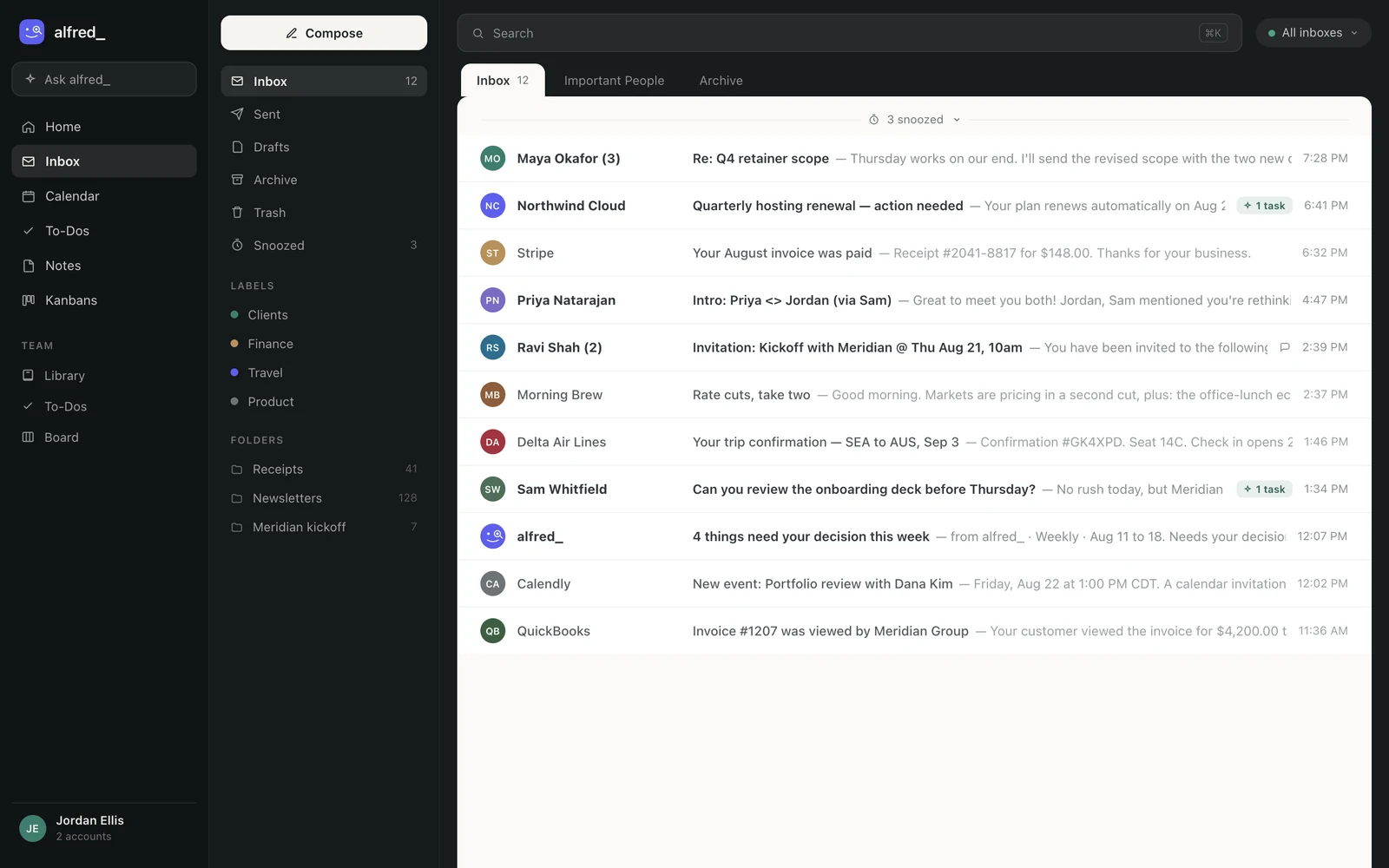
The alfred_ inbox showing mail from several connected accounts in one list

The accounts Claude searches are the ones connected in alfred_. Shown with sample data.

What you can ask

You: Find the signed contract from Maya. I don’t remember which inbox.

Claude: It’s in your Outlook work account: Maya Okafor sent “Signed - Q4 retainer.pdf” on Tuesday. Your personal Gmail has an earlier unsigned draft from her on October 2.

You: Forward the signed one to accounting@harborpoint.co.

Claude: Here’s the forward from your work account with the PDF attached. Send it?

You: Yes.

Illustrative exchange. Names and addresses are invented.

Other questions that work across every account:

  • “What needs me today across all my inboxes?”
  • “Did anyone reply about the venue this week?”
  • “When am I free Thursday afternoon?” (every connected calendar)

Nothing goes out until you’ve seen it and said yes. Through this connection Claude cannot delete an email, an event or a to-do.
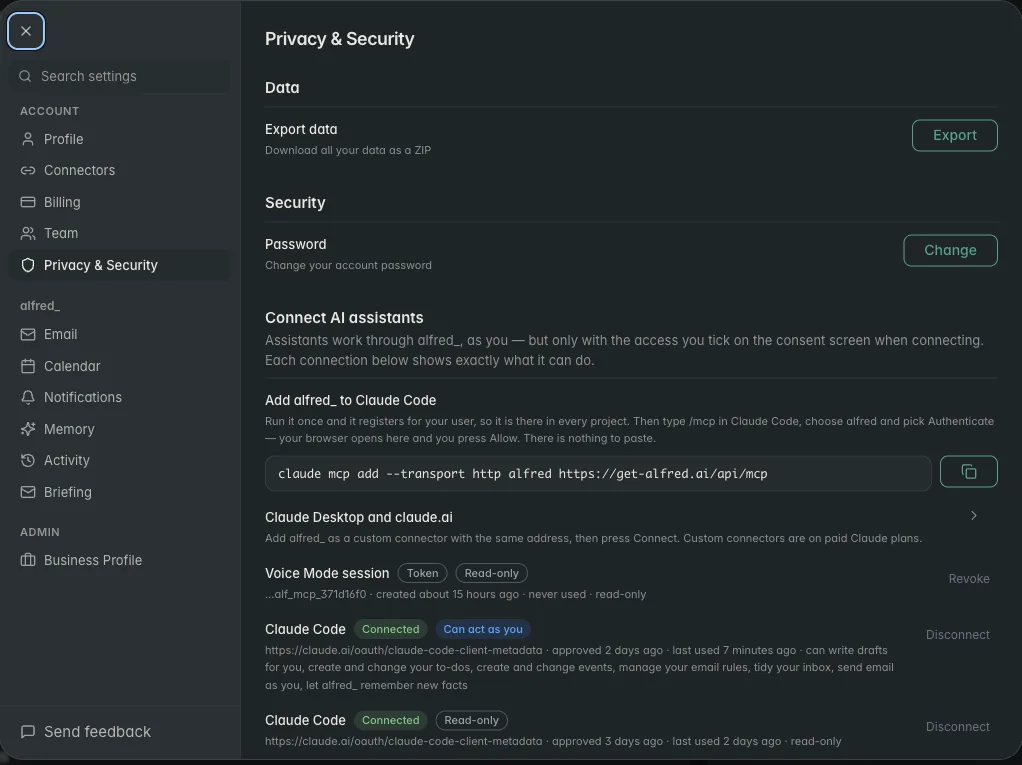
alfred_ settings listing each connected AI assistant and what it is allowed to do

Every AI connection is listed in alfred_ with its permissions. Shown with sample data.

The same inboxes everywhere

The connector is one way into alfred_. The same six accounts answer in ChatGPT, in the alfred_ app, on iPhone and by text, and alfred_ keeps reading them when Claude is closed: it flags what needs your answer and texts you when a client is waiting.

You need an alfred_ account for any of this. Plans start at $29.99 a month with a 7-day free trial.


Keep client work from slipping through the cracks

alfred_ is an AI assistant for client-facing teams. Each teammate gets help with email, calendar, replies and follow-ups.

See what’s slipping+ more

Frequently asked questions

Can Claude connect to multiple email accounts?

Yes, with alfred_. Connect each account to alfred_, up to 6 across Gmail, Google Workspace, personal or work Outlook, iCloud, Yahoo and IMAP, then add alfred_ to Claude in Settings, Connectors with the address https://get-alfred.ai/api/mcp. Claude then searches all of them in one question and replies from the right address after you approve.

Can Claude manage my work and personal email at the same time?

Yes. Both accounts connect to alfred_, and Claude sees them together: "what needs me today?" covers both, and each item says which inbox it is in. A reply goes from the account the email came to.

Why can't Claude see my second account on its own?

Claude's Google connector signs in to one Google account at a time, and its Microsoft 365 connector takes work accounts only, so a second Gmail, a Hotmail address or an iCloud inbox is left out. alfred_ holds all of them behind one connector.

Can Claude send from any of my accounts?

If you allow sending, yes. Claude writes the message, alfred_ shows you the recipients, the from address and the text, and it goes out only after you say yes.

Can I add another inbox without leaving Claude?

Yes. Ask Claude to connect another email account and alfred_ gives back a one-tap link to its setup page, signed in as you.

About the authors

Written byPranav MishraAI/LLM Engineer at alfred_

Pranav builds the agents behind alfred_, the systems that watch your inbox and calendar, keep track of what is waiting on you, and surface what actually needs a response. He runs alfred_’s head-to-head field tests against other assistants.

Reviewed byConnor FataFounder & CEO of alfred_

Connor is the founder and CEO of alfred_, focused on making personal assistants accessible to business operators and individuals so they can focus on what matters and what’s important.