

You are right to ask this question. The instinct to hesitate before giving a third-party tool access to your inbox is healthy. Your email contains financial information, personal conversations, business strategy, legal discussions, passwords people should not have sent in plaintext, and years of professional history.
But here is the uncomfortable truth that changes the framing of this entire question: machines already read your email. They have for years. The question is not whether to let AI read your email. It is whether to let this specific AI read it, and on what terms.
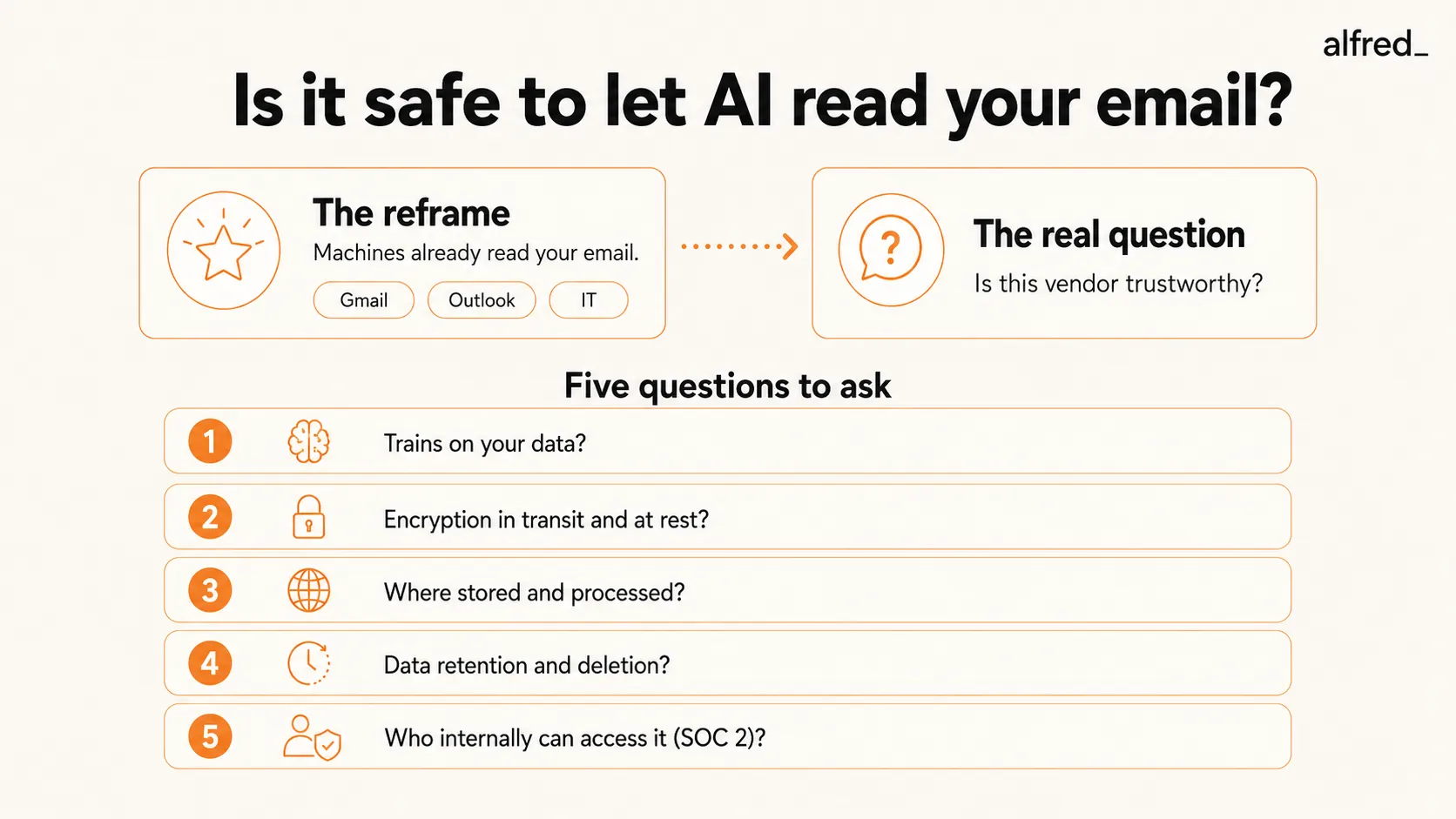
Your Email Is Already Being Read
If you use Gmail, Google’s automated systems scan every message you receive. This scanning powers:
- Spam filtering (analyzing message content, links, and sender patterns)
- Phishing detection (reading URLs and attachment metadata)
- Smart Compose and Smart Reply (Google’s AI reads your incoming message to suggest responses)
- Search indexing (every word in every email is indexed for search)
- Category tabs (Primary, Social, Promotions are content-based classifications)
In 2017, Google announced it would stop scanning Gmail content for ad personalization. But the scanning itself continued for all the features listed above. Google’s privacy policy states that its automated systems analyze your content to “provide you personally relevant product features.”
If you use Microsoft Outlook, the same dynamic applies. Microsoft scans email for Focused Inbox classification, spam filtering, Copilot AI suggestions, and search functionality. Microsoft’s privacy statement acknowledges processing email content for “providing, improving, and developing” their products.
If you use corporate email, your IT department has access to your inbox. A 2023 survey by Gartner found that 60% of large employers use some form of employee monitoring software. Your employer can and often does read your email, usually through automated compliance scanning, sometimes through direct access.
The point is not that privacy does not matter. It does. The point is that the baseline is not “nobody reads my email.” The baseline is “multiple machines and potentially multiple people already read my email.” The question with an AI email assistant is whether you are adding a trustworthy reader or a problematic one.
What an AI Email Assistant Actually Accesses
When you connect an AI email assistant to your inbox, here is what it typically can see:
- Email content (subject lines, body text, quoted text in threads)
- Sender and recipient information (email addresses, display names)
- Timestamps (when emails were sent and received)
- Attachments (metadata and sometimes content, depending on the tool)
- Thread structure (which emails are replies to which)
- Labels/folders (your organizational structure)
What it typically cannot see:
- Your email password (reputable tools use OAuth 2.0, which grants access without ever sharing your credentials)
- Other Google/Microsoft services unless you explicitly grant additional permissions
- Emails you delete before the AI processes them
The access is broad. That is the nature of an email tool. It needs to read your email to manage your email. This is the same access level that any email client, whether Superhuman, Spark, or Outlook itself, requires to function.
The Five Questions That Actually Matter
Privacy is not binary. “Is it safe?” is the wrong question. The right question is: “What specific risks am I accepting, and are the vendor’s mitigations adequate?” Here is how to evaluate.
1. Does the vendor train AI models on your data?
This is the single most consequential privacy question. If a vendor uses your email content to train or fine-tune their AI models, your private communications could influence the outputs generated for other users. Even “anonymized” training data has been shown to leak private information in certain contexts.
What to look for: An explicit statement in the terms of service or privacy policy that says “We do not use your data to train our models” or “Your data is not used for model improvement.” Vague language like “We may use data to improve our services” is a red flag.
alfred_ explicitly does not train models on user email data. Not all competitors make the same commitment. Ask directly if the documentation is unclear.
2. How is your data encrypted?
Two types of encryption matter:
- In transit (TLS 1.2 or higher): Your email data is encrypted as it moves between your inbox, the vendor’s servers, and back. Without this, data could be intercepted in transit.
- At rest (AES-256): Your email data is encrypted when it is stored on the vendor’s servers. Without this, a server breach could expose readable email content.
Both are table stakes. Any vendor that does not offer both should be disqualified immediately. These are not premium security features. They are baseline expectations in 2026.
3. Where is your data stored and processed?
Data residency matters for two reasons: legal jurisdiction (which country’s privacy laws govern your data) and latency (how fast the tool can process your email).
For European users, GDPR requires explicit consent for data processing and grants the right to deletion. If your vendor stores data in the United States, it may be subject to different legal standards. For users in regulated industries, data residency requirements may be specified by your compliance framework.
Ask: Where are your servers? Which cloud provider? Is data ever processed in a jurisdiction outside the one where it is stored?
4. What is the data retention policy?
How long does the vendor keep your email data? Some keep it indefinitely. Some retain it for a defined period. Some delete it after processing (keeping only the triage decisions and draft outputs, not the raw email content).
The best practice: the vendor should retain the minimum data necessary to provide the service, and should have a clear deletion timeline when you cancel your account. Look for specific language like “Data is deleted within 30 days of account cancellation” rather than vague promises about “reasonable” retention periods.
5. Who at the vendor can access your data?
Even with encryption and access controls, the question of internal access matters. Can vendor employees read your email? Under what circumstances? Is access logged and audited?
SOC 2 Type II certification is the clearest signal here. It means an independent auditor has verified that the vendor has controls in place governing employee access to customer data, and that those controls have been tested over a sustained period. It does not mean zero risk. It means the risk is managed and audited.
The Real Risks (Ranked by Likelihood)
Privacy discussions tend to focus on worst-case scenarios: massive data breaches, government surveillance, corporate espionage. These risks are real but statistically uncommon for individual users. Here are the risks ranked by how likely they are to actually affect you:
High likelihood: Over-reliance and vendor lock-in
The most common “risk” of an AI email assistant is not a privacy breach but a workflow dependency. If you build your work processes around a tool and that tool disappears, raises prices dramatically, or changes its terms, your workflow breaks. This is not a privacy risk, but it is a real risk worth considering.
Mitigation: Choose tools that connect via standard protocols (OAuth, IMAP) and do not require you to switch email clients. Your email stays in Gmail or Outlook regardless. The AI layer is additive, not foundational.
Medium likelihood: Misclassification of sensitive emails
AI email assistants make mistakes. An email containing confidential information could be improperly classified, summarized in a briefing, or have a draft reply generated that includes sensitive details. This is a functional risk, not a security breach, but it matters.
Mitigation: Most tools allow you to mark certain senders or domains as “always important” or “never auto-draft.” Use these features for your most sensitive contacts.
Lower likelihood: Data breach at the vendor
Any vendor storing data can be breached. SOC 2 compliance, encryption, and access controls reduce the probability and impact, but do not eliminate the risk. For context, according to IBM’s 2025 Cost of a Data Breach Report, the average data breach cost was $4.44 million, and the average time to identify and contain a breach was 241 days. Major breaches happen to well-resourced companies.
Mitigation: Evaluate the vendor’s security posture (SOC 2, encryption, breach notification policy). Accept that some residual risk exists, as it does with every cloud service you use, from your bank to your project management tool.
Lower likelihood: Model training data leakage
If a vendor trains models on your data, there is a theoretical risk that your private information could surface in outputs generated for other users. Research has demonstrated that large language models can memorize and reproduce training data under certain conditions, though vendors have developed mitigations for this.
Mitigation: Choose a vendor that explicitly does not train on user data.
The Regulated Industry Calculus
If you work in healthcare, law, finance, or another regulated industry, the calculus is different. Generic privacy policies are not sufficient. You need:
- HIPAA compliance for any tool touching patient information (healthcare)
- SOC 2 Type II as a baseline for financial services
- GDPR compliance with Data Processing Agreements for European data
- Written confirmation that data is not used for model training
- Data residency guarantees that data stays within required jurisdictions
For attorneys: client communications may be privileged. Giving a third-party AI access to privileged communications could waive privilege in some jurisdictions. Consult your bar association’s ethics guidance before connecting your inbox to any AI tool.
For healthcare professionals: if any patient-identifiable information passes through your email (and it probably does, despite policies against it), the AI tool must be HIPAA-compliant with a signed Business Associate Agreement.
These are not hypothetical concerns. They are compliance requirements with real legal consequences.
What alfred_ Does Specifically
alfred_ is an AI assistant for client-facing teams, and each person on the team gets their own. It keeps a list of the replies you owe, finds who you’re still waiting on when you ask, manages your calendar, prepares you for meetings and sends a morning brief, across Gmail and Outlook. In the interest of transparency, here is how alfred_ handles the five questions:
- Model training: alfred_ does not train AI models on user email data. Your communications are not used to improve models for other users.
- Encryption: TLS in transit, AES-256 at rest. OAuth 2.0 authentication, so alfred_ never sees or stores your email password.
- Data storage: Cloud infrastructure with row-level security, meaning each user’s data is isolated at the database level.
- Data retention: Data is tied to your account. Cancellation triggers deletion per the published privacy policy.
- Employee access: Access controls with audit logging.
The longer version, including what is stored and for how long, is in Security: OAuth, what alfred_ stores, how it is protected.
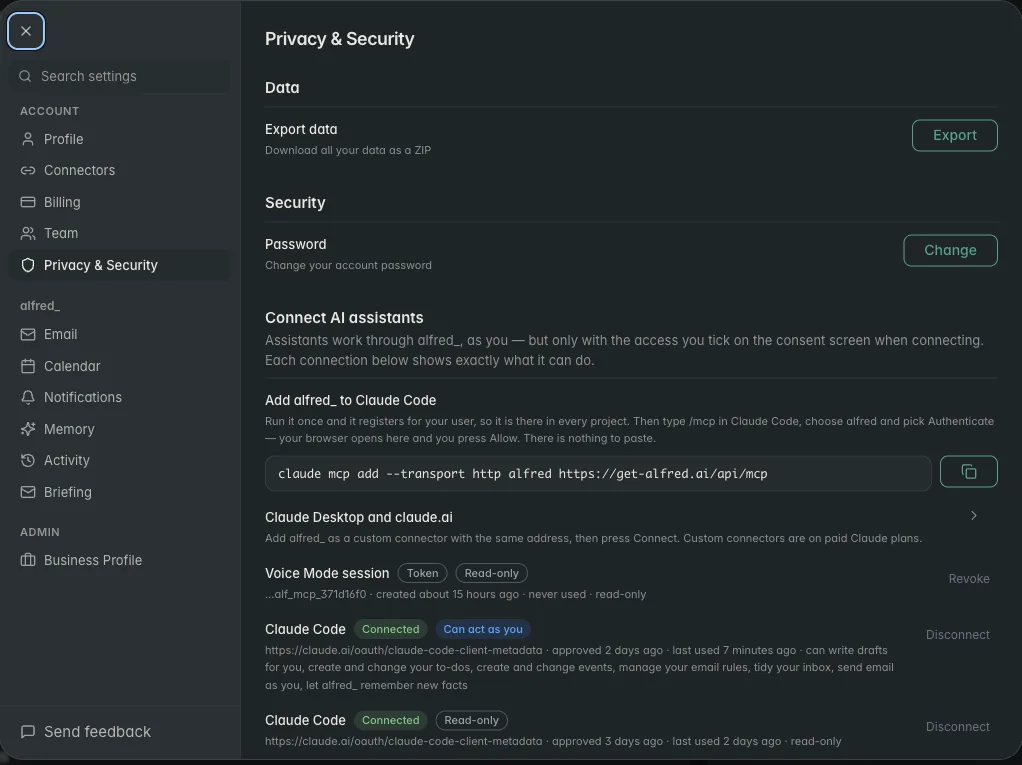
The same five questions, put to the two built-in options most people already have:
| Gemini in Gmail | Copilot in Outlook | alfred_ | |
|---|---|---|---|
| Trains on your email | No (Workspace terms) | No (M365 terms) | Never |
| Encryption | Google-managed | Microsoft-managed | TLS in transit, AES-256 at rest |
| Access model | Built into your Google account | Built into your tenant | OAuth 2.0, revocable in one click |
| Deletes data on cancellation | N/A (part of the suite) | N/A (part of the suite) | Yes |
| Works across Gmail and Outlook | Gmail only | Outlook only | Both |
| Triages, drafts, and briefs you | Summaries and drafts in-thread | Summaries and drafts in-thread | Triage + drafts + follow-ups + morning brief |
Is this perfect? No system is. But these are the specific commitments you should demand from any tool you are evaluating, and you should verify them rather than take any vendor’s word, including ours, at face value.
The Honest Bottom Line
Your email is already being read by machines. Google, Microsoft, and likely your employer are processing your email content for various purposes. This has been true for over a decade.
Adding an AI email assistant adds one more reader. Whether that is acceptable depends not on whether machines should read your email (they already do) but on whether this specific machine is operated by a trustworthy vendor with adequate security practices, clear data policies, and aligned incentives.
The five questions above give you a framework for evaluating any tool. Ask them. Demand specific answers. Walk away from vendors who give vague responses or cannot point you to their security documentation.
Privacy is not about zero access. It is about informed consent, appropriate controls, and choosing your risks deliberately rather than accepting them by default.




