

The time audit is Peter Drucker’s opening move in The Effective Executive. Before any system, any prioritization framework, any delegation strategy, Drucker insists on a diagnostic: find out where your time actually goes. “We are terrible at sensing time and are likely to over- or under-estimate where it actually goes,” he writes. The audit is not about optimization or accountability. It is about seeing reality clearly enough to make deliberate decisions from it.
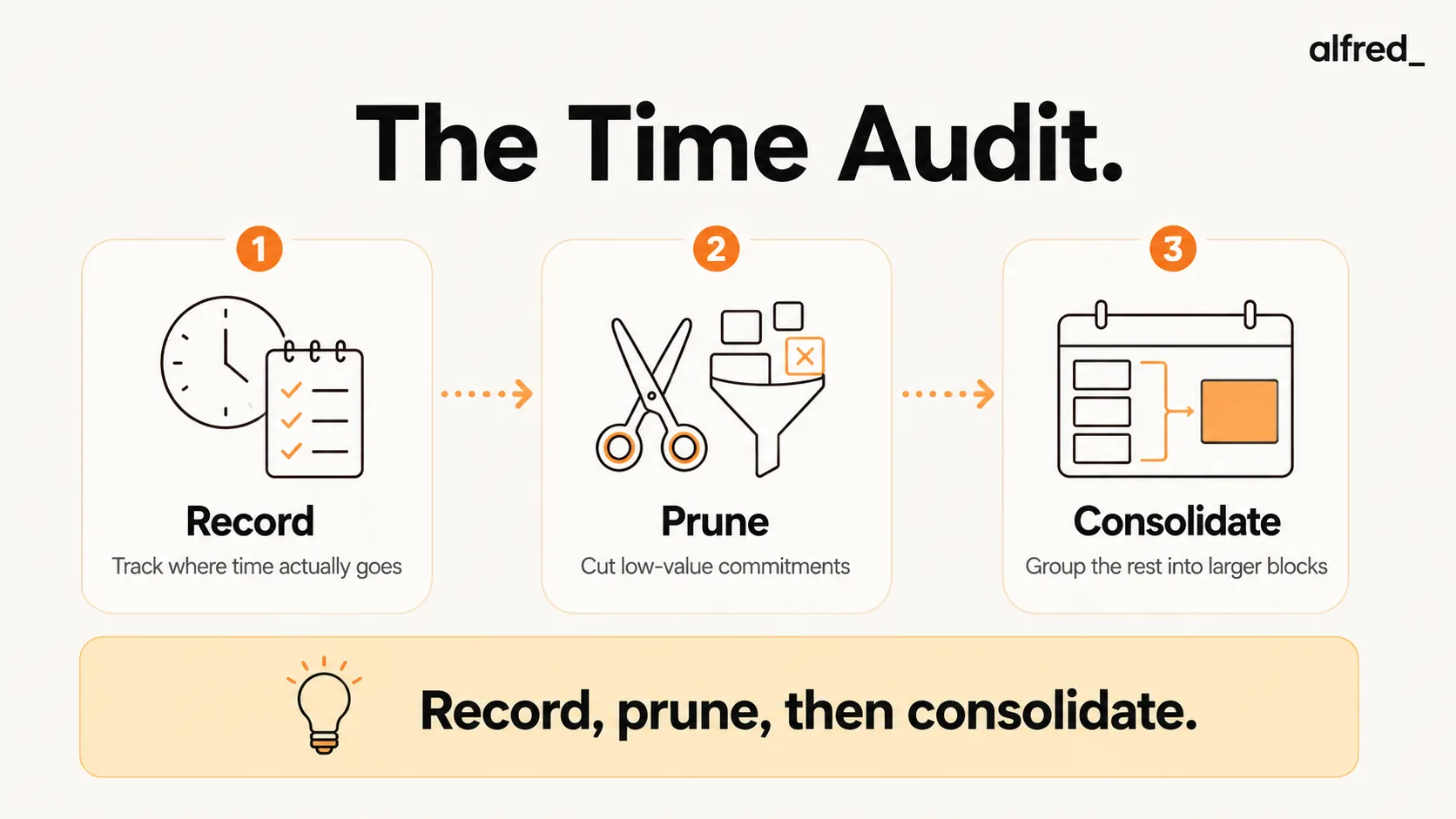
Most professionals believe they spend most of their time on important work. The audit almost invariably reveals the opposite: the majority of time goes to meetings, email, and reactive work. The high-leverage, deep work that actually drives results occupies a fraction of the week. Drucker’s response to this is not to feel guilty about it, but to use the data for pruning. Cut what does not belong there. Consolidate what remains into large, protected blocks.
52%
of executives say the way they spend their time matches their organization's strategic priorities, leaving nearly half of it misallocated
Ask anyone where their time goes and they will tell you a story. Track it for a week and you will find the story was fiction. The hours you thought went to deep work went to email and meetings; the “quick” recurring sync was eating half a day a month. You cannot manage what you have never actually measured, and almost no one measures. Drucker built a simple three-step audit to close that gap between the imagined day and the real one. Here is how to run it and recover the hours hiding in plain sight.
Drucker’s Time Audit: The Three Steps
Drucker’s time audit has three distinct phases. Most people attempt only the first and wonder why nothing changes.
Step 1: Record
Keep a real-time log for two to four weeks. Every activity as it happens, not reconstructed from memory at the end of the day. Drucker is explicit about the real-time requirement: “We are terrible at sensing time.” Memory is systematically biased toward confirming how we wish we had spent our time rather than how we actually did. The log must be kept in the moment, in 30-minute increments or smaller. Include meetings, email, reactive work, commute, transitions between tasks, planning, and anything else that consumes working hours.
“We are terrible at sensing time and are likely to over- or under-estimate where it actually goes.” Peter Drucker, The Effective Executive
Step 2: Prune
Review the log and apply two questions to each category of activity. First: “What would happen if this were not done at all?” If the honest answer is nothing (no client would notice, no project would stall, no relationship would suffer), the activity should stop. Second: “Could someone else do this just as well, if not better?” If yes, it should be delegated. Drucker applies these questions mercilessly. The goal is not to find efficiency improvements within existing activities. It is to identify activities that should not exist on the list at all.
Grove’s leverage framework reinforces this step: the test for any activity is whether it is high-leverage work that only you can do, or low-leverage work that consumes your time without commensurate output. Grove found that most managers significantly underestimate how much low-leverage work they are personally executing: work that should have been automated, delegated, or eliminated.
Step 3: Consolidate
Take the discretionary time recovered through pruning and consolidate it into the largest possible blocks. Drucker’s observation here is one of the most important insights in executive productivity: “Even one quarter of the working day, if consolidated in large time units, is usually enough to get the important things done. But even three quarters of the working day are useless if they are only available as fifteen minutes here or half an hour there.”
“Even one quarter of the working day, if consolidated in large time units, is usually enough to get the important things done. But even three quarters of the working day are useless if they are only available as fifteen minutes here or half an hour there.” Peter Drucker, The Effective Executive
Newport’s deep work research provides the mechanism: cognitively demanding work, the kind that produces the most valuable output, requires sustained concentration that simply cannot occur in fragmented time. A 90-minute block produces qualitatively different work than six 15-minute windows totaling the same time. Consolidation is not just about having enough hours. It is about having hours in the right format.
What a Time Audit Usually Reveals
The findings are consistent enough across professionals and industries to be treated as defaults until the audit proves otherwise:
- 40 to 60% of time goes to meetings and email: often more than the professional estimated, and significantly more than they would choose if designing their week from scratch.
- The “busyness illusion”: feeling maximally occupied while spending most time on Q3 and Q4 activities: urgent but unimportant (other people’s priorities), or neither urgent nor important (habit and inertia).
- Deep work is a small fraction of actual hours: typically 20 to 30% for knowledge workers, despite being the source of the highest-value output.
- Significant time is lost to transitions: the space between activities, the “getting back into it” cost, the context-switching overhead. Newport’s attention residue research shows that “even if a shift in attention is brief, think twenty seconds in an inbox. It’s enough to leave behind a residue that reduces your cognitive capacity for a non-trivial amount of time.” These transition costs are invisible until logged.
How to Run a Time Audit in Practice
Three practical methods, ranked by accuracy:
Method 1: Real-Time Paper or Spreadsheet Log
The most accurate and Drucker’s specified method. Keep a log open throughout the day. Every 30 minutes, note what you spent the last 30 minutes doing. Use brief, honest descriptions: “email triage,” “project X deep work,” “meeting: status update,” “reactive Slack,” “context switching.” Two weeks of this produces the clearest picture of actual time use.
Method 2: Time-Tracking Apps
Tools like Toggl, Clockify, and RescueTime reduce the friction of logging by making it a single click to start and stop timers. Set up categories in advance (deep work, meetings, email, admin, reactive) and start the appropriate timer when you begin each activity. RescueTime runs automatically in the background and categorizes computer activity without manual entry, though it cannot capture offline activities like phone calls and in-person meetings.
Method 3: Calendar Audit
Review the last four weeks of calendar. Categorize each event and estimate actual time (not scheduled time, but how long things actually ran). This method is faster but less accurate: it misses unscheduled reactive work, email time, and the transitions between events. Use it as a starting point if real-time logging feels too demanding.
The minimum viable time audit: one week of real-time logging is better than two weeks of memory reconstruction, and dramatically better than no data at all.
Categorizing Your Time
Consistent categories make the audit data actionable. Use these seven:
- Deep work: cognitively demanding, focused, produces your most valuable output. Writing, analysis, strategy, complex problem-solving. Newport’s definition: “Professional activities performed in a state of distraction-free concentration that push your cognitive capabilities to their limit.”
- Meetings: broken down by type: decision-making meetings (high value), status update meetings (often eliminatable), relationship meetings (important but manageable)
- Email and communication: all time spent in email, Slack, and text, whether reading, triaging, or composing
- Administrative work: expense reports, scheduling, file organization, system maintenance
- Reactive/unplanned work: responses to interruptions, unscheduled requests, fires
- Planning and review: weekly review, daily planning, project check-ins
- Learning: reading, courses, skill development
Newport’s Deep Work Ratio
Cal Newport suggests tracking what he calls your “depth ratio”: the percentage of your work hours spent in genuine deep work versus shallow, fragmented, or administrative work. Most knowledge workers land between 20 and 30%. Newport’s research suggests that high-output professionals in cognitively demanding fields need to reach 50% or higher to produce work at the frontier of their capability.
The audit reveals your current ratio. The gap between current and target is the prioritization problem in quantitative form: your shallow work categories, specifically meetings and email, are consuming time that should belong to deep work. The pruning and consolidation steps address this gap directly.
“Deep Work: Professional activities performed in a state of distraction-free concentration that push your cognitive capabilities to their limit.” Cal Newport, Deep Work
Newport also recommends tracking a “depth score” for each week, a simple tally of hours spent in genuine deep work, to create accountability to the target. Once the audit has revealed your baseline, the depth score gives you a metric to track improvement against it.
Step-by-Step: Run a Time Audit and Use the Data
1. Choose Your Tracking Method
Select one method and commit to it for two weeks. For maximum accuracy: paper or spreadsheet log updated in real time every 30 minutes. For minimum friction: a time-tracking app like Toggl with pre-configured categories. For a starting point only: calendar audit of the last four weeks. The choice matters less than the commitment to keep the log current. A partial two-week log beats a complete single-day snapshot.
2. Track for Two Weeks in Real Time
Drucker’s requirement is non-negotiable: the log must be kept in real time, not reconstructed from memory. Set a calendar reminder every 30 minutes for the first few days until the habit is established. Log everything: deep work, email, meetings, Slack, commute, transitions, lunch, the 10-minute detour into social media. Two weeks of honest data is the minimum for patterns to emerge reliably. One week can reveal the big categories; two weeks reveals the patterns within categories.
3. Categorize and Quantify
After two weeks, categorize all logged time using the seven categories above. Calculate total hours and percentage of the workweek for each category. Calculate your deep work ratio. Compare to your estimate before the audit. The gap between expected and actual is the data. Most professionals discover that meetings and email together consume 50 to 70% of the workweek, while deep work accounts for 20% or less.
4. Apply Drucker’s Pruning Questions to Each Category
For each category, and for major recurring items within each category, apply the two questions. Meetings: “What would happen if I did not attend this recurring meeting at all?” For each meeting that passes the test, apply Grove’s question: “What do I contribute to this meeting that no one else could contribute?” If the answer is nothing significant, the meeting is a candidate for delegation or elimination. Email: “Could the email management itself be done by someone or something else?” Yes, and this is where the greatest volume of recoverable time typically lives.
5. Consolidate and Protect Freed Time
Take the time recovered from pruning (eliminated meetings, delegated tasks, automated email triage) and consolidate it into the largest possible blocks rather than distributing it across the week in small increments. A recovered two hours distributed as 15-minute gaps is nearly worthless for deep work. The same two hours consolidated into one block is transformative. Apply Newport’s time-blocking to protect those blocks: schedule them with the same non-negotiability as a client meeting. Name them on the calendar so that other demands do not naturally fill them.
What to Do With the Data
The audit produces four actionable numbers:
- Current deep work ratio: the baseline. Track this weekly going forward and set a target (Newport recommends working toward 50%+ for cognitively demanding roles).
- Biggest time drain: usually meetings or email. This is where structural intervention produces the largest gains.
- Meetings that fail Grove’s test: recurring meetings where your contribution is zero or delegatable. Each one eliminated returns a significant recurring block of protected time.
- Time lost to transitions: the hidden cost of context-switching that compounds across a fragmented schedule. Newport’s attention residue research provides the mechanism: each switch leaves a residue that reduces cognitive capacity. The solution is consolidation.
Collins’s stop-doing list is the natural output of the pruning step: every recurring activity that fails Drucker’s questions belongs on it. The stop-doing list from the audit is not aspirational. It is operational. Meetings get declined. Reports get cancelled. Administrative tasks get delegated. The list gets acted on, not filed.
How alfred_ Saves You the Most Recoverable Time
For most professionals, the time audit will reveal that email is either the largest or second-largest time drain in the week. This is recoverable time, more recoverable than meeting time (which requires negotiation with others) and more recoverable than administrative work (which often has no obvious delegate).
alfred_ automates email triage entirely. Rather than spending 60 to 90 minutes per day scanning, sorting, archiving, and flagging, activities that survive Drucker’s first pruning question (“what would happen if this were not done at all?”) only because email cannot be ignored and not because the triage itself requires your judgment, alfred_ handles the triage automatically. It archives the noise, flags the genuine Q1 and Q2 items, and surfaces them in the morning brief.
The morning brief replaces inbox scanning: five minutes to review what actually needs your attention rather than sixty minutes to determine what needs your attention from a hundred undifferentiated messages. The recovered time, typically one to two hours per day for heavy email users, is exactly the raw material that Drucker’s consolidation step requires: large blocks of discretionary time that can be applied to deep work.




