


Count the things you have actually started but not finished: the half-drafted proposal, the email you replied to but did not resolve, the three projects all sitting at sixty percent. That pile of in-progress work is the real drag on knowledge workers, not a shortage of effort. You are not slow; you are spread across too many open things at once. Personal kanban fixes this with a system so small it has only two rules, borrowed from the Toyota factory floor. Here is where it came from, what the two rules actually do, and why limiting what you start is the part that changes everything.
From Toyota to the Individual
Taiichi Ohno developed the kanban system at Toyota as part of the Toyota Production System described in his book Toyota Production System: Beyond Large-Scale Production (Productivity Press, 1988). The original kanban was a physical card (kanban means “signboard” or “visual signal” in Japanese) that signaled a downstream process to pull work from an upstream process, a pull system that prevented overproduction by making production contingent on actual downstream demand.
Jim Benson and Tonianne DeMaria Barry adapted the principles for individual and team knowledge work in Personal Kanban: Mapping Work / Navigating Life (Modus Cooperandi Press, 2011). They stripped the system to its minimum viable form: two rules, applicable without any specialized tooling.
Two rules only
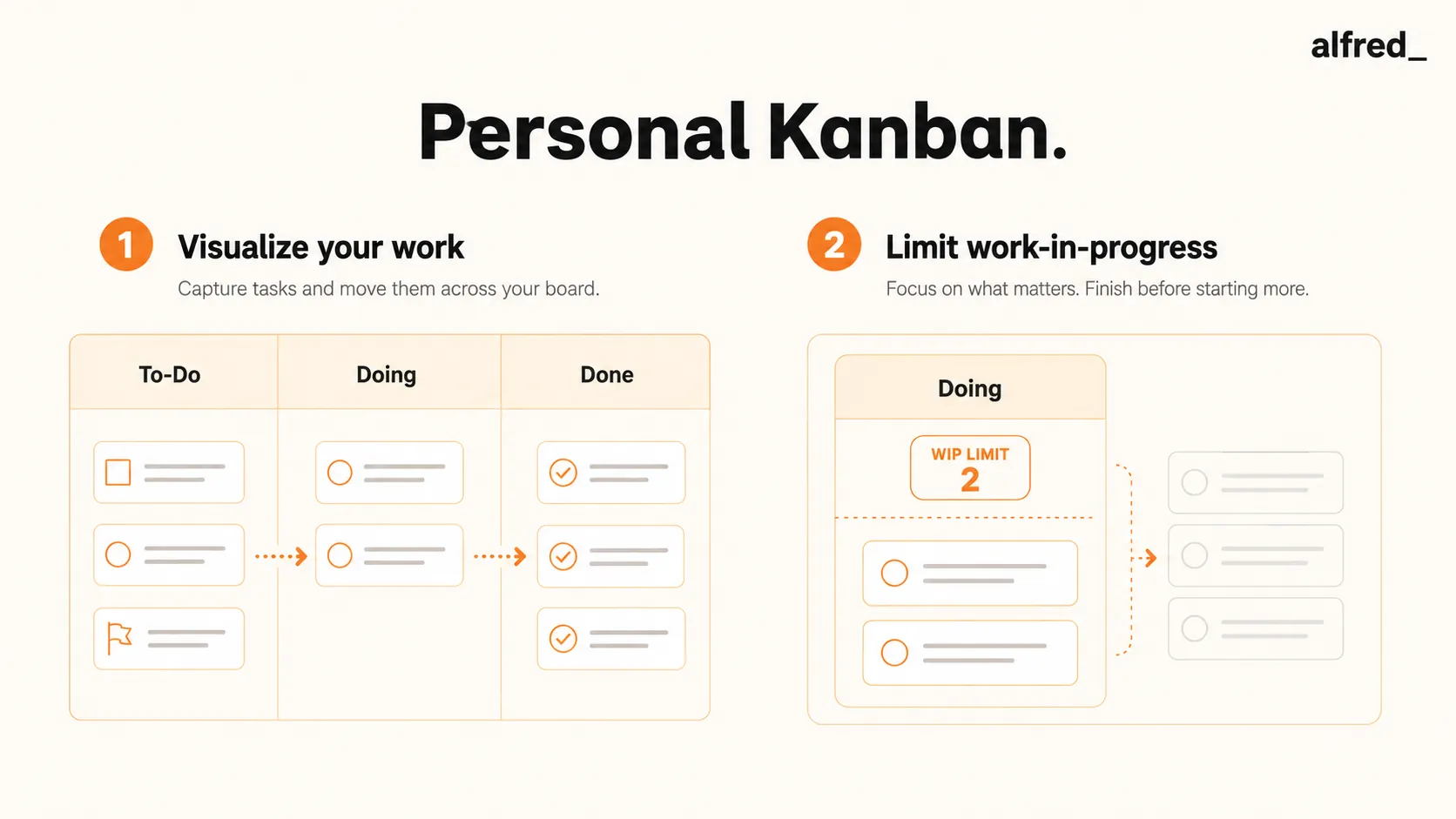
Personal kanban has exactly two rules: (1) visualize your work, meaning all tasks and commitments visible in a board system; (2) limit WIP, meaning an explicit cap on how many items can be in progress at once. Benson and Barry argue that more complex systems add overhead without proportional benefit.
Benson, J. & Barry, T. (2011). Personal Kanban: Mapping Work / Navigating Life. Modus Cooperandi Press.The Two Rules
Rule 1: Visualize your work. All tasks, commitments, and work items should be represented visibly, typically as cards on a board with at least three columns: Ready (to be done), Doing (in progress), and Done (completed). The visualization rule addresses a specific problem: invisible work. When commitments exist only in memory, their aggregate volume and the relationship between them are invisible. Making work visible shows the total load, reveals dependencies, makes progress concrete, and enables others to see and contribute to what is being tracked.
Rule 2: Limit WIP. Set an explicit maximum for how many cards can be in the Doing column at once, typically 3 to 5 for an individual. When the Doing column is full, no new work can be started until a current item is completed. This rule forces a specific behavior: completing work before starting new work. Without a WIP limit, it is possible to begin many things simultaneously and complete few of them, which is the most common failure mode of knowledge worker productivity.
The WIP limit creates productive tension. When new requests arrive, the person must either push back (“I’m at capacity; this will start when something finishes”) or complete something currently in progress before accepting the new work. Both responses are healthier than the alternative: accepting the new work, adding it to a growing in-progress pile, and fragmenting attention across too many commitments.
Professional Applications
- Managing competing commitments. The most common professional failure mode personal kanban addresses is the accumulation of partially completed work: projects started but not finished, emails responded to but not resolved, commitments made and not tracked. The WIP limit prevents the accumulation by requiring explicit completion before new starts. For knowledge workers managing multiple stakeholders, this creates a natural forcing function for negotiating priorities rather than accepting every request simultaneously.
- Making the invisible backlog visible. Most professionals have a mental backlog: a collection of commitments, follow-ups, and intentions that exists in memory rather than in a system. Externalizing this into a visible board does two things: it relieves the cognitive load of maintaining the backlog in working memory (the Zeigarnik effect, where incomplete tasks occupy mental bandwidth), and it makes the true scope of commitments visible, often revealing that the backlog is much larger than felt subjectively.
- Team and meeting integration. Personal kanban boards can be made visible to collaborators, converting a private tracking system into a shared coordination tool. Standup meetings structured around the kanban board, covering what moved from Doing to Done, what is blocked, and what is entering Doing, are a standard agile practice that reduces the reporting overhead of status meetings while increasing their accuracy.
The Backlog Personal Kanban Can’t See
Personal kanban works because it makes work visible and caps what you start. But there is one backlog it almost never captures: the inbox. The emails you replied to but did not resolve, the requests waiting on you, the follow-ups you owe, all of it sits outside the board, an unbounded Doing column with no WIP limit at all. You can run a disciplined board and still be quietly drowning in the one stream you never carded.
alfred_ is what puts a limit on that stream. It triages incoming email, drafts the routine replies, tracks the commitments that would otherwise become invisible work, and surfaces only the handful that genuinely need you, so the inbox stops behaving like an in-progress pile that grows every time you look away. Personal kanban caps what you start on the board. alfred_ caps what the inbox is allowed to start for you, which is where most of the unfinished work actually comes from.