


Linear has become the default project tracker for a generation of fast-moving software teams. The pitch is simple: Jira is bloated, GitHub Issues is too basic, and Linear sits in the sweet spot, powerful enough for real engineering workflows, fast enough that using it does not feel like work.
That pitch is accurate. Linear is genuinely the fastest, cleanest issue tracker on the market. But “Is Linear worth it?” has a second layer: is issue tracking the thing that actually slows your team down? For many engineering teams, the answer is yes. For many others, the bottleneck is not tracking work but triaging the communication that generates it.
What Linear Does Well
It is objectively fast. Linear is not “fast for a web app.” It is fast, period. Every interaction, creating an issue, switching views, searching, filtering, responds in under 100ms. The keyboard shortcuts cover every action. Cmd+K opens a command palette that gets you anywhere in two keystrokes. After using Linear, every other project tool feels sluggish.
The opinionated workflow reduces process debates. Linear does not let you create 47 custom statuses and 12 priority levels. You get Backlog, Todo, In Progress, Done, and Canceled. You get Urgent, High, Medium, Low, and No Priority. Cycles (sprints) are time-boxed. This opinionation is a feature, not a limitation. It prevents the workflow bikeshedding that plagues Jira teams.
Cycles and projects provide the right abstractions. Cycles are time-boxed sprints. Projects are larger efforts that span multiple cycles. This two-level hierarchy covers 90% of engineering planning needs without the sprawl of epics, initiatives, themes, and objectives that enterprise tools create.
Triage is built into the workflow. New issues go to a triage inbox. The team processes them, prioritizes them, and assigns them to cycles. This explicit triage step prevents the common failure mode where issues pile up in a backlog that nobody reviews.
Roadmaps and project tracking are clean. Linear’s project view shows progress across teams with a visual timeline. It is not Gantt-chart-level detail, but it provides enough visibility for eng leadership to see what is on track and what is slipping without asking for status updates.
Linear Agent adds AI-powered automation. Launched in March 2026, Linear Agent can create issues from Slack messages, suggest duplicates, auto-assign based on team areas, and help draft issue descriptions. It also provides deeplinks to AI coding tools like Cursor. These features streamline the gap between “someone mentions a bug in Slack” and “there is a tracked issue in Linear.”
Git integration is seamless. Connect a branch to an issue and Linear auto-updates the issue status when you open a PR, merge, or deploy. This eliminates the “update the ticket” ceremony that developers hate. The issue tracker stays current because it is connected to the actual development workflow.
What Linear Does Not Do
It is built for engineering. Linear’s vocabulary, workflow, and design are engineering-first. Issues, cycles, triage. These concepts map to software development. Product managers can use Linear. Designers can adapt. But if your marketing team, sales team, or operations team needs to track work in the same tool, Linear is not the right fit. You will end up with a separate tool for non-engineering and lose the unified view.
It does not manage communication. Linear tracks issues. Your email, Slack messages, and meeting follow-ups, the communication that generates many of those issues, live elsewhere. An email from a customer reporting a bug needs to be manually converted into a Linear issue. The discussion in the Slack thread about the bug does not automatically attach to the issue. Linear Agent helps bridge the Slack gap, but email and other communication channels remain disconnected.
No email integration beyond notifications. Linear sends you notifications about issue updates, but it does not read your email to find bugs, feature requests, or action items. If a stakeholder emails you about a priority change, you need to manually find the Linear issue and update it. The communication-to-issue pipeline is still manual for most input channels.
It does not help with communication overload. An engineering manager drowning in email, status requests, stakeholder updates, cross-team coordination, gets no relief from Linear. The project board is clean, but the inbox is still chaos. Linear solves the downstream problem (tracking work) without touching the upstream problem (processing communication to figure out what the work should be).
Limited for non-software project management. If you need to manage marketing campaigns, hiring pipelines, or operational workflows alongside engineering, Linear is not the tool. Its data model is optimized for software issues, not general-purpose work management.
Enterprise customization is intentionally limited. Linear’s opinionation is a strength for most teams but a dealbreaker for enterprises that require custom fields, approval workflows, compliance tracking, or regulatory audit trails. Jira exists because some organizations genuinely need that configurability.
Pricing Breakdown
Linear’s current plans:
- Free: Unlimited members, up to 250 active issues. Core issue tracking, cycles, projects, and roadmaps included. Generous for evaluation and small teams.
- Basic: $10/user/month. Unlimited issues, guest access, advanced filtering, and integrations.
- Business: $16/user/month. Everything in Basic plus priority support, advanced analytics, SAML SSO, and SCIM provisioning.
- Enterprise: Custom pricing. Dedicated support, advanced security, and compliance features.
For comparison (10-person engineering team, annual):
- GitHub Issues is free (but basic)
- Linear Basic is $100/month
- Jira Standard is free for up to 10 users (~$79/month on monthly billing after that)
- Asana Starter is $109.90/month
- Shortcut is free for up to 10 users ($85/month on Team plan)
- alfred_ is $29.99/month per user (different problem, individual tool)
Linear’s pricing is competitive. The free tier is generous enough to evaluate thoroughly, and Basic at $10/user/month is reasonable for the quality of the product.
Who Should Buy Linear
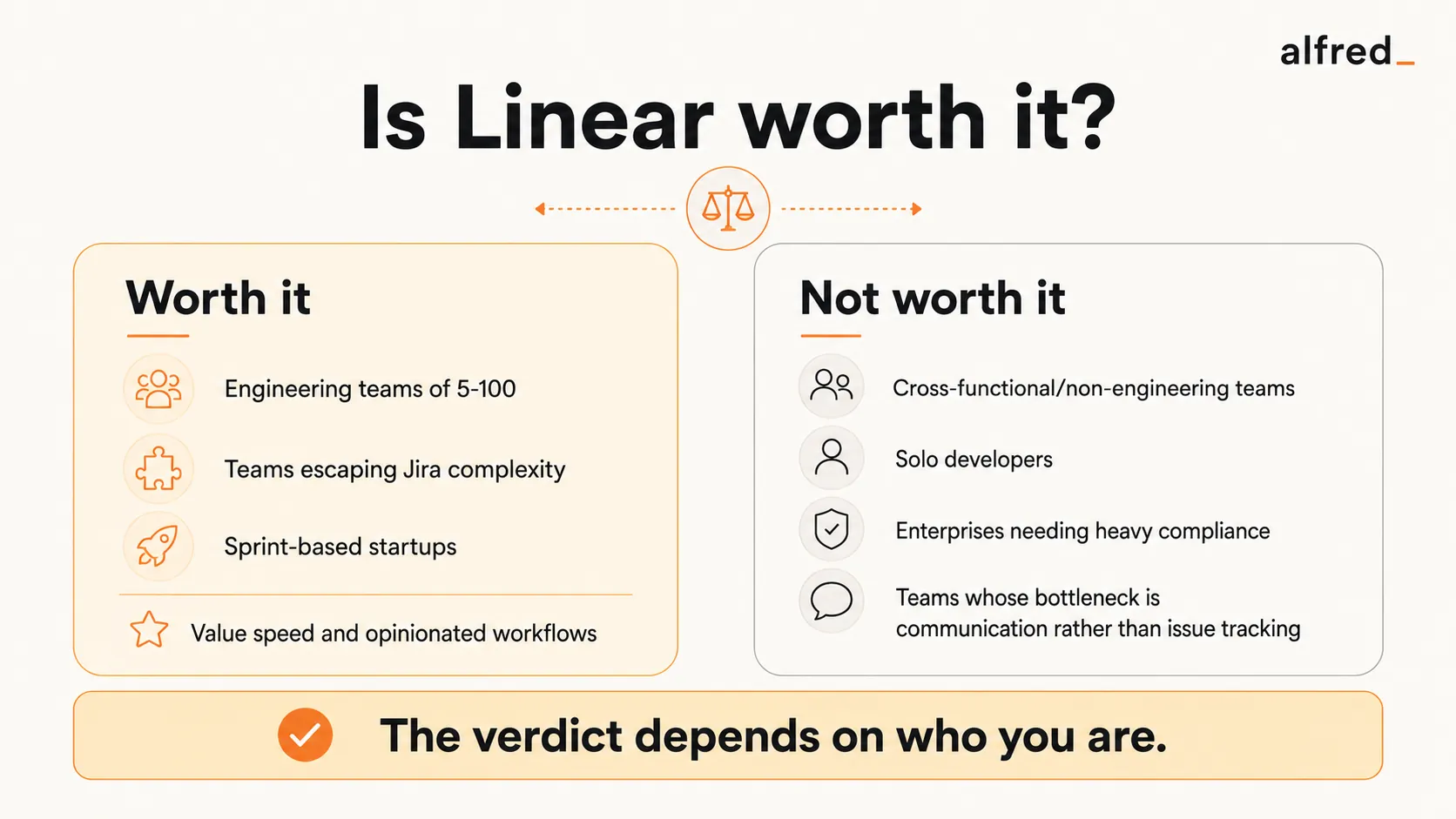
Engineering teams of 5-100 that want speed. If your team values fast tools and clean design, Linear is the obvious choice. The speed advantage is not marginal. It fundamentally changes how often people update issues because the friction is so low.
Teams migrating from Jira who want simplicity. If your Jira instance has become an unmaintainable mess of custom fields, workflows, and plugins, Linear’s opinionated approach is the cure. You lose flexibility but gain sanity.
Startups and growth-stage companies. Linear’s free tier gets you started, and the pricing scales reasonably. The product grows with you from 5 engineers to 50 without the “we need to rebuild our Jira configuration” transition that many companies face.
Teams that practice sprint-based development. Linear’s cycle model maps directly to sprints. The triage workflow, cycle planning, and velocity tracking are designed for teams that ship on a regular cadence.
Who Should Not Buy Linear
Cross-functional teams that need one tool. If engineering, design, product, marketing, and sales all need to track work in the same place, Linear is too engineering-focused. Asana or Monday handle cross-functional work better, even if they are slower for pure engineering.
Solo developers. Linear’s value scales with team size. A solo developer gets more value from GitHub Issues (free, integrated with the code) or even a Todoist project than from Linear’s team-oriented features.
Teams whose bottleneck is communication, not tracking. If your engineering managers spend more time processing email and Slack than they do in the project tracker, Linear does not solve the problem. A faster project board does not help when the inbox is where the real work piles up.
Enterprises requiring heavy compliance. If you need audit trails, custom approval workflows, or regulatory compliance fields, Jira’s configurability exists for a reason. Linear’s simplicity is a constraint, not just a design choice, in regulated environments.
Where alfred_ Fits
Linear and alfred_ solve problems in different layers of the engineering workflow.
Linear is the system of record for engineering work. It tracks what needs to be built, who is building it, and when it ships. It does this better than any competing tool.
alfred_ operates in the communication layer, the email, messages, and meetings where engineering managers and tech leads spend much of their day. It reads incoming email, understands context from calendars and conversations, identifies what needs attention, drafts replies, and delivers a Daily Brief each morning.
For an engineering manager, the workday often looks like: process email (status requests, stakeholder updates, vendor communications, HR items) → update Linear issues based on what you learned → do actual engineering leadership work. alfred_ compresses the first step. Instead of spending 90 minutes processing email to figure out what changed, you get a briefing that tells you: the CFO needs the budget revision by Thursday, two candidates responded to interview requests, and the customer escalation from yesterday was resolved.
The result: you spend more time in Linear doing the work that matters and less time in your inbox discovering what the work is.
At $29.99/month, alfred_ is priced per individual user, not per engineering team seat. It is not a replacement for Linear. It is a complement that reduces the communication overhead that prevents you from spending time in Linear.
The Verdict
Linear is worth it for engineering teams. The speed is real, the design is excellent, and the opinionated workflow prevents the process bloat that kills productivity in other tools. If you are an engineering team choosing a project tracker, Linear should be on your shortlist, and the free tier makes evaluation risk-free.
But Linear solves the issue tracking problem, not the communication problem. For many engineering leaders, the real time sink is not the project board. It is the email, Slack messages, and meeting follow-ups that generate and modify what goes on the board. Linear gives you a perfectly organized view of your work. It does not help you process the communication flood that shapes that work.
If your team needs a better issue tracker: Linear is the answer.
If your bottleneck is the communication that feeds the tracker: start upstream.