


ClickUp’s pitch is audacious: one app to replace your project management tool, your docs tool, your whiteboard tool, your time tracker, your goal tracker, and half your other software subscriptions. And unlike most “we do everything” products, ClickUp actually ships the features. The platform is staggeringly comprehensive.
The question is whether that comprehensiveness translates into productivity, or whether it just moves the complexity from multiple tools into one very complex tool. For teams that embrace it, ClickUp delivers exceptional value per dollar. For teams that find it overwhelming, it becomes expensive shelfware with a learning curve that never pays off.
What ClickUp Does Well
The free tier is the most generous in the category. Unlimited users, unlimited tasks, collaborative docs, whiteboards, Kanban boards, sprint management, and basic integrations, all free. No other project management tool comes close. Asana limits to 2 users. Monday limits to 2 seats. ClickUp says “bring your whole team.” For evaluation purposes alone, this is a significant advantage.
Feature density per dollar is unmatched. Time tracking, goals, docs, whiteboards, form views, Gantt charts, mind maps, dashboard builder, sprint management, multiple assignees, features that Asana or Monday reserve for premium tiers, ClickUp includes in lower plans or free. A team on ClickUp Unlimited ($7/user/month) gets functionality that would require Asana Advanced ($29.99/user/month) or Monday Pro ($19/seat/month) elsewhere.
The hierarchy is powerful and flexible. ClickUp’s structure, Workspace → Space → Folder → List → Task → Subtask, provides more organizational depth than any competitor. You can model complex organizations, multiple departments, and deeply nested projects without running out of levels. This flexibility is valuable for large or complex organizations.
Multiple assignees actually work. Unlike Asana’s single-assignee limitation, ClickUp allows multiple people on a task. For teams where shared ownership is real, two designers collaborating on a mockup, a developer and QA sharing a test cycle. This is a meaningful quality-of-life improvement.
Custom views are extensive. List, board, Gantt, timeline, calendar, table, mind map, workload, activity, and docs views, each can be customized with filters, grouping, and saved configurations. The same data can be viewed in radically different ways without duplicating anything. Power users love this; casual users feel overwhelmed by options.
ClickUp Docs and Whiteboards reduce tool sprawl. Having docs and whiteboards inside your project tool means meeting notes, specs, and brainstorms live next to the tasks they relate to. This co-location reduces context switching. The docs editor is not as good as Notion, and the whiteboard is not as good as Miro, but they are good enough to eliminate two subscriptions.
What ClickUp Does Not Do
It does not manage your communication. This is the universal gap in project management tools, and ClickUp is no exception. Your email inbox, Slack channels, and meeting follow-ups, the communication where most work originates, are invisible to ClickUp. You can integrate Slack and email to create tasks from messages, but the triage work (reading, evaluating, deciding) is still entirely manual.
The learning curve is real and steep. ClickUp’s feature density is a double-edged sword. New users face Spaces, Folders, Lists, ClickApps, custom fields, automations, views, dashboards, and more, all on day one. The onboarding docs are extensive but cannot fully compensate for the sheer number of concepts to learn. Team adoption frequently stalls because members find the tool intimidating.
Performance is good but not great. ClickUp is faster than it was in 2023, but it still is not as snappy as Linear or even Asana. Large workspaces with many custom views and automations can feel sluggish. The mobile app, while improved, lags behind the web experience. For teams that prioritize speed, ClickUp’s feature weight creates perceptible friction.
ClickUp Brain adds cost. ClickUp’s AI features are not included in any plan. They are a $9/user/month add-on. For a 10-person team on Unlimited ($7/user), adding Brain increases the per-user cost from $7 to $16, more than doubling the price. This makes “ClickUp with AI” more expensive than it first appears.
Too many options can slow teams down. The flexibility that power users love creates decision fatigue for teams. “Should this be a Space or a Folder? A task or a subtask? Should we use the board view or the timeline view?” These meta-decisions consume time that could be spent on actual work. Simpler tools like Todoist or Linear eliminate these choices by being more opinionated.
The guest billing change damaged trust. In 2025, ClickUp started counting guests with edit access as paid members, surprising many teams with higher bills. While the policy has been adjusted, it highlighted a pattern where billing changes can affect your costs without obvious warning. Review your workspace settings carefully.
Pricing Breakdown
ClickUp’s current plans:
- Free Forever: Unlimited members and tasks. 60MB storage. Basic features, no automations, limited custom fields, limited integrations.
- Unlimited: $7/user/month (annual) or $10/user/month (monthly). Unlimited storage, integrations, dashboards, Gantt charts, custom fields, and automations.
- Business: $12/user/month (annual) or $19/user/month (monthly). Everything in Unlimited plus timelines, mind maps, workload management, time tracking, automations (unlimited), and advanced permissions.
- Enterprise: Custom pricing. Advanced security, HIPAA compliance, SSO, and dedicated support.
- ClickUp Brain (AI add-on): $9/user/month. AI writing, summarization, workspace Q&A, and automation suggestions.
For comparison (20-person team, annual billing):
- ClickUp Unlimited: $140/month
- ClickUp Business: $240/month
- ClickUp Business + Brain: $420/month
- Asana Starter: $219.80/month
- Monday Standard: $240/month
- Linear Basic: $200/month
- alfred_ is $29.99/month per user (different category)
ClickUp’s base pricing is the lowest in the category. The Brain add-on significantly changes the math if you want AI features.
Who Should Buy ClickUp
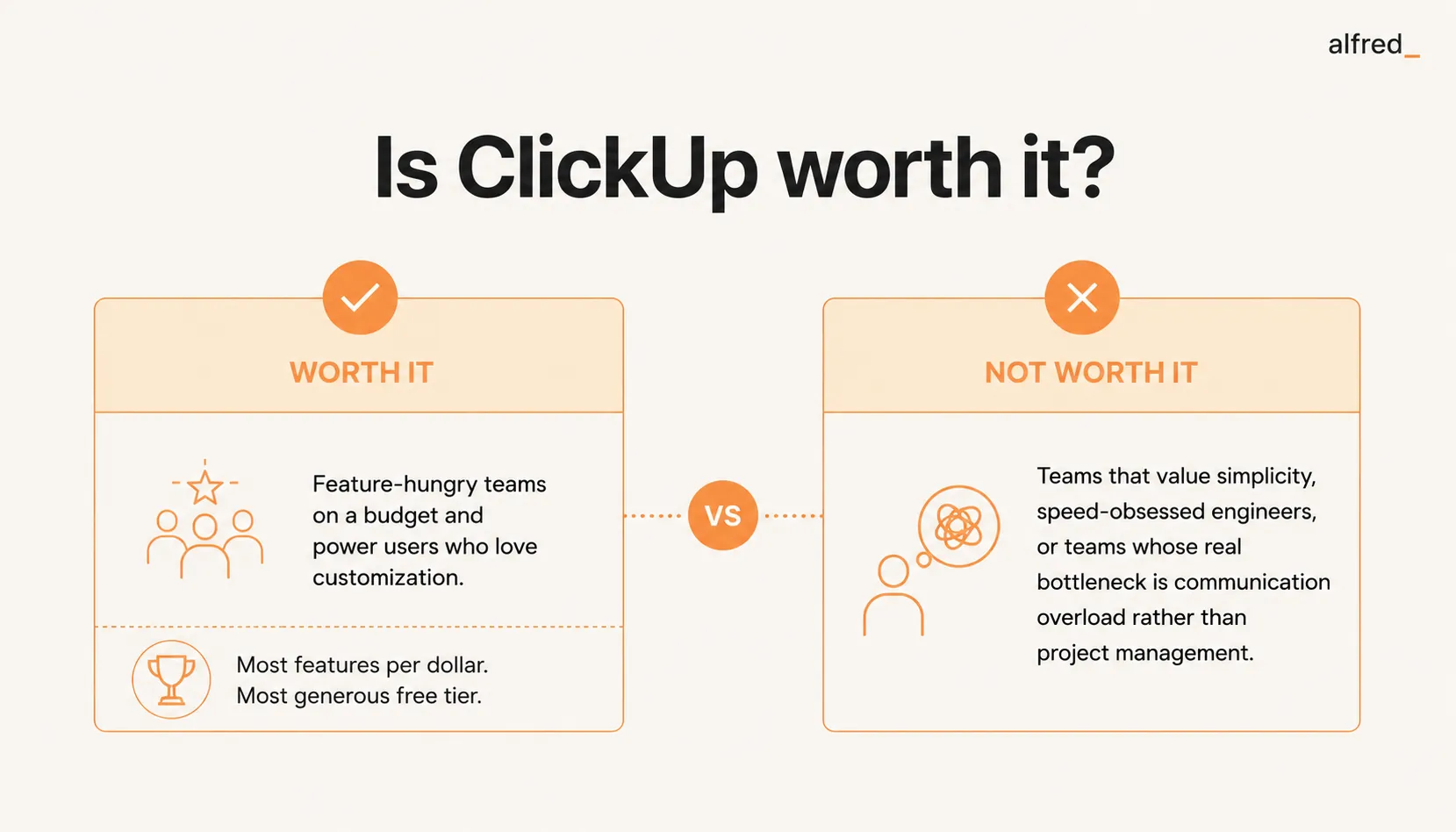
Feature-hungry teams on a budget. If you need time tracking, docs, goals, Gantt charts, and whiteboards but do not want to pay for five tools, ClickUp consolidates them at a price that undercuts competitors on base features alone. The value per dollar is genuinely exceptional.
Power users who love customization. If your team has a “systems thinker” who enjoys building workflows, custom views, and automation chains, ClickUp is their playground. The flexibility is unmatched. These users often become ClickUp evangelists and drive team adoption through custom setups that genuinely improve workflows.
Large organizations that want platform consolidation. For companies using separate tools for project management, documentation, time tracking, and goal setting, ClickUp’s all-in-one approach can reduce vendor management overhead, integration complexity, and total cost. At enterprise scale, the consolidation benefit is significant.
Teams with free plan needs. For teams that need a real project management tool but have no budget, ClickUp’s free tier is the answer. Unlimited users and tasks with decent functionality is a category-defining offer that no competitor matches.
Who Should Not Buy ClickUp
Teams that value simplicity. If your team struggles to adopt tools, if you have tried and failed with project management software before, ClickUp’s complexity will make adoption harder, not easier. Monday or Todoist have lower learning curves and higher adoption rates for non-technical teams.
Speed-obsessed engineering teams. If your team uses Vim, prefers keyboard shortcuts, and wants a tool that feels like it was built for developers, Linear is the right choice. ClickUp is powerful but not fast. The milliseconds of lag that power users notice add up over a day of heavy use.
Teams whose problem is communication, not project management. If your team’s productivity bottleneck is the 90 minutes each morning spent processing email and Slack, not the project tool, ClickUp does not help. It is the most feature-packed container for organized work, but it does not help you get organized from the communication chaos upstream.
Teams on a tight budget who need AI. ClickUp’s base pricing is excellent, but adding Brain at $9/user/month changes the economics significantly. If AI features are important to you, compare ClickUp Business + Brain ($21/user/month) to Asana Starter ($10.99/user/month with AI included) or Monday Standard ($12/seat/month with AI included). The “cheapest PM tool” narrative does not hold when AI is factored in.
Where alfred_ Fits
ClickUp and alfred_ serve different layers of the knowledge work stack.
ClickUp is the system of record for team work. It tracks tasks, projects, goals, time, and documentation. It does this with more features per dollar than any competitor.
alfred_ operates in the communication layer that feeds ClickUp. It reads your email, understands context from your calendar and past conversations, identifies what needs your attention, drafts replies to routine messages, and delivers a Daily Brief each morning. It does not manage projects. It manages the information flow that generates project work.
For a typical ClickUp user, the morning workflow is: open email → process 80+ messages → identify new tasks and updates → create or update ClickUp items → open ClickUp → start working. alfred_ compresses everything before “open ClickUp.” Instead of manually triaging your inbox, you get a briefing: the stakeholder approved the scope change, the vendor sent the contract for review, and three follow-ups are overdue.
At $29.99/month per user, alfred_ is more expensive than ClickUp’s base plans but addresses a problem ClickUp does not touch. Some teams use both: ClickUp for comprehensive project management and alfred_ for individual communication triage. The combination gives you organized projects (ClickUp) fed by organized communication (alfred_), solving both the upstream and downstream problems.
If you need a powerful, affordable project management tool: ClickUp delivers more than any alternative.
If your problem is not project management but the email overload that prevents you from getting to your projects: that is a different problem that requires a different tool.
The Verdict
ClickUp is worth it for teams that want maximum features at minimum cost. The free tier alone is the most generous in the industry. The paid plans deliver time tracking, docs, whiteboards, goals, and dashboards at prices that undercut every major competitor. For feature-hungry teams on a budget, ClickUp is the obvious choice.
But feature density and productivity are not the same thing. ClickUp’s complexity creates its own overhead, learning the system, maintaining the workspace, deciding how to organize work. And like every project management tool, it manages work that has already been identified. The harder problem, discovering what needs doing by processing your email, messages, and meetings, remains untouched.
If you need a powerful, affordable all-in-one project tool: ClickUp delivers.
If your real productivity drain is the communication overload upstream of your project tool: start there. No amount of features in a project management tool will fix an overflowing inbox.