


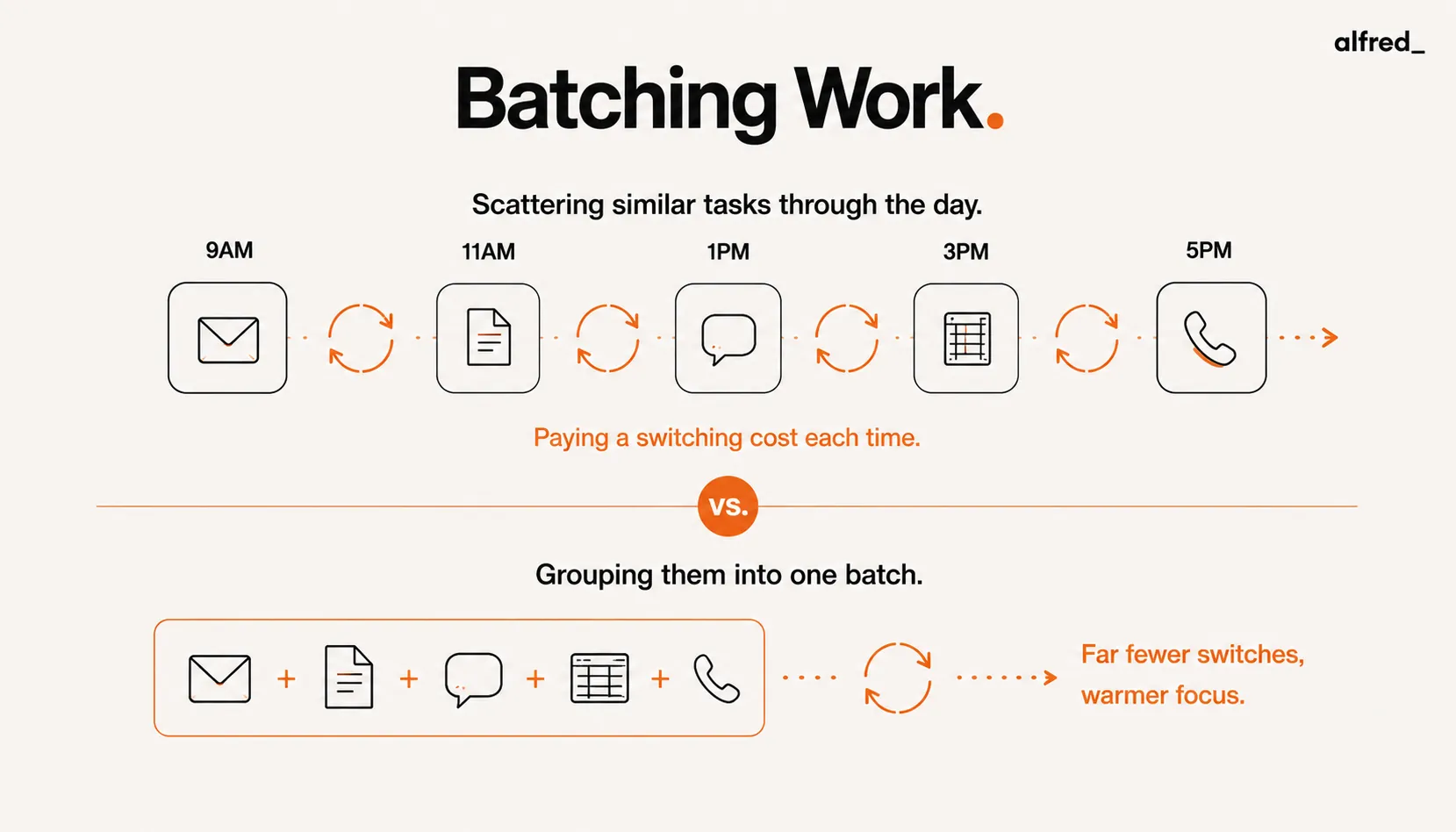
You answer an email, glance at Slack, jump back to the document you were writing, then a notification pulls you to a different thread. Each move feels free. None of them are. Every time you switch between unlike tasks, your brain pays a tax to reload the rules and goals of the new one, and those taxes quietly add up to a large fraction of your day. Batching is the countermeasure: group similar work into dedicated windows so you cross that boundary a handful of times instead of a hundred. Here is the research behind why it works, the specific costs it removes, and how to apply it without missing the things that actually are urgent.
The Task-Switching Cost Research
Joshua Rubinstein, David Meyer, and Jeffrey Evans published “Executive control of cognitive processes in task switching” in the Journal of Experimental Psychology: Human Perception and Performance in 2001 (27(4), 763–797). The paper used controlled laboratory experiments in which participants switched between well-defined tasks to isolate and measure the cognitive cost of the switch itself.
The researchers identified two components of switch cost: goal reconfiguration (the time required to set the mental agenda for the new task) and rule activation (the time required to bring the cognitive rules for the new task into active working memory). Both components contribute measurable additions to response time and error rates after a switch, with the effects largest when tasks are more complex and more different from each other.
Switch costs compound
Task switching imposes two-component cognitive costs (goal reconfiguration and rule activation) that add measurable time and increase error rates. Each switch in a day accumulates these costs. For complex knowledge work, the switch cost can represent a significant fraction of total productive capacity.
Rubinstein, J.S., Meyer, D.E. & Evans, J.E. (2001). Journal of Experimental Psychology: Human Perception and Performance, 27(4), 763–797.Gloria Mark and colleagues at UC Irvine have studied interruption and recovery in naturalistic knowledge work settings. Their research has documented that workers interrupted during a primary task take time to fully re-engage with the original work after an interruption, and that the re-engagement time is often longer than the interruption itself. Importantly, Mark’s laboratory and interview research is separate from the controlled task-switching experiments; the specific figures often cited in productivity literature vary by study and should not be attributed to any single paper without care.
What Batching Reduces
Batching reduces task-switching costs by scheduling similar tasks in dedicated windows rather than distributing them throughout the day. The mechanism works through several channels:
- Fewer switches per day. If email is processed twice daily rather than continuously, the total number of email-to-other-work and other-work-to-email switches drops significantly. Each eliminated switch removes an associated switch cost: added time and errors that do not occur.
- Warm cognitive state. After working on a type of task for some time, the relevant mental models, vocabulary, and context are active and accessible. The first email response in a batch benefits from the warm state built by the previous responses. Starting each email independently, interspersed with other work types, rebuilds this warm state from scratch each time.
- Reduced partial attention residue. Sophie Leroy’s research on “attention residue” (2009, Organizational Behavior and Human Decision Processes) found that when people move from one task to another, thoughts about the first task continue to occupy working memory, reducing the cognitive capacity available for the second task. Completing tasks within a batch before moving to a different type reduces unresolved attention residue.
Practical Batching Strategies
- Communication batching. Processing email, Slack, and messages in defined windows (e.g., 9 AM, 1 PM, 5 PM) rather than continuously reduces the interruption frequency and eliminates the reactive context switching that distributed message monitoring creates. The tradeoff is response latency: batching requires setting expectations about response time norms and being explicit with collaborators about communication availability.
- Meeting batching. Grouping meetings into dedicated days or windows (e.g., meetings on Tuesday and Thursday, focus work on Monday, Wednesday, Friday) creates extended uninterrupted periods for deep cognitive work. The switch cost from meeting preparation and context-switching between meeting and non-meeting work is reduced when meetings are clustered rather than distributed across all days.
- Administrative batching. Expense reports, scheduling, document reviews, and other administrative tasks share a cognitive mode that is different from creative or analytical work. Grouping administrative tasks into a dedicated window (e.g., Friday afternoon) allows this mode to warm up and carry through multiple tasks rather than being reactivated repeatedly throughout the week.
What Actually Makes Batching Hold
Notice that every batching strategy above depends on one thing the research quietly assumes: that you can stop checking between windows without missing something that genuinely cannot wait. That is the part that breaks. People know the switch cost is real and still check email forty times a day, because the alternative feels like gambling with the one message that mattered. Batching is not a scheduling problem. It is a trust problem.
This is where alfred_ does the work the schedule cannot. It watches the inbox continuously so you do not have to, triages what arrives, and surfaces the genuinely time-sensitive items while everything else waits for your next window. The triage the post above says batching requires is exactly what alfred_ runs in the background. You get the focus benefit of processing email three times a day, without the nagging fear that keeps pulling you back to it, because the thing actually watching for urgency is no longer you.