

The real question behind “is there an AI that handles my inbox overnight?” isn’t usually about automation. It’s about the 6 AM stomach drop, opening your phone to a wall of unread email that accumulated while you slept, most of it noise, some of it urgent, and you have no idea which is which until you’ve scrolled through all of it.
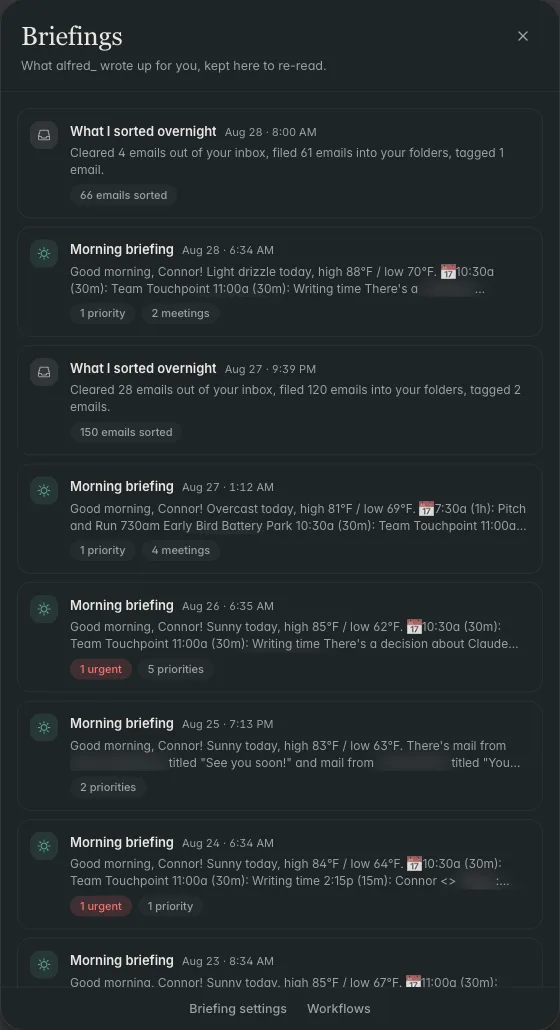
alfred_ is the answer. It connects to Gmail and Outlook, runs continuously (overnight included), and by 7 AM has a morning brief ready: the 3-5 messages that need you today, with drafts pre-written for most of them, and the rest archived or classified without asking. You act on a brief in 10 minutes instead of triaging an inbox for 90.
60–90 min
Reclaimed per weekday morning by users who move from manual triage to an overnight AI brief
121 emails/day
Average inbound volume for knowledge workers, most of which arrives in 6-hour windows that correspond to other timezones (i.e., while you sleep)
20%
of employees who work weekends check their inbox before noon on Saturday and Sunday, a sign that the uncertainty of what's accumulating feels worse than the interruption
What “Overnight” Actually Means
alfred_ is an AI assistant for client-facing teams, and each person on the team gets their own. It keeps track of the replies you owe and the replies you’re waiting on, manages your calendar, prepares you for meetings and sends a morning brief, across Gmail and Outlook. It isn’t a scheduled batch job that runs at 2 AM. It’s a continuous service: every email that arrives is triaged within a few minutes of landing in your inbox, day or night. The “overnight” framing matters because that’s when most of the accumulation happens for professionals in the US, inbound email from European and Asian teammates, vendor notifications that fire on their schedules, newsletters from publishers in other timezones.
By the time you wake up, the work is done. The morning brief is the output.
The Four Overnight Behaviors
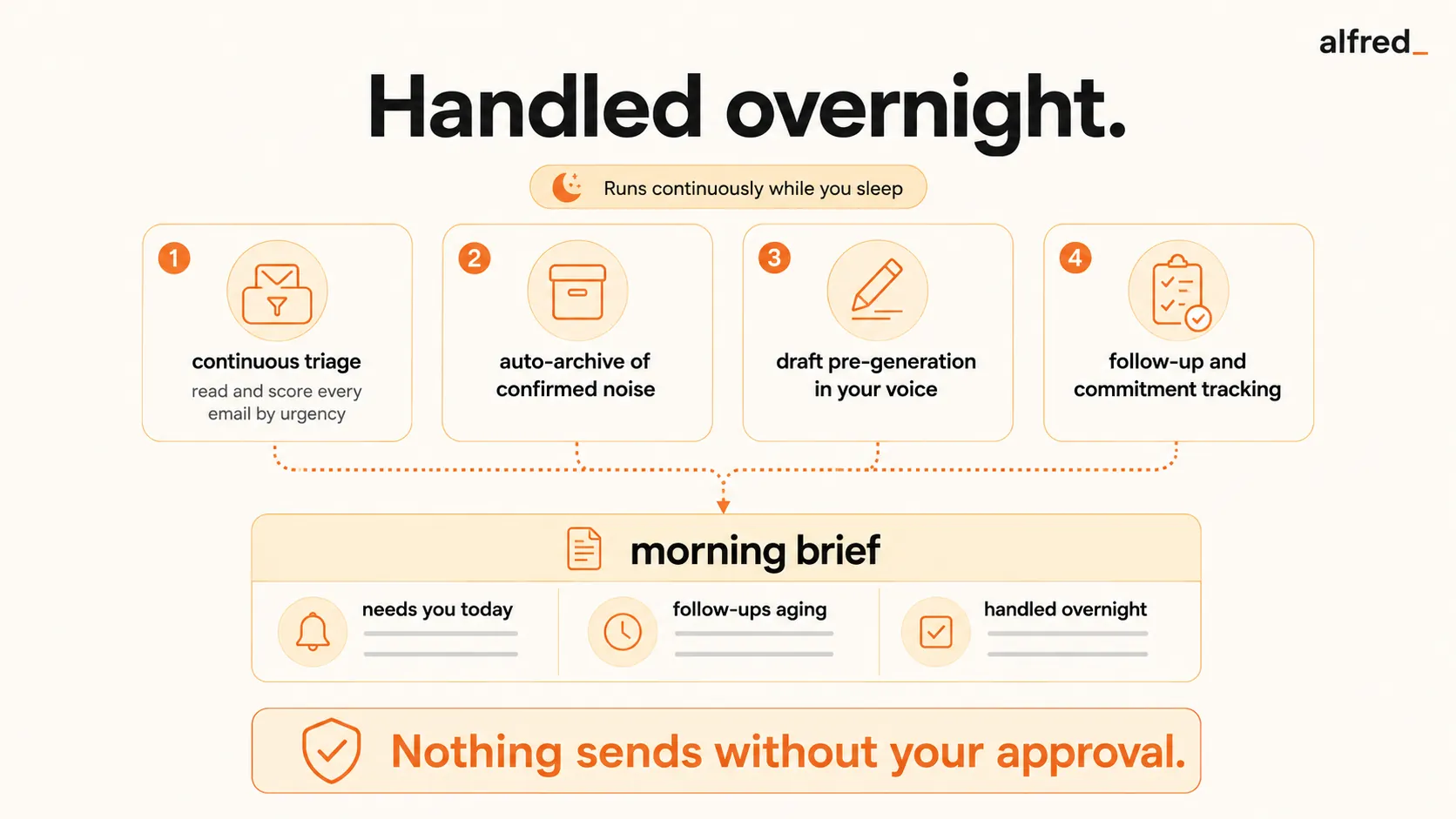
1. Continuous triage. Every incoming email is read in full, classified by type (Action Required, Scheduling, FYI, Follow-Up, Low Priority), and scored for urgency (1-10). This happens within ~2 minutes of arrival.
2. Auto-archive of confirmed noise. Newsletters, marketing emails, automated receipts, calendar invites already on your calendar, and duplicate notifications get moved to a low-priority folder without surfacing. You don’t see them in the morning, but they’re still in your inbox if you ever want to search.
3. Draft pre-generation. For messages needing a reply, alfred_ drafts the response in your voice using the thread context, sender relationship history, and your prior communication patterns. The draft sits in your draft folder, waiting for review and send.
4. Follow-up and commitment tracking. If someone has been waiting >48 hours for your reply, or if you wrote “I’ll send this by Friday” in an earlier email and it hasn’t gone out, alfred_ surfaces it in the brief as a pending obligation.
What’s in the Morning Brief
The brief has three standard sections:
| Section | What It Contains | Typical Count |
|---|---|---|
| Needs you today | Action-required messages with full context and pre-drafted replies where possible | 3–7 items |
| Follow-ups aging | Threads where reply is overdue (incoming) or commitment is pending (outgoing) | 1–4 items |
| Handled overnight | Count of auto-archived low-priority items, newsletters, receipts, duplicate invites | 30–80 items |
You read the brief, approve or adjust drafts, tap send on the ones ready to go, and the inbox is done for the morning. The rest of your day starts without inbox debt.
What alfred_ Does NOT Do Overnight
Important honesty: “handles my inbox overnight” has scope limits.
- Does not send on its own. Every draft requires your one-tap approval. If you want true sending, alfred_ is not that tool, that’s a different risk profile most professionals shouldn’t accept.
- Does not book travel, make calls, or handle anything outside email/calendar. A human EA (or specialized travel tool) still wins for those.
- Does not wake you up. No overnight push notifications for urgent email by default. The brief is the morning ritual, not a 3 AM pager.
- Does not answer messages requiring context only you have. If a client asks about a decision you made in a private conversation alfred_ has no record of, the draft will flag the gap instead of inventing content.
- Does not handle complex negotiations. Pricing conversations, sensitive interpersonal situations, and anything requiring subtle relationship judgment, alfred_ surfaces, you respond.
How It Compares to Other Overnight Options
| Option | What It Does Overnight | Produces Morning Brief? | Price |
|---|---|---|---|
| alfred_ | Full content triage + classification + draft replies + follow-up tracking across Gmail/Outlook | Yes, structured brief with drafts | $29.99/mo |
| SaneBox | Rule-based sorting into folders (SaneLater, SaneBlackHole) | No, partial noise reduction only | $7–$36/mo |
| Gmail filters / Outlook rules | Pattern-match routing, if-then rules you configure | No. You still triage the main inbox cold | Free |
| Shortwave | AI bundling (Gmail-only) and AI summary of threads | Partial, summary, no drafted replies | $30–$120/seat/mo |
| Superhuman AI | Fast interface + AI autocomplete when you are actively replying | No, requires you to process manually | $30/mo |
| A human EA | Full triage + drafts + autonomous sending (if you authorize) | Yes, whatever format they prepare | $5,000–$10,000/mo |
The honest alternative to alfred_ for the overnight-handling use case is a human EA, and that’s a $60K–$120K/year commitment. For the narrower slice of email triage + drafts + brief, alfred_ covers 70-80% of an EA’s inbox work at ~0.5% of the cost.
Why Overnight Specifically Matters
The email volume that arrives during US working hours is distributed across your workday. You see it, handle it, and move on. The email that arrives outside your working hours (roughly 6 PM to 9 AM local time, which is most of the 24-hour cycle) is the accumulation that creates the 6 AM stomach drop.
For professionals who work with European or Asian counterparties, the overnight window is where most of the inbound volume originates. Without overnight triage, your morning is spent processing 8-12 hours of accumulated email before you can start any proactive work. With it, you walk into the day already handled.
What to Do
If the 6 AM inbox dread is the problem you’re actually trying to solve, alfred_ is purpose-built for it. A full week-cycle of overnight briefs is enough data to know if the pattern change sticks.
Start now. Connect your Gmail or Outlook. Go to bed. See what tomorrow’s brief looks like.




