

Every Monday you build a clean plan, and every Wednesday it is rubble. Not because the plan was bad, but because a manual system depends on you to feed it, update it, and rebuild it every time reality shifts, and by midweek that maintenance costs more than the plan saves. So you abandon it, again. A self-running weekly system inverts that: instead of a plan you maintain, it is a set of components that maintain themselves, catching commitments, scheduling, drafting, and tracking with only a few short check-ins from you. Here is why most weekly systems collapse, the four pieces of one that doesn’t, and how to build it.
What a Self-Running Weekly System Actually Means
A self-running weekly system is one that handles coordination, follow-ups, and scheduling autonomously throughout the week, requiring minimal input from you while ensuring nothing slips.
This doesn’t mean you never review your work. It means the system itself catches commitments, surfaces deadlines, drafts responses, and schedules meetings without waiting for you to remember, process, or manually execute each step.
The difference between a self-running system and a manual one is simple: manual systems require you to maintain them. Self-running systems maintain themselves.
Why Most Weekly Planning Systems Fail
Most professionals start the week with good intentions: a prioritized task list, blocked calendar time, clear goals. By Wednesday, the system has collapsed. Here’s why:
-
- They Depend on You to Feed Them: Traditional weekly planning requires you to manually add tasks, update commitments, reschedule conflicts, and track follow-ups. Every incoming email, every meeting request, every conversation creates maintenance work. By mid-week, you’re spending more time maintaining the system than using it.
-
- They Don’t Adapt to Reality: You plan Monday morning. By Tuesday afternoon, three urgent requests have arrived, two meetings shifted, and a client needs something by Friday. Your original plan is now irrelevant, but updating it requires re-planning your entire week. Most people just abandon the system.
-
- They Organize Work, But Don’t Remove It: A well-organized task list doesn’t reduce the number of tasks. It just shows you how much you have to do. What you need isn’t better visibility into your workload. You need less work on your plate. There’s a better way to run your day than to-do lists.
The Real Problem: Most weekly systems are designed to help you manage your work more efficiently. But for professionals whose time converts to income, efficient management of low-value work is still a waste of billable hours.
The Four Components of a Self-Running Weekly System
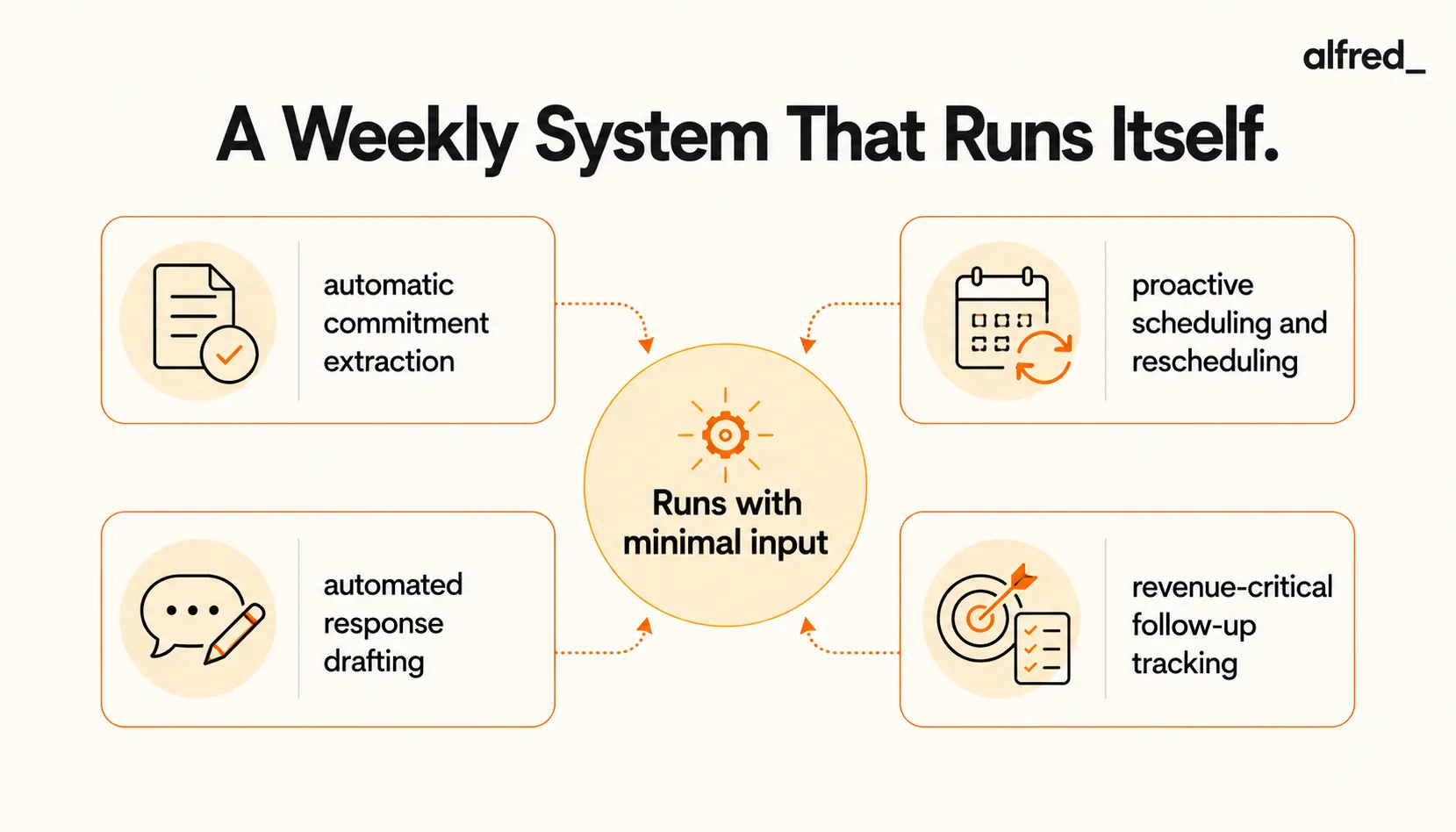
A self-running weekly system is built on four core components. Each one operates autonomously, feeding the others with minimal input from you.
Component 1: Automatic Commitment Extraction
- Email says “I’ll send the proposal by Friday” → System extracts the task and sets the deadline
- Email says “Can we meet next week?” → System flags it for scheduling and proposes times
- A commitment is buried in a long thread → System surfaces it so it does not slip
Component 2: Proactive Scheduling and Rescheduling
- New meeting request → System proposes 3 times, sends options to requester
- Calendar conflict → System reschedules lower-priority meeting, confirms new time
- Deep work blocked → System protects those hours from incoming requests
Component 3: Automated Response Drafting
- Client confirms meeting → System sends confirmation + calendar invite automatically
- Prospect asks about availability → System drafts response with available times
- Follow-up needed → System drafts message based on previous conversations
Component 4: Revenue-Critical Follow-Up Tracking
- Promised proposal by Friday → Reminder surfaces Thursday morning with draft outline
- Client call tomorrow → Meeting brief prepared with context, history, action items
- Follow-up overdue → System flags it and drafts reminder message
How to Build Your Self-Running Weekly System
- 1: Centralize Communication Channels: A self-running system needs visibility into where commitments are made. Connect your email and calendar to a coordination system and link task tracking so commitments extracted from email flow into your weekly view.
- 2: Define What Requires Your Judgment: Not everything needs your input. The system should handle routine coordination autonomously (meeting confirmations, calendar invites, status updates) and surface only what requires your judgment: first-time prospect outreach, client proposals, pricing negotiations.
- 3: Set Up Revenue-Critical Alerts: Flag anything that could cost you deals, damage client relationships, or result in missed deliverables: proposals or deliverables due within 48 hours, follow-ups promised but not yet sent, high-value prospects who haven’t received a response within 24 hours.
- 4: Implement Weekly Checkpoints: Monday (20 min): review high-priority flags, approve meeting times, confirm deep work blocks. Wednesday (15 min): review revenue-critical commitments, approve draft responses. Friday (10 min): ensure all outgoing commitments are handled, review what carries into next week.
- 5: Let the System Learn Your Patterns: A self-running system improves the more it observes your behavior. Week 1–2: approve 80% of draft responses. Week 3–4: approvals drop to 60%, system accuracy improves. Week 5+: system handles 70–80% autonomously.
The Engine That Actually Runs It
The four components above describe a system, but a system needs something to run it, and the moment that something is you, it stops being self-running. You can wire email rules, calendar automations, and a task manager together and call it a system, but the glue is your attention, and your attention is the bottleneck the whole design exists to remove. The components only run themselves if something other than you is doing the extracting, scheduling, drafting, and tracking.
That engine is what alfred_ provides. It reads your email and meetings to extract commitments, proposes and manages scheduling, drafts the routine responses, and tracks the revenue-critical follow-ups, which is all four components running continuously without waiting for you to feed them. You step in at the checkpoints to approve and to make the calls that genuinely need your judgment. The week runs itself not through discipline you have to sustain, but because the coordination layer keeping it current is no longer your job.
The ROI of a Self-Running Weekly System
- Email management: 8 hrs → 2 hrs = 6 hours saved
- Scheduling and rescheduling: 3 hrs → 30 min = 2.5 hours saved
- Follow-up tracking: 2 hrs → 15 min = 1.75 hours saved
- Meeting prep: 4 hrs → 1.5 hrs = 2.5 hours saved
- Total weekly savings: ~13 hours = 52 hours/month
- At $250/hour: $13,000/month in recaptured billable capacity
This doesn’t include the revenue protected by ensuring zero missed follow-ups, zero late deliverables, and zero deals lost to inbox chaos.