

Somewhere along the way, “available by email” quietly became “available all the time,” and nobody actually agreed to it. The expectation that you will see and respond to messages within minutes is incompatible with any work that requires sustained thought, yet most people accept it by default and then wonder why their focus is shredded. Setting email boundaries is not about going dark or being difficult. It is about replacing an unspoken always-on default with explicit, communicated norms. Here is how to set boundaries that protect your attention without making you unreachable.
The Hyperactive Hive Mind and Why It Destroys Output
Cal Newport coined the term “hyperactive hive mind” to describe the dominant mode of modern knowledge work: always-on messaging where everyone is expected to respond quickly to everything. The expectation is rarely stated explicitly. It’s accumulated through cultural norms, implicit signals, and the anxiety of leaving a message unread.
Newport’s attention residue research (building on Sophie Leroy’s 2009 study) quantifies the cost: “Even if a shift in attention is brief, think twenty seconds in an inbox. It’s enough to leave behind a residue that reduces your cognitive capacity for a non-trivial amount of time.” The residue doesn’t clear immediately when you return to work. It degrades performance for minutes after the switch, and in a day filled with frequent email checking, those minutes accumulate into hours.
“Even if a shift in attention is brief, think twenty seconds in an inbox. It’s enough to leave behind a residue that reduces your cognitive capacity for a non-trivial amount of time.” Cal Newport, A World Without Email
The real cost of checking email constantly is not the 30 seconds each check takes. It’s the 23 minutes of recovery time required after each interruption, per Gloria Mark’s research at UC Irvine. At 74 email checks per day, the math produces an almost complete destruction of the ability to do any sustained cognitive work.
23 min
recovery time to refocus after an interruption, per Gloria Mark's interruption research
Drucker’s Time Audit Applied to Email Checking
Peter Drucker’s first step toward executive effectiveness was the time audit: record how time is actually spent, then prune what shouldn’t be. “What would happen if this were not done at all?” Most professionals have never applied this question to their email-checking behavior.
Run the audit: for one week, note every time you check email. Record what triggered it: a notification, a habitual reflex, anxiety about missing something, or genuine urgency. At the end of the week, review the log. What fraction of email checks discovered something that required immediate action? For most professionals, the honest answer is fewer than 5%.
Drucker’s consolidation principle follows: “Even one quarter of the working day, if consolidated in large time units, is usually enough to get the important things done. But even three quarters of the working day are useless if they are only available as fifteen minutes here or half an hour there.” Consolidate email into two dedicated windows rather than trickling it throughout the day. The same quantity of email, handled in two sessions, destroys far less cognitive time than 74 brief checks.
“What would happen if I did not check email for 3 hours?” If the honest answer is “nothing urgent,” that’s your data. Adapted from Drucker’s pruning question.
Newport’s Process-Centric Alternative
Newport’s deeper argument about email boundaries isn’t about email habits. It’s about workflow redesign. Most email volume is generated by processes that don’t have any better mechanism for coordination. The fix isn’t reading email less. It’s replacing the processes that generate unnecessary email.
Newport’s process-centric approach: for each type of email you receive repeatedly, ask what is the actual process this email is part of. What change to that process would make this message unnecessary? A weekly status request email could be replaced by a shared project tracker. A recurring “quick question” could be batched into a weekly check-in. A back-and-forth scheduling thread could be replaced by a calendar link.
Newport’s email reply rule follows from the same principle: “What is the actual process this email is part of, and what response would complete that process?” Write the reply that closes the loop, not the reply that keeps the thread open with a vague acknowledgment.
Allen’s Inbox-Not-a-To-Do-List Principle
David Allen’s most important email principle: “Your inbox is not a to-do list.” Leaving emails in your inbox as reminders creates a fragmented, unreliable, anxiety-inducing system. Every unprocessed email in the inbox is an open loop, a claim on your attention that the brain tries to keep alive by interrupting you with it.
“Your inbox is not a to-do list.” David Allen, Getting Things Done
Allen’s processing discipline: when you open your inbox, you process every item in sequence. Read it, clarify the next action, move it out of the inbox. Either delete it, archive it, reply immediately if under 2 minutes, or create a task if it requires more time. You never re-read an email without acting on it.
This discipline makes email processing windows genuinely effective. A 30-minute email session using Allen’s processing rule (read, clarify, act or move) handles far more volume than 30 minutes of scattered checking, because each item is handled once rather than touched multiple times.
How to Communicate Your Email Boundaries
The most common objection to email boundaries: “But what if something urgent comes up?” This objection conflates urgency with email. Most genuinely urgent things don’t arrive by email. They arrive by phone, text, or a physical interruption.
The solution is explicit expectation-setting rather than an implicit assumption that email implies instant availability. Three mechanisms:
- Email signature footer: “I respond to email twice daily. For urgent matters, please call or text [number].” This sets the expectation for every email you send and receive.
- Auto-reply during focus time: “I’m in focused work mode until [time]. I’ll respond when I check email this afternoon. For urgent matters, please call.” This eliminates the anxiety of the sender. They know you’ll respond, just not immediately.
- Team agreement: Establish a shared team norm: email is not an immediate medium, Slack or phone is for urgent needs. When the whole team operates under the same expectation, individual boundaries become team culture rather than individual deviation.
Setting Email Boundaries Step by Step
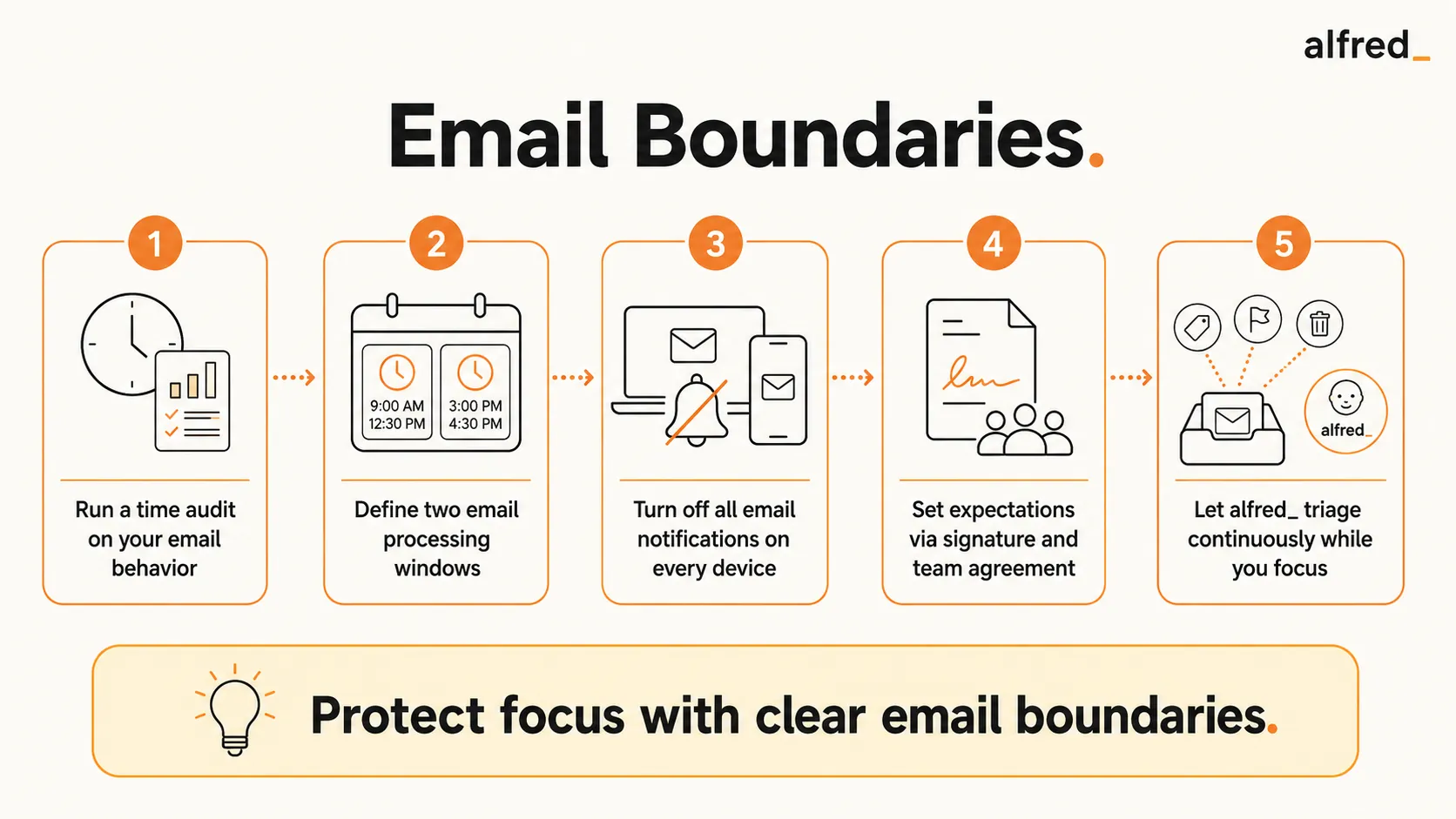
1. Run the Drucker Time Audit on Your Email Behavior
For one week: every time you open your email inbox, note it. Record the trigger: notification, habit, anxiety, or actual urgency. At the end of the week, review the log. How many checks discovered something that required immediate action? The data will shock most people and provide the motivation to change.
2. Define Your Two Email Processing Windows
Morning (after your deep work block) and end of day (4:30pm) is a practical starting structure. During each window, use Allen’s processing discipline: read, clarify, act or move, archive. Outside the windows: do not open the inbox. Not even briefly. The brief check is the habit you’re replacing.
3. Turn Off All Email Notifications on All Devices
This is the single most impactful tactical change. Notifications are the external trigger for the checking habit. Remove them and the habit loses its trigger. Go to Settings on every device (phone, laptop, desktop) and disable email notifications entirely. You process at your windows; you do not respond to pings.
4. Set Expectations: Signature Footer and Team Agreement
Add a response time statement to your email signature footer. Establish the team norm about what email means versus what phone/Slack means. Boundaries require expectation-setting to function. Silent boundaries just look like unresponsiveness.
5. Use alfred_ to Triage Continuously While You Focus
alfred_ monitors your inbox throughout the day and surfaces anything genuinely urgent in your morning brief. This resolves the core anxiety behind compulsive email checking: “What if I miss something important?” You won’t. alfred_ is watching. This lets you be fully unreachable via inbox during focus blocks without the nagging background fear that drives most checking behavior.
The Two-Session Email Day
A concrete model: process email at 8:45am (after morning deep work) and at 4:30pm (end of day). Everything in between, deep work, meetings, real work, happens without the inbox open.
Two-Session Email Day Model
- 7:15 AM to 8:45 AM: Deep work block. Inbox closed. alfred_ monitoring.
- 8:45 AM to 9:00 AM: Email session one. Process to zero using Allen’s discipline. Send responses.
- 9:00 AM to 4:30 PM: Meetings, deep work, real work. Inbox closed. alfred_ monitoring.
- 4:30 PM to 5:00 PM: Email session two. Process to zero. Handle anything from the day.
- After 5:00 PM: No email. Genuinely urgent matters come via phone.
Two observations from people who implement this model: First, most emails can wait 4 hours. The “urgent” emails that people worry about missing are almost never actually urgent. Second, after a few weeks, colleagues adjust their behavior. They stop emailing things they know you’ll handle that afternoon and start calling for things that are actually urgent. The system self-corrects.
Collins: Good Is the Enemy of Great, Applied to Email
Jim Collins’s most quoted principle, “good is the enemy of great,” applies to email behavior in a specific way. Every time you check email “just for a second,” you trade a moment of potential deep work for a shallow task. You feel responsive; you feel on top of things. But the sum of those micro-checks is a day where nothing important was completed.
“Good is the enemy of great.” Jim Collins, Good to Great
Apply Collins’s stop-doing list discipline to your email habits: which email-checking behaviors would you eliminate if you designed your day from scratch, knowing what you know about attention residue? The answer is almost certainly “checking email between focused work blocks.” Not because email is bad, but because frequent checking crowds out the work that actually matters.




