

The question “is there an AI that reads my email?” usually isn’t about capability. It’s about trust.
Yes, AI can read your email. Most modern AI email tools do, that’s the whole point. The real questions are: what does it do with what it reads, does it train on your data, and can you revoke access cleanly if you change your mind?
alfred_ reads your email to help you, not to train on. OAuth 2.0 access, AES-256 encryption, and no model training on user data, ever. It triages, summarizes, drafts replies, and builds a morning brief across Gmail and Outlook. Access is revocable in one click.
121 emails/day
Average office worker inbound volume, the scale that makes AI reading useful
13 hours/week
Time the typical worker spends reading and answering email, about 28% of the workweek
82.6%
of phishing emails now contain AI-generated components, AI that reads your inbox is part of the defense, not just a productivity tool
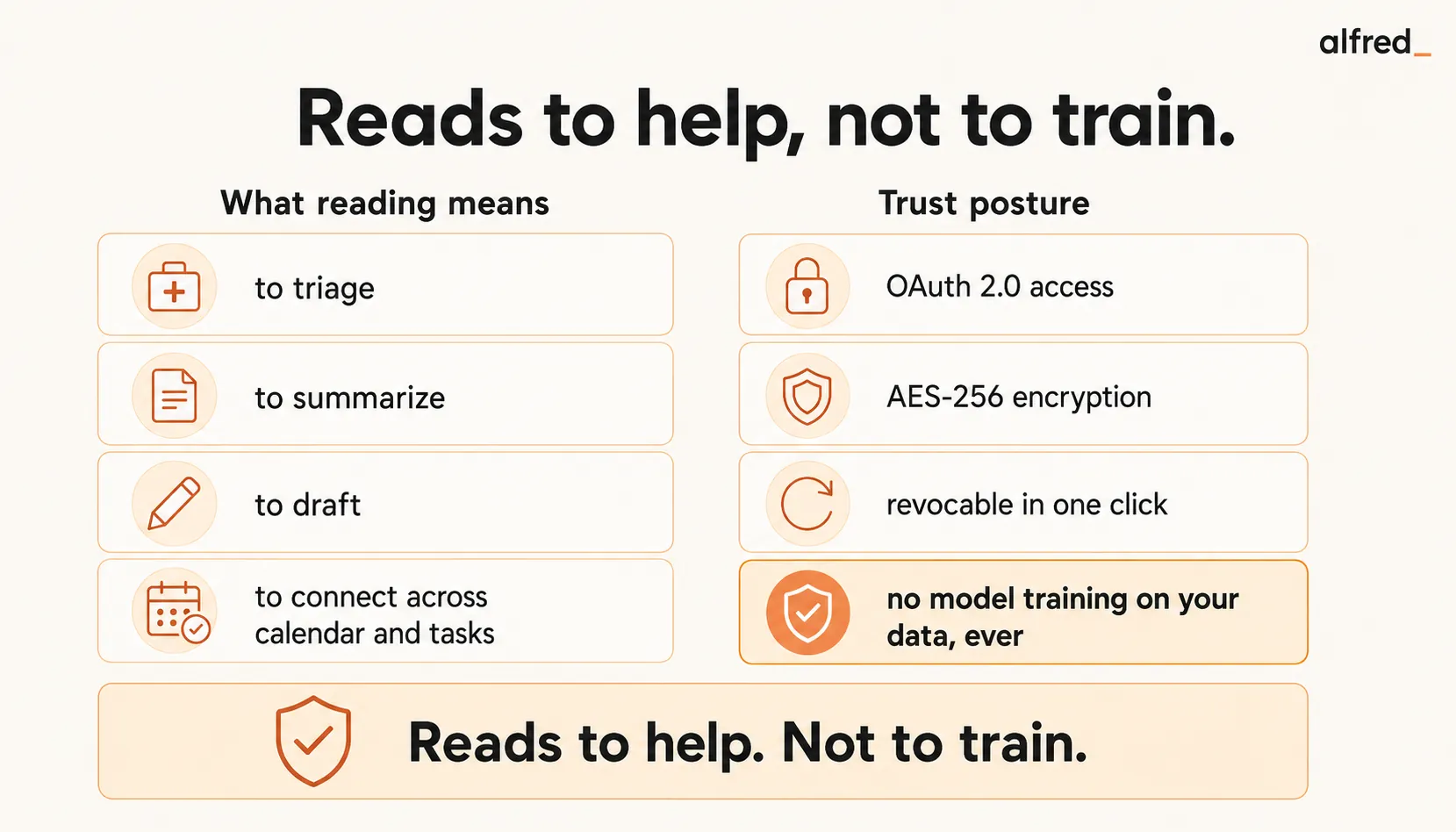
What “AI Reads My Email” Actually Means
The phrase covers four different capabilities. Understanding which ones matter is how you pick a tool that actually helps.
1. Reading to Triage
The tool reads each incoming email and decides what’s urgent, what’s routine, what’s noise. It doesn’t send, doesn’t respond. It classifies and surfaces. This is the baseline capability. alfred_ does this continuously in the background.
2. Reading to Summarize
Long threads collapse to 1-2 sentences. Attached documents get summarized. You read one line and know the thread’s state, no scrolling. alfred_ does this per thread and per morning brief.
3. Reading to Draft
The tool reads the email, understands context, and writes a reply draft for your review. You approve, edit, or discard. It’s not auto-reply. It’s pre-writing. alfred_ drafts in your voice using patterns from your sent folder.
4. Reading to Connect
The tool reads email and connects signals across your calendar and task list. It notices that an overnight email references tomorrow’s meeting, flags a forgotten commitment, surfaces the right context for tomorrow’s call. alfred_ connects these signals in the morning brief.
Generic AI tools (ChatGPT, Copilot in some configurations) do pieces of #1-#3 when you manually paste email. alfred_ does all four, continuously, across your actual inbox.
The Three Fears That Matter
When users search “is there a safe AI that reads my email,” they’re asking about three specific worries.
Fear 1: Privacy: “Will AI Companies Train on My Email?”
This is the biggest concern, and it’s well-founded. Most major AI platforms default to using interaction data for training. Enterprise contracts usually opt out; consumer contracts often don’t. For email, where privileged client communications, personal messages, HR conversations, and financial details live, training exposure is a real risk.
alfred_’s answer: no training on user data. Ever. Not as an enterprise opt-in, as the default for every account. Personalization happens per account, privately, and learned patterns are never pooled into model training or used to improve the service for other users.
Fear 2: Accuracy: “Will AI Miss the One Email That Costs Me a Client?”
The concern: AI triage classifies an urgent email as noise, you don’t see it, and something important falls through.
alfred_’s approach: triage exposes reasoning and lets you correct it. Urgency isn’t binary. It’s a gradient with explanation. You can adjust rules for specific senders or domains. The system learns from your corrections in the first 1-2 weeks, so accuracy compounds. Nothing is auto-archived by default; you decide what to hide.
Fear 3: Control: “I Don’t Want AI Sending Emails on My Behalf”
The concern: AI drafts something problematic and auto-sends before you see it.
alfred_’s answer: nothing sends without your review by default. Drafts are prepared, but you approve every outbound email. Auto-send is an opt-in for specific low-stakes categories (meeting confirmations, read-receipts), never the default for actual correspondence.
What alfred_ Does When It Reads Your Email
alfred_ is an AI assistant for client-facing teams, and each person on the team gets their own. It keeps track of the replies you owe and the replies you’re waiting on, manages your calendar, prepares you for meetings and sends a morning brief, across Gmail and Outlook. The concrete flow:
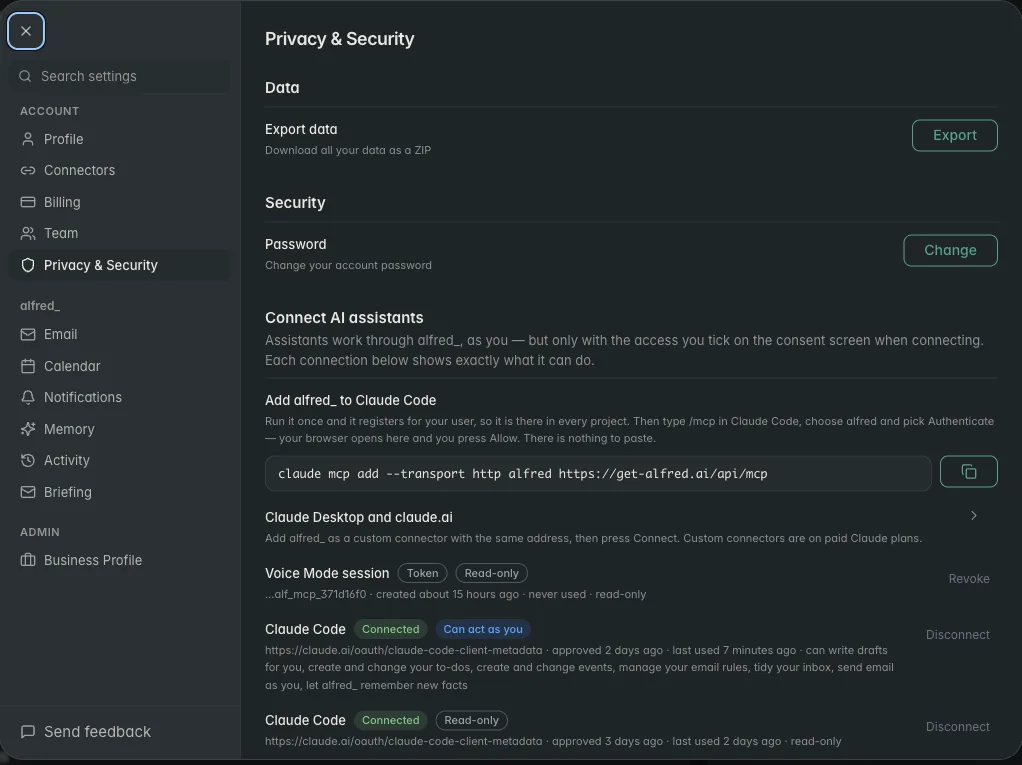
- OAuth connection. alfred_ connects to Gmail or Outlook via OAuth 2.0. No passwords are stored. Access is read-only by default; you grant compose access if you want alfred_ to prepare drafts.
- Triage. Each inbound email is scored for urgency and classified by action type (needs reply, needs decision, FYI, noise).
- Summarize. Long threads and attachments are summarized; the morning brief reflects thread state without you reading every reply.
- Draft. Where replies are needed, alfred_ prepares drafts in your voice using your sent folder patterns.
- Extract. Tasks and commitments are pulled into your task list with links back to source emails.
- Brief. The morning brief arrives each morning with the top items that need you, with drafts ready.
- Learn. Your responses, edits, and dismissals continuously refine the system, privately, for your account.
OAuth 2.0 + AES-256
alfred_'s baseline security, industry-standard encryption in transit (TLS 1.2+) and at rest (AES-256)
The Landscape: Which AI Email Readers Are Safe
| Tool | Reads email | Drafts replies | Trains on data | Works with Gmail + Outlook | Price |
|---|---|---|---|---|---|
| SaneBox | Headers only | No | No | Both | $7-36/mo |
| Shortwave | Yes, content-aware | Yes (Ghostwriter) | Not for enterprise | Gmail only | $7-45/mo |
| Superhuman | Yes, content-aware | Yes (voice-matched) | No | Both | $30-40/mo |
| Fyxer | Yes | Yes | Unclear | Both | $22.50-37.50/mo |
| ChatGPT | Only if you paste | Only if you prompt | Yes (unless enterprise) | Manual | $20/mo |
| Microsoft Copilot | Yes, full-read | Yes | Depends on tenant settings | Microsoft only | $30/mo+ |
| alfred_ | Yes, content + context | Yes (voice-matched) | Never | Both | $29.99/mo |
SaneBox is header-only. It doesn’t read message content, just metadata about senders. That’s safer for sensitive mail but much less capable. Good for noise reduction; not for triage, drafts, or briefs.
Shortwave reads content and drafts with Ghostwriter. The “not for enterprise” training posture means consumer accounts may contribute to training unless you check. Gmail-only, so Outlook users are out.
Superhuman reads content with voice-matched drafts and is explicit about not training. Gmail + Outlook. Trade-off is $30-40/mo with no task or cross-domain integration.
Fyxer is newer with less public detail about its training posture, worth asking directly before trusting with sensitive mail.
ChatGPT only reads what you paste. That means no continuous workflow, and pasted content is (by default) usable for training unless you have an enterprise account or have toggled off training in consumer settings.
Microsoft Copilot reads Microsoft 365 mail deeply when enabled. Training on tenant data depends heavily on tenant settings, region, and licensing tier. Worth a careful review with your IT/compliance team before enabling.
alfred_ is built with “no training, ever” as the default posture, not a setting to toggle, not an enterprise opt-in. Content-aware reading, voice-matched drafts, and cross-domain context with Gmail and Outlook support.
The Regulatory Context
August 2025
EU AI Act's first obligations take effect (governance and general-purpose AI rules); high-risk requirements around logging, documentation, and risk assessment phase in afterward
The regulatory environment around AI email readers has tightened fast. The EU AI Act’s first obligations became applicable in August 2025 (governance and general-purpose AI rules), with high-risk system requirements like logging, traceability, and risk assessment phasing in afterward. AI handling sensitive personal data faces the heaviest obligations. US state-level privacy laws (California CPRA, others) impose similar rigor.
This matters practically: AI email tools that defaulted to training on user data for years are facing real legal exposure. Users asking “is this safe?” are increasingly asking on behalf of their employers, not just themselves.
alfred_’s posture, no training on user data, revocable OAuth, AES-256 encryption, is designed to meet these requirements as a default, not as an enterprise add-on.
The OAuth Breach Context
A practical security note from 2025: the Salesloft Drift OAuth breach (August 2025) exposed how compromised OAuth tokens at one AI vendor cascaded to sensitive data across hundreds of organizations, without triggering password-based alerts.
Implication: the security of AI email readers depends heavily on the vendor’s token handling. Three things to look for:
- Short-lived tokens with refresh (not long-lived session tokens)
- Minimum-scope permissions (read-only unless compose is actively needed)
- Logged access with anomaly detection
alfred_ is built on short-lived OAuth tokens with refresh, requests minimum scopes by default, and logs access. If an anomaly is detected, access is suspended and the user is notified.
What alfred_ Does Not Do
Honest scope:
- alfred_ does not send emails without your review by default
- alfred_ does not read email you haven’t given OAuth access to (no inbox scraping)
- alfred_ does not share or pool your email data with other users or for model training
- alfred_ does not replace your email provider. It runs alongside Gmail or Outlook, not in place of them
- alfred_ does not bypass enterprise security controls (DLP, Confidential labels, MFA)
How to Evaluate Any AI Email Reader
Before granting access to any AI email tool, alfred_ or otherwise, ask:
- Training, Does it use user email data for model training? What’s the default?
- Encryption, AES-256 at rest, TLS 1.2+ in transit, the baseline.
- OAuth, Short-lived tokens with refresh, minimum scopes, revocable.
- Data retention, What happens to your data on cancellation? How long until it’s deleted?
- Compliance, SOC 2, GDPR, relevant industry frameworks.
- Logging, Is access logged? Can you audit what the tool saw?
- Sharing, Is your data pooled with other users for any reason (training, ML improvement, benchmarking)?
alfred_ answers these at /security. Tools that don’t publish clear answers should be treated with caution, especially for privileged, regulated, or sensitive communication.
Who This Matters For
- Professionals in regulated industries (law, finance, healthcare) where training exposure is a compliance issue
- Founders and executives handling investor, legal, and financial email where confidentiality is non-negotiable
- Anyone who tried ChatGPT for email and got nervous about the paste-and-query pattern
- Enterprise buyers evaluating AI email tools against SOC 2 and similar standards
If your email is entirely non-sensitive and regulatory requirements don’t apply to you, the bar is lower. For everyone else, “no training on user data” is the feature that makes AI email reading a viable workflow.
The Summary
Yes, there are AIs that read your email safely. alfred_ is one of them, with OAuth 2.0, AES-256 encryption, minimum-scope permissions, and a default posture of no training on user data. It reads to triage, summarize, draft, and brief, not to become.
Reading and training are different operations. Good AI email tools do the first and never the second. Bad ones are vague about the distinction.
Before you let any AI read your email, ask the right questions. alfred_’s answers are in the open, and they’re the answers most users are looking for.




