

The Delegation Problem That’s Costing You Hours Every Week
Delegation is supposed to free up your time. In practice, it often creates more work: you send a task, it either doesn’t get done or comes back wrong, and you end up doing it yourself. The next time, you don’t bother delegating. You just do it.
This pattern is almost always caused by two failures that happen at the point of delegation: the email is too vague to act on, and there’s no follow-up system to catch things that slip. Fix those two problems, and delegation starts working.
Delegation research keeps surfacing the same problem: the skill is underused and rarely trained, and tasks slip most often when nothing tracks them after the hand-off.
Without a system to catch which tasks are slipping, the late ones, the wrong ones, and the forgotten ones all surface at the same time: too late to fix calmly.
Why Email Delegation Fails
Email delegation fails at predictable points, and they’re almost always avoidable. Understanding the failure modes is the first step to fixing them.
- Too vague: “Can you handle the Henderson report?” What format? What scope? What’s the deadline? When the task is ambiguous, the person either asks for clarification (slowing things down) or makes assumptions (producing something wrong).
- No deadline: “Whenever you get a chance” means never. Without a specific date, the task competes with everything else in the person’s queue and consistently loses.
- No clear owner: Emails sent to three people often result in none of them doing it, as each assumes one of the others is handling it. Delegation must be one task, one person.
- No follow-up: The biggest failure. You send the delegation email, move on, and promptly forget you sent it. Three weeks later you realize it was never done. By then, it’s an emergency.
- No context: “Can you update the spreadsheet?” without explaining why it matters or how it connects to the bigger picture. People do better work when they understand the purpose.
The Anatomy of a Good Delegation Email
A clear delegation email has five components. Skip any of them and the failure rate goes up significantly. Include all five and you dramatically increase the odds that the task comes back on time, done correctly.
The Five-Part Delegation Format
- Task (specific): Exactly what you need done. Not “update the report” but “update the Q4 revenue table in the Henderson report with the numbers from last week’s finance call.”
- Deadline (exact date): Not “by end of week” but “by Thursday, February 20 at 5 PM.” A specific deadline is a commitment. A vague one is a suggestion.
- Context (why it matters): One sentence explaining how this connects to the bigger picture. People prioritize tasks they understand. “This goes into the board deck, which is due Friday” changes how urgently someone treats a Thursday deadline.
- Resources (what they need): Link to the document, the relevant Slack channel, the person to ask if they have questions. Remove every obstacle to getting started.
- Expected output (what done looks like): “A revised report with the updated numbers, sent to me as a PDF” is clear. “Let me know when it’s done” is not.
Delegation Email Template
Copy and adapt this template for any task you’re delegating by email. Fill in all five sections before you send.
Subject: Task for you: [Specific task name] (due [date]) Hi [Name], I'd like you to handle the following: Task: [Specific, concrete description of what needs to be done] Deadline: [Exact date and time, e.g., Thursday, February 20 by 5 PM] Context: [One sentence on why this matters and how it connects to the bigger picture] Resources: - [Link to document/file/system they'll need] - [Person to contact if they have questions] - [Any other relevant materials] Expected output: [Exactly what you want delivered, in what format, and how] Please confirm you've received this and let me know if you have any questions before [specific date, e.g., Tuesday] so we have time to address them. Thanks, [Your name] The subject line format matters: starting with “Task for you:” signals immediately that this isn’t an FYI; it’s an assignment. Including the deadline in the subject creates immediate visibility without requiring the recipient to read the body first.
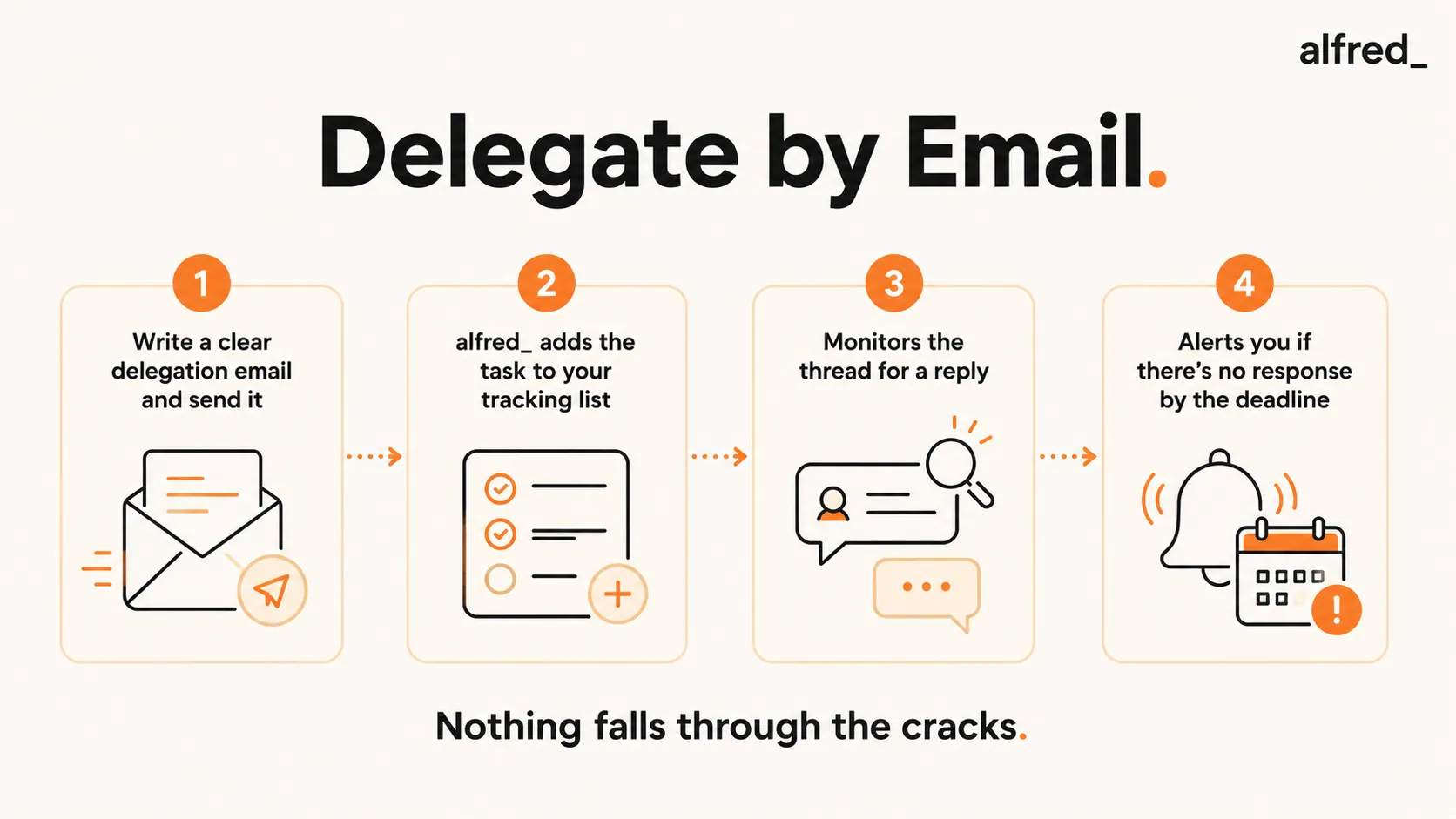
Step-by-Step: Delegate and Track Tasks via Email with alfred_
1. Write a Clear Delegation Email (Use the Template Above)
Before you send anything, make sure the email has all five components:
- Task described specifically enough that the recipient doesn’t need to ask clarifying questions
- Exact deadline with date and time
- One sentence of context explaining why it matters
- Links to all resources they’ll need
- Clear description of what the completed output should look like
2. Send via Gmail or Outlook (alfred_ Is Watching Your Outbox)
Send the delegation email from your connected inbox. alfred_ monitors your outgoing email for delegation patterns automatically:
- Task assigned to a specific named person
- Explicit deadline mentioned in the email
- Specific deliverable expected
When alfred_ detects these patterns, it creates a tracked delegation entry without any additional input from you.
3. alfred_ Adds the Delegated Task to Your Tracking List Automatically
You don’t need to log anything manually. alfred_ creates a delegation record that includes:
- The task description
- The owner (person you delegated to)
- The deadline
- A link back to the original email thread
- Status (pending, responded, complete)
This tracking list is visible in alfred_ anytime you want to see the status of outstanding delegations.
4. alfred_ Monitors the Email Thread for a Response
alfred_ watches the email thread for signs of progress:
- A reply acknowledging receipt closes the “received” loop
- A reply with questions triggers a flag so you can respond quickly
- A reply with a completion confirmation closes the task automatically
- Silence as the deadline approaches triggers a pre-deadline alert
5. If No Reply by Deadline, alfred_ Alerts You
When a delegation deadline passes with no response, alfred_ surfaces it in your morning brief:
- “Sarah’s task (Henderson report) was due yesterday and there’s no reply.”
- One-tap option to send a follow-up draft alfred_ has already written
- Option to extend the deadline if circumstances changed
- Option to mark as complete if you got an off-thread update
Nothing falls through the cracks. You don’t have to remember to check.
Before vs. After: What Tracked Delegation Changes
Before: Delegation Without Tracking
- Day 1: Send delegation email to Marcus about the client analysis.
- Day 5: Forget you sent it. Marcus is out of sight, out of mind.
- Day 14: Client meeting tomorrow. Realize you never received the analysis.
- Day 14, 8 PM: Emergency. Either do the analysis yourself or postpone the client meeting.
- Outcome: One of the two worst options. Either you work late or you damage the client relationship.
Result: Avoidable emergency caused by no follow-up system
After: Delegation Tracked by alfred_
- Day 1: Send delegation email to Marcus. alfred_ automatically creates a tracked task: Marcus, client analysis, due Day 12.
- Day 3: alfred_ notices Marcus hasn’t replied. Surfaces a heads-up in your morning brief.
- Day 3: One-tap to send a quick check-in. Marcus replies; he had a question about scope. Resolved in 2 minutes.
- Day 12: Marcus delivers the analysis. alfred_ marks the delegation complete.
- Day 15: Client meeting goes smoothly. Analysis was exactly what you needed.
Result: Task delivered on time, issue caught early, zero emergency
28%
of companies offer any delegation training, even though nearly half worry about their employees' delegation skills (2007 study of 332 companies)
What alfred_ Tracks Automatically
alfred_ monitors the full lifecycle of delegated tasks without any manual input:
- Outgoing task assignments: Detected from sent emails that match the delegation pattern: specific task, specific person, specific deadline.
- Acknowledgment status: Whether the delegate replied to confirm receipt. Tasks that aren’t acknowledged are flagged early; silence after 24 hours is worth noting.
- Thread activity: Any replies in the email thread are monitored. Questions from the delegate surface immediately so you can unblock them fast.
- Deadline proximity alerts: As the deadline approaches with no completion signal, alfred_ alerts you proactively, giving you time to follow up before it becomes urgent.
- Completion detection: When the delegate sends a reply indicating completion (“Done, attached here” or “Sent it over”), alfred_ marks the delegation closed automatically.
Delegation Mistakes That Kill Productivity
Even with a good system, these mistakes will undermine your delegation efforts:
- Delegating to the wrong person: The fastest way to get a task done wrong is to delegate it to someone who doesn’t have the skills or context. Match the task to the person’s actual capabilities, not just their availability.
- No context: People do their best work when they understand why something matters. One sentence of context (for example, “This goes to the board Friday”) changes how someone prioritizes and approaches a task.
- No deadline: Without a specific date, the task becomes background noise in a busy inbox. Always include an exact deadline.
- Micromanaging after delegating: Once you’ve delegated, let the person work. Check in at the deadline, not daily. Micromanagement trains people to wait for your input rather than exercise their own judgment, which defeats the purpose of delegating.
- Not following up at all: The opposite problem. Delegating and completely forgetting until something breaks is what produces the 8 PM emergencies. A single check-in at the midpoint prevents most surprises.
When to Follow Up on Delegated Tasks
Good follow-up is about catching problems early, not checking up on people constantly. Here’s the timing that works:
- Within 24 hours of sending: If you haven’t received an acknowledgment that the person received and understood the task, a quick check-in is appropriate. “Just checking this landed in your inbox and the deadline works for you.”
- At the midpoint for longer tasks: For a task due in 2 weeks, check in at week one. Not to inspect their work, but to ask if they have everything they need and if anything has come up that affects the timeline.
- Never assume silence equals completion: No news is not good news when it comes to delegation. If the deadline passes and you haven’t heard anything, that’s a problem to address immediately.
- After completion, close the loop: When the task is done, acknowledge it. “Got it, exactly what we needed. Thanks.” This signals to the person that their work was received and valued. It also makes them more likely to be proactive on the next task.




