

Every AI tool claims to “learn from you.” Most don’t, not in a way that shows up in your day.
The honest question isn’t “does this AI learn?” It’s “what does it learn, how fast, and will the learning actually save me time?” Different tools answer that question very differently, and understanding the difference is how you pick one that doesn’t waste your first month of use.
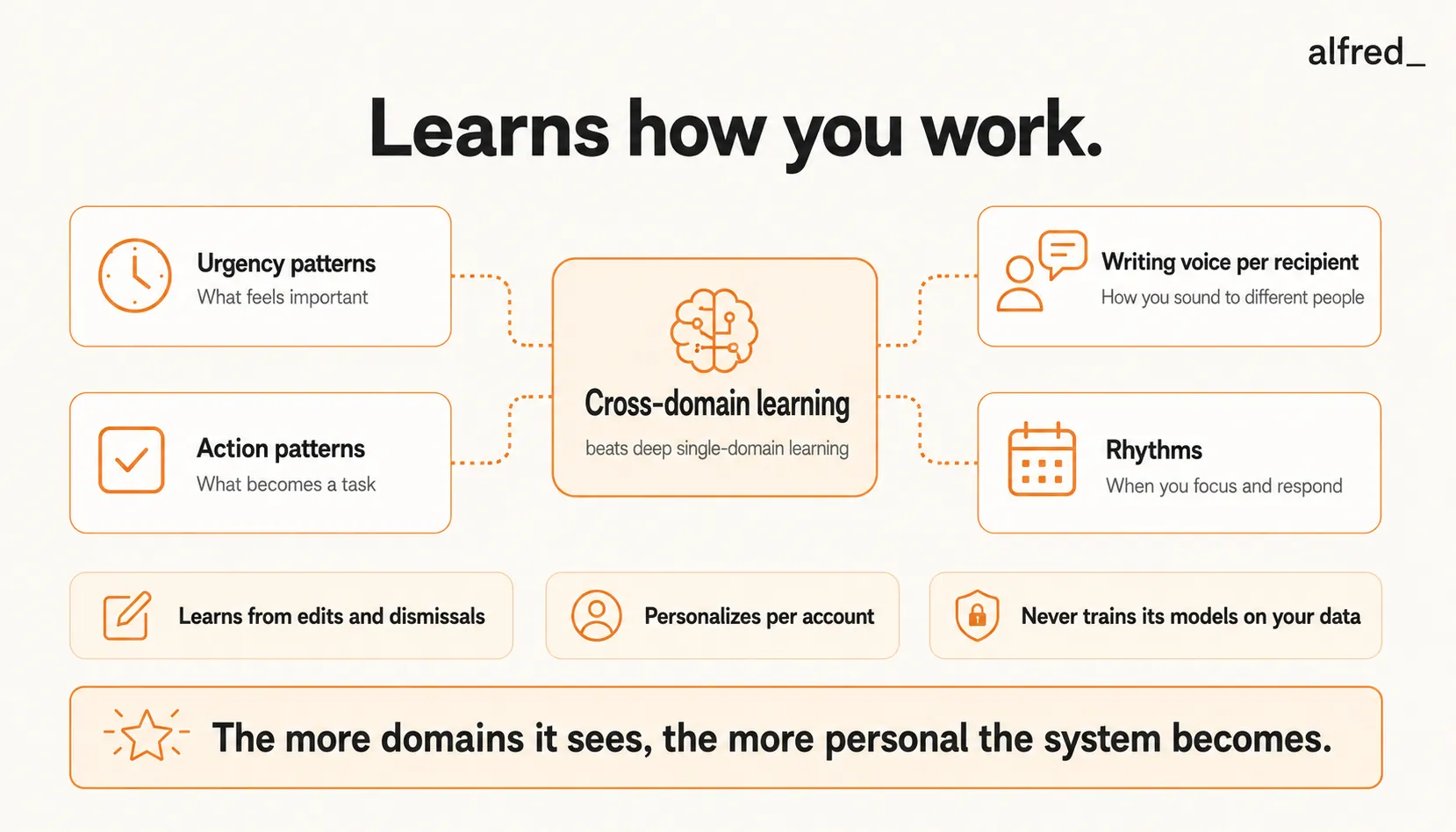
alfred_ is built around cross-domain learning: it adapts to your urgency patterns, writing voice, task patterns, and work rhythms, not just one dimension, and connects those signals so the system gets smarter about how you specifically work.
15-23%
Higher user satisfaction from dynamic, continuous-feedback personalization vs. static systems, measured across recommendations, virtual assistants, and adaptive learning
23%
Satisfaction lift for users whose preferences change over time when using adaptive systems, vs. 15% for users with stable preferences
40% fewer prompts
Adaptive feedback intervals cut how often the system asks for input while improving performance, vs. simple online learning
The Learning Problem Most AI Tools Ignore
Think about the last time an AI tool disappointed you.
Maybe ChatGPT gave you a draft that read like a press release when you wanted a two-line update. Maybe Gmail’s Priority Inbox kept flagging a newsletter as important while missing a genuinely urgent message from a new client. Maybe Motion scheduled deep work at 4 PM when everyone who knows you knows your brain stops at 3.
The failure in each case was the same: the tool wasn’t learning the things that mattered to you. It was using a generic model, or learning a narrow slice, and missing the specifics.
“After six months of use, it still greets my boss the same way it greets my vendor. How is that ‘personalized’?”
This is the right question to ask before buying any AI assistant.
The Four Dimensions of Preference Learning
Good preference learning happens across four dimensions. Most tools hit one. alfred_ works on all four.
1. Urgency Patterns
What’s actually urgent for you specifically? Not “has the word urgent in the subject.” Real urgency signals are things like:
- Which senders’ emails you respond to within 30 minutes
- Which domains you treat as high priority (a specific client, your board, your legal team)
- What topics trigger fast action (contract questions, customer escalations)
- When a delayed response creates problems downstream
alfred_ observes your response patterns and builds an urgency model specific to your role. SaneBox does a partial version of this but binary (important vs. not). alfred_ scores on a gradient and explains its reasoning.
2. Writing Voice
How do you actually write? Not how AI generically writes.
Per-recipient voice matters: you write differently to your CEO than your best vendor. Good voice learning captures:
- Your actual vocabulary and phrasing
- How you open and close with different people
- Your tone shifts for bad news vs. quick updates
- Whether you use emoji, first names, structure
Superhuman’s Instant Reply does deep voice learning in email specifically. alfred_ matches voice per recipient as well, not as granularly as Superhuman, but across email and integrated with the other learning dimensions.
3. Action Patterns
What becomes a task for you? What doesn’t?
Every user has an implicit model. You confirm some items as tasks, dismiss others, adjust deadlines on a third category. alfred_ observes these patterns and adjusts task extraction accordingly.
This is the dimension no other major tool learns. Todoist, Asana, and Notion are task systems, not task extractors. They don’t observe your pattern. Microsoft Copilot’s @Facilitator does a version of this within Microsoft 365.
4. Rhythms
When do you do your best work? When do you batch email? When do you need to be reachable?
alfred_ observes your response timing, focus windows, and calendar patterns. Over time, the morning brief arrival time, the urgency thresholds, and the draft styles adjust to match how you actually work.
Why Cross-Domain Learning Changes the Math
Single-dimension learning is useful but limited. Cross-domain learning is what lets an AI surface insights that no single tool can.
Example: Your VP of Sales emails at 11 PM. Is it urgent?
- A single-domain email tool has to guess from sender, subject, and history.
- alfred_ sees you have a quarterly review on your calendar in 48 hours, a task about revenue forecasts is overdue, and three of the last four emails from this VP before reviews have been urgent.
Same email, two different answers. The cross-domain version is right more often because it has more context.
This is also why alfred_’s morning brief can produce a line like “Board meeting at 2 PM; three unread emails from board members reference it; your prep task is overdue”. That sentence requires learning across three domains at once.
The Landscape: What Each Tool Actually Learns
| Tool | What it learns | Cross-domain | Improves from edits | Trains model on your data? | Price |
|---|---|---|---|---|---|
| Superhuman | Writing voice per recipient (deep) | Email only | Yes | No | $30-40/mo |
| Shortwave Ghostwriter | Writing voice (single profile) | Email only | Yes | Not for enterprise | $7-45/mo |
| Motion | Scheduling preferences, buffer times | Calendar only | Yes | No | $19-$29/mo |
| SaneBox | Sender importance (binary) | Email only | Yes | No | $7-36/mo |
| Fyxer | Tone from sent emails + meetings | Email + meetings | Yes | Unclear | $22.50-50/mo |
| Notion AI | Writing style in workspace | Docs only | Limited | Yes (opt-out) | $20-24/mo |
| ChatGPT (Memory on) | Facts you tell it | None | No (unless stated) | Yes | $20/mo |
| alfred_ | Urgency + voice + actions + rhythms | Email + tasks + brief | Yes | Never | $29.99/mo |
Superhuman does deep voice learning. If all you need is one tool to draft email well, it’s a specialist. But the voice matching is locked to email only, doesn’t connect to calendar or tasks, and costs more than alfred_.
Shortwave Ghostwriter is the budget option for voice learning, good at single-profile writing style, Gmail-only, no cross-domain awareness.
Motion goes deep on scheduling learning. Great if scheduling is your bottleneck. Zero email awareness, which is a limitation for most knowledge workers whose primary problem is inbound volume.
SaneBox learns sender importance but in binary, just “important” or “not.” No urgency scoring, no draft learning, no task awareness.
Fyxer learns from sent emails and meetings, with voice matching that’s moderate in depth. Newer, smaller user base, less battle-tested than the specialist tools.
Notion AI is a writing style tool for Notion docs. It learns within your workspace but isn’t an email or task assistant.
ChatGPT Memory stores facts you explicitly tell it. It doesn’t observe your work. It’s a notebook, not an adaptive system.
alfred_ is the one tool in this set that learns across email, task patterns, and work rhythms, connecting signals to produce better predictions than any single-domain tool can.
Privacy: What Adaptation Should Not Cost
Learning from your data and training models on your data are two different things. The distinction matters.
OAuth 2.0 + AES-256
alfred_'s baseline security: revocable access, industry-standard encryption in transit and at rest
alfred_ personalizes to your patterns within your account, privately. Those patterns are never pooled into model training. When you cancel, your data and learned preferences are removed. There is no secondary commercial use of your behavioral signal.
This is a deliberate design choice. Most AI tools default to using user interactions for model training unless you opt out (and in enterprise contracts, the opt-out is the default). alfred_ inverts that, no training, ever.
For users in regulated industries (law, finance, healthcare), this is a hard requirement. For everyone else, it’s a trust moat: what you let an AI observe should not become someone else’s training data.
The Adaptation Timeline: What to Expect
Week 1:
- Urgency scoring starts adjusting to your response patterns
- Initial task extractions from email commitments appear in your morning brief
- You dismiss or confirm tasks; false positives shrink
Week 2-3:
- Voice matching in drafts starts tracking per-recipient patterns
- Morning brief ordering reflects your priorities more accurately
- Rhythmic signals (when you respond fast, when you don’t) start being incorporated
Week 4-6:
- Drafts are often “good enough to send” with minor edits
- Urgency scoring is noticeably better than generic rules
- Task extraction catches subtler commitments (including your own)
Month 2+:
- System adapts to temporary shifts (new project, pre-board weeks, travel)
- Cross-domain insights start appearing (connections between email and calendar you wouldn’t spot manually)
Research on AI personalization shows systems that learn from continuous feedback adapt fastest right after a change in your behavior. alfred_ is designed to converge faster where feedback is dense (email triage, draft edits) and slower where feedback is sparse (rhythm learning).
Who This Matters For
- Founders and senior executives whose urgency patterns don’t match generic rules (a random investor email might be more urgent than your VP’s)
- Consultants switching between multiple client voices, where per-recipient learning pays off most
- Anyone who has tried a generic AI assistant and found the output too generic, the problem wasn’t the AI, it was the narrow scope of what the tool learned
What Preference Learning Does Not Do
Honest scope:
- It does not learn what you want done strategically. It learns how you work tactically. Setting direction is still your job.
- It does not replace explicit preferences. If you want something done a specific way, tell alfred_, don’t wait for it to figure out from observation.
- It does not transfer to your coworkers. Preferences are per-account, per-user.
The Summary
Every AI tool claims to learn from you. The honest question is what, how fast, and whether the learning shows up in your day.
alfred_ learns across four dimensions, urgency, voice, actions, rhythms, and connects those signals so the system can make predictions no single-domain tool can. With OAuth 2.0, AES-256 encryption, and no model training on user data, alfred_ is priced below specialists like Superhuman and Motion while covering more learning surface.
The difference between “uses AI” and “learns your patterns” is whether the tool still feels generic after a month of use. alfred_ doesn’t.




