


Most people prepare for vacation the way they pack a bag the night before: in a panic, the afternoon before they leave, cramming a week of loose ends into a frantic few hours. Then they spend the first two days of the trip half-working, and the last day dreading the inbox waiting on Monday. The vacation gets squeezed from both ends.
Preparing properly is not about working harder before you go. It is about doing the right four or five things in the right order so the work genuinely holds while you are gone. This is the broad operational checklist: how to wrap your projects, hand off coverage, communicate your absence, and prep your inbox so the time off is actually time off.
Start Two Weeks Out, Not the Day Before
The single biggest mistake is leaving all of it for the final afternoon. Anything longer than a long weekend deserves a runway. Use the first week to look ahead at what falls due during your absence and either finish it early or move it. Use the final week to brief people and set up your systems. The goal is that the day before you leave is calm, not a sprint, because everything that needed doing got done with room to spare.
Open your calendar for the period you will be away and the week after you return. Every deadline, meeting, recurring report, and renewal in that window is something to either complete in advance, delegate, or explicitly push. Write that list down. It becomes the spine of everything else you do.
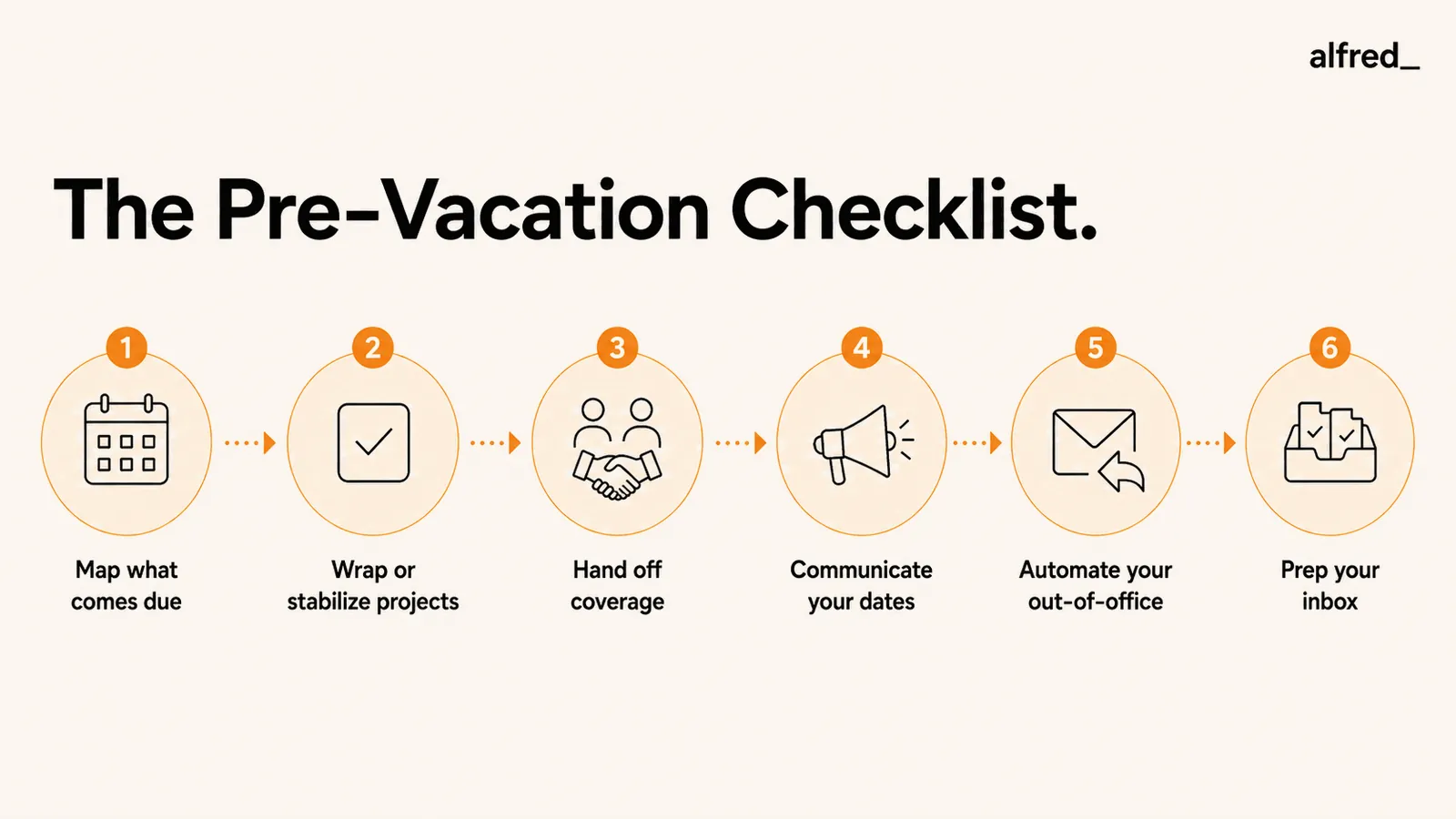
The Pre-Vacation Checklist
Work through these in order. Each one builds on the last, and skipping any of them is what turns a vacation into a working holiday.
Map what comes due while you are gone
Open your calendar and task list and scan the entire window you are away, plus the week after. List every deadline, deliverable, recurring report, invoice, renewal, and standing meeting that lands in that period. You cannot hand off or wrap what you have not surfaced, and the surprises are always the things nobody wrote down.
Wrap or stabilize your active projects
For each item on that list, finish it early, push it to after your return, or get it to a clean stopping point someone else can pick up. The aim is no project that silently stalls because you are the only one who can move it. Send the status update, file the document, and close the loops that only you can close before you go.
Hand off coverage to a named backup
Pick one person to cover the things that genuinely cannot wait, and brief them for real. Send a short handoff doc: the two or three accounts or threads most likely to need attention, where each one stands, what they are authorized to decide without you, and who to escalate to. Make sure they have any access they will need before you leave, not while you are unreachable.
Communicate your absence clearly
Tell your team your exact dates and who is covering. Send key clients a short heads-up a few days out with your return date and the backup contact. Block your calendar for the full period so nobody schedules you into a meeting you will miss. Clear communication up front prevents the flood of "are you around?" pings that follow vague signals.
Set up your out of office to run itself
Schedule the auto-reply with start and end dates so it switches on and off on its own. State your dates, your return expectation, and one backup contact. For the full templates and the five parts every good auto-reply needs, see our guide on the out of office email.
Prep your inbox so the backlog sorts itself
This is the step most people skip, and it is the one that decides what Monday feels like. Filter predictable noise like newsletters and notifications to a label before you leave so they never hit your main inbox. Then put triage in place so incoming mail is sorted while you are gone, instead of stacking into an undifferentiated wall of unread you have to dig through on your first morning back.
Wrapping Projects Without Working Through Your Whole Trip
The point of wrapping is not to finish everything. It is to make sure nothing depends on you while you are unreachable. For each active project, ask one question: if I disappear for a week, does this stall? If yes, either move the deadline now or get the work to a state where someone else can carry it.
That usually means three small acts of generosity to your future self and your team. Send the status update so everyone knows where things stand. Document the next step so the person covering does not have to guess. And name the one decision most likely to come up, with your recommendation attached, so your backup can act instead of waiting. Loose ends left undocumented are the threads that turn into “quick questions” that interrupt your trip.
The Handoff Is the Part People Fake
Naming a colleague in your auto-reply is not a handoff. A real handoff is a short conversation or document that gives one person enough context to actually act. The difference between a vacation that holds and one that gets interrupted is almost always whether the backup was briefed or just named.
A good handoff doc fits on one screen: the accounts or projects in play, the current state of each, the decisions your backup can make without you, the ones that should wait, and a single escalation contact for anything genuinely on fire. Send it before you leave and confirm they have read it. If a thread does come up while you are gone, your backup handles it, and the email never becomes your problem. That is what keeps the time off intact and what keeps the inbox you return to from being full of things that were yours to begin with.
Where alfred_ Fits
Know your inbox is handled while you are away
alfred_ reads every email that arrives during your time off, sorts the signal from the noise, and has draft replies waiting for the ones that actually matter. Instead of opening your laptop to hundreds of unread, you open it to the handful of things that need you. The prep does not end the moment new mail starts arriving, because something is triaging it the whole time you are gone.
See how alfred_ handles your inbox overnightEvery other step on this list buys you a clean departure. Inbox prep is what buys you a clean return. You can wrap every project and brief the perfect backup, and still lose your first day back to an inbox that grew unchecked for a week. Filtering the noise and putting triage in place is what makes coming back a ten-minute review instead of an all-day dig. For the deeper version of this, see how to manage email overload and how alfred_ handles your inbox overnight.
How to Come Back Without Losing the First Day
The instinct on your first morning back is to start at the top of the inbox and read down. Do not. Reading everything in arrival order is how a thirty-minute catch-up becomes a lost day. Triage in passes instead.
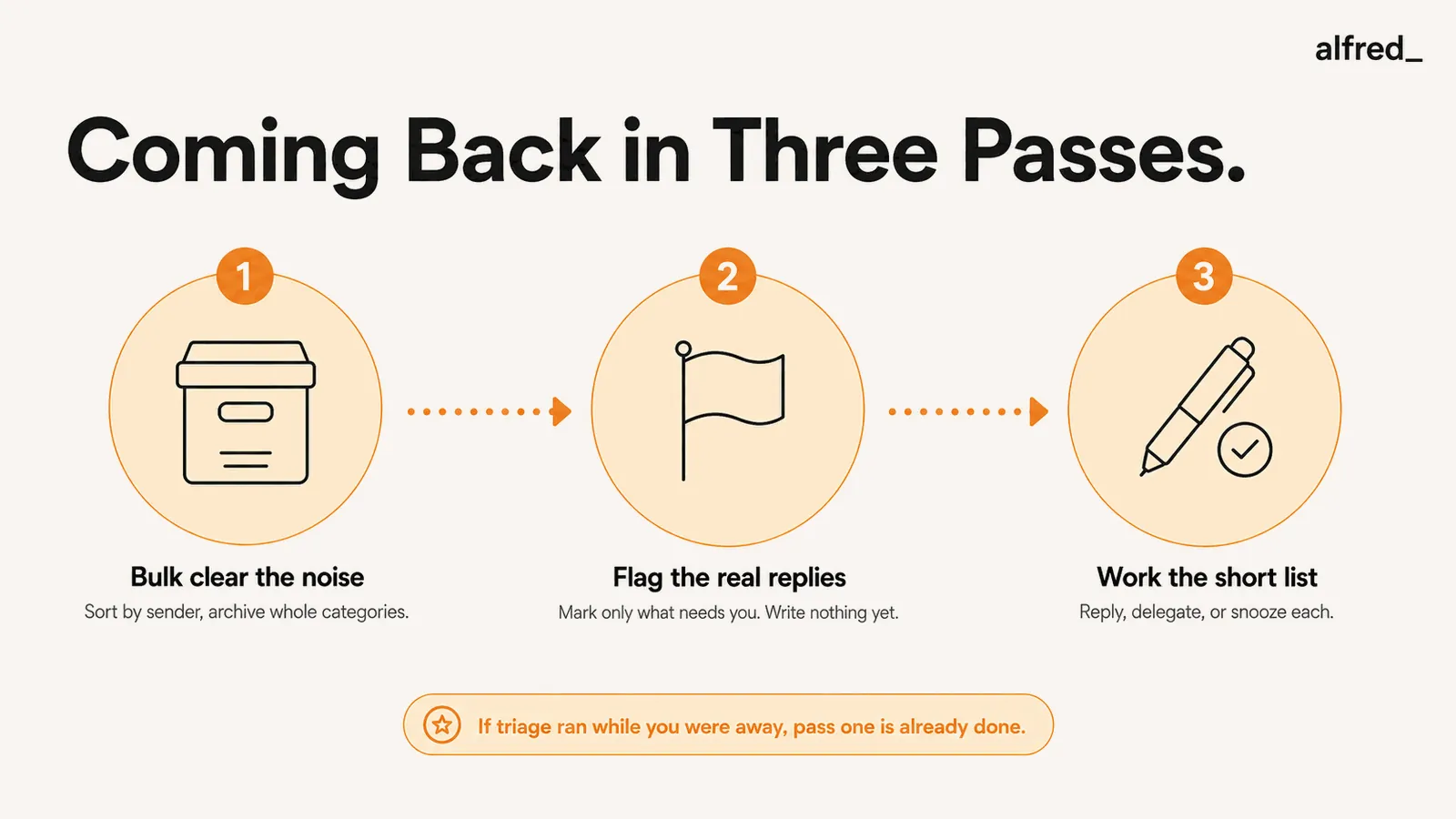
First, bulk clear. Sort by sender and archive entire categories at once: newsletters, automated notifications, social updates, receipts. On most post-vacation inboxes this removes more than half the volume in a couple of minutes. Second, flag the real replies. Go through what is left and flag only the messages that need a genuine response from you, without writing anything yet. Third, work the flagged list. Now reply, delegate, or snooze each item. Because the noise is already gone, the list is short and the work is finite.
If you set up triage before you left, most of pass one is already done. You return to a sorted shortlist instead of the raw pile, and the day is yours again.
The Bottom Line
Preparing for vacation at work is not one task, it is a short sequence done in order. Map what comes due, wrap or stabilize your projects, hand off coverage to a briefed backup, communicate your dates clearly, schedule your out of office, and prep your inbox so the backlog sorts itself. Do the first five and you leave clean. Do the sixth and you come back clean. Start two weeks out, work the list, and the vacation holds at both ends, which is the entire point of taking one.